Survive your first night in minecraft
Play Minecraft to survive your first night by collecting wood, crafting basic tools, building a shelter, and avoiding monsters while learning resource management.


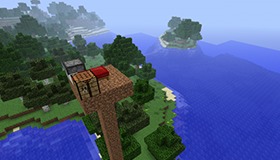

Step-by-step guide to survive your first night in Minecraft
The Minecraft Survival Guide ▫ Surviving Your First Night! (1.13 Lets Play / Tutorial) [Part 1]
Step 1
Launch Minecraft and start a new Survival world with default settings.
Step 2
Look around and run to the nearest trees and punch them until you have at least 10 logs.
Step 3
Open your inventory and put each log into the crafting area to turn them into wooden planks.
Step 4
Use four wooden planks in the crafting area to craft a crafting table.
Step 5
Place the crafting table on the ground next to where you are standing.
Step 6
Use the crafting table to make sticks by placing two wooden planks one above the other.
Step 7
Use sticks and wooden planks at the crafting table to craft a wooden pickaxe.
Step 8
Find a nearby hill or dig a small staircase down and use your wooden pickaxe to mine at least 8 cobblestone blocks.
Step 9
Build a small enclosed shelter at least 3 blocks wide 3 blocks deep and 2 blocks tall using cobblestone or wooden planks.
Step 10
Place a furnace inside your shelter on the floor.
Step 11
Put one log into the top slot of the furnace and use wooden planks as fuel to smelt the log into charcoal.
Step 12
Craft torches by combining one charcoal and one stick per torch until you have at least eight torches.
Step 13
Place torches inside your shelter to light it so monsters cannot spawn inside.
Step 14
Close the shelter entrance by placing extra blocks in the doorway before it gets dark to keep monsters out.
Step 15
Take a screenshot or photo of your shelter and share your finished creation on DIY.org.
Help!?
What can I use instead of cobblestone if I can't find stone to mine?
You can use wooden planks made from the logs you collect to build the 3x3x2 shelter since the instructions allow cobblestone or wooden planks.
What should I do if I don't finish mining 8 cobblestone before it gets dark?
Quickly dig a small staircase down (as the instructions suggest) and hollow out a 3x3x2 room with your wooden pickaxe, then close the doorway with extra blocks to keep monsters out before night falls.
How can I change this challenge for younger or older kids?
For younger kids, simplify to a 2x2x2 wooden-plank shelter and aim for 4 torches, while older kids can craft a wooden door, upgrade to stone tools after mining cobblestone, or hunt for coal to make torches instead of producing charcoal.
How can we personalize or improve our shelter before sharing the screenshot on DIY.org?
Add a wooden door (crafted from planks), smelt sand into glass in the furnace for windows, place a chest and signs inside, and arrange torches for better lighting before taking the screenshot to post on DIY.org.
Watch videos on how to survive your first night in Minecraft
Minecraft Tutorials - 01 - How to Survive your First Night
4 Videos
Minecraft Tutorials - 01 - How to Survive your First Night
Minecraft Tutorials - E01 How to Survive your First Night (UPDATED!)
Minecraft How to Survive Your First Night - Survive & Thrive 2024 - EP 1
![Surviving Your First Night! ▫ Minecraft Survival Guide (1.18 Tutorial Let's Play) [S2 Ep.1]](https://img.youtube.com/vi/E19Jaijd7Dg/mqdefault.jpg)
Surviving Your First Night! ▫ Minecraft Survival Guide (1.18 Tutorial Let's Play) [S2 Ep.1]
Facts about Minecraft survival basics
🌳 One log turns into 4 wooden planks — enough to start a crafting table and build a quick shelter!
🧰 A crafting table is made from 4 planks (2x2) and unlocks almost all the game's recipes.
🔥 Torches stop hostile mobs from spawning nearby and are crafted from 1 stick + 1 coal or charcoal.
💥 The Creeper's odd shape came from a coding mistake when Minecraft's creator was making a pig — and it became an iconic enemy.
🚀 Minecraft is one of the best-selling video games ever, and surviving your first night is a milestone for millions of players.
How do I survive my first night in Minecraft step by step?
What materials do I need to survive the first night in Minecraft?
What ages is surviving the first night in Minecraft suitable for?
How can I keep my child safe while they play Minecraft for the first night?
