Start a webcomic
Create a short webcomic by designing characters, scripting simple stories, drawing panels, digitizing pages, and sharing episodes online with adult supervision.


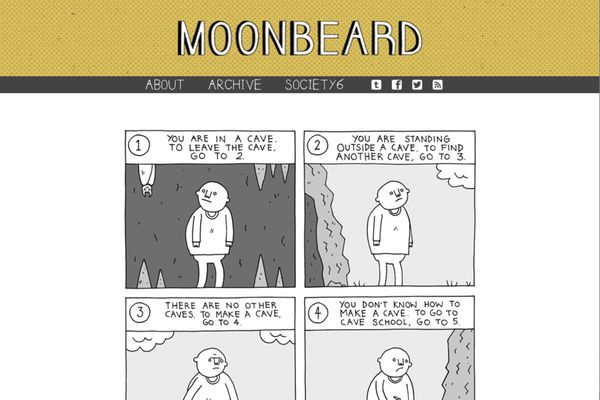

Step-by-step guide to start a webcomic
Webcomics 101: How to Start Your Webcomic!
Step 1
Pick a fun theme for your webcomic and write a one-sentence idea that tells who the hero is and what will happen.
Step 2
Draw a simple character sheet for your main character showing their face and one special outfit.
Step 3
Draw a quick character sheet for a sidekick or an opponent with one fun detail about them.
Step 4
Write a short script that fits three panels by describing the beginning middle and end in three sentences.
Step 5
Use your ruler to draw the panel boxes on a clean sheet so you have space for three or four panels per page.
Step 6
Lightly pencil-sketch each panel scene following your script so the actions fill each box.
Step 7
Trace your pencil drawings with a black pen or fineliner to make bold lines for the comic.
Step 8
Gently erase the pencil marks so only the inked artwork remains.
Step 9
Draw speech balloons in each panel and write the dialogue from your script clearly inside them.
Step 10
Colour your panels using your colouring materials to make the comic bright and fun.
Step 11
Add a title and episode number on the top of the page so people know it is part of your webcomic.
Step 12
Ask an adult to help you scan or photograph your finished pages so they become digital files.
Step 13
With an adult’s help upload and share your finished webcomic episode on DIY.org
Help!?
If I don’t have a fineliner or a scanner, what can I use instead?
Use a regular black ballpoint pen or a sharpened mechanical pencil to trace your pencil drawings when the instructions say 'trace your pencil drawings with a black pen or fineliner', and ask an adult to photograph the finished pages in bright, even light instead of scanning to make digital files.
What should I do if my panels look cramped or my drawings don’t fit inside the boxes?
Measure and lightly mark panel sizes with your ruler before sketching so you can follow the 'use your ruler to draw the panel boxes' step, then redraw smaller poses or simplify backgrounds in pencil so the actions fit each box before inking.
How can I make this activity easier for a 5-year-old or more challenging for a 12-year-old?
For a 5-year-old, cut down to three big panels, use washable markers for the 'colour your panels' step and pre-drawn character sheets, while a 12-year-old can write a longer script, add extra panels, and fine-tune inks and colours for upload to DIY.org.
What are simple ways to personalize or grow my webcomic after finishing the first episode?
Personalize by designing a unique title banner and consistent episode number at the top of each page, create new character outfits on additional character sheets, and with an adult combine scanned pages into a single file or add simple captions before uploading more episodes.
Watch videos on how to start a webcomic
How to make Comics/Webcomics from script to publish! | My comic creation process
4 Videos
How to make Comics/Webcomics from script to publish! | My comic creation process

HOW I CREATE A WEBCOMIC: Creative Process, Practical Tips, Monetization and Q&A
How I make a Webcomic/Webtoon Episode!
5 Tips For Starting Your Webcomic NOW
Facts about creating comics and digital storytelling
🖥️ The first regularly updated webcomic is often credited as "Doctor Fun" (1993), one of the earliest comics made just for the web.
📱 Vertical-scrolling webtoons were invented to make comics easy to read on phones and helped webcomics explode in popularity worldwide.
✍️ Many webcomic creators do everything themselves—writing, drawing, inking, coloring, and lettering—like tiny one-person studios.
💸 Webcomic creators can earn money from ads, Patreon/subscriptions, merchandise, or print book deals—some became full-time professionals.
🖼️ You can digitize comics by scanning paper pages or drawing straight on a tablet; free tools like Krita and platforms like Webtoon/Tapas make sharing simple.
How do I start a short webcomic with my child?
What materials and tools do I need to create a child-friendly webcomic?
What ages is starting a webcomic suitable for?
What safety tips should I follow when my child shares a webcomic online?
