Shoot and Show!
Use a smartphone or simple camera to shoot photos or short videos, edit them, and create a mini slideshow gallery to share with others.


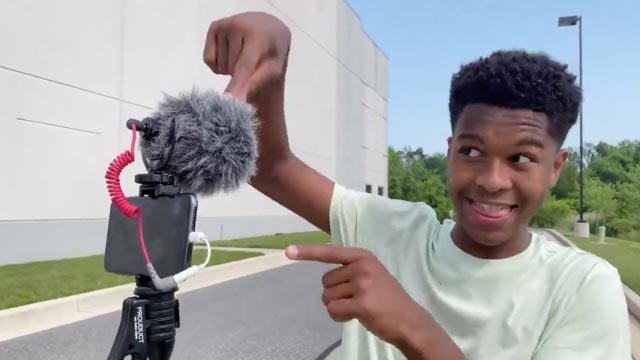

Step-by-step guide to Shoot and Show!
Step 1
Pick a fun theme for your mini gallery like “silly toys” “mini nature” or “magic tricks.”
Step 2
Gather 5 to 12 props that match your theme and put them in one spot.
Step 3
Make a simple backdrop by hanging a plain sheet or taping poster paper to a wall.
Step 4
Build a steady camera base by stacking books or using a small tripod on a table.
Step 5
Place your smartphone or camera on the base and point it at the backdrop.
Step 6
Turn on the lamp or flashlight and aim it to light your scene evenly.
Step 7
Arrange your props in the first pose or scene on the backdrop.
Step 8
Take several photos or a short video clip of that setup.
Step 9
Rearrange the props into a new pose and take more photos or clips until you have 8 to 12 good shots.
Step 10
Look through all your photos and videos and pick your favourite 8 to 12 to use.
Step 11
Open a photo or video editing app and import the favourites you chose.
Step 12
Trim or crop each photo or clip so the main subject fills the frame.
Step 13
Add short titles or captions and choose a simple transition between each slide.
Step 14
Add background music at a low volume so it doesn’t drown out any sound you want to keep.
Step 15
Ask an adult to help you upload and share your finished slideshow on DIY.org.
Help!?
What can we use if we don't have a plain sheet, poster paper, small tripod, or lamp?
If you don’t have a plain sheet, poster paper, small tripod, or lamp you can tape a plain pillowcase or large piece of cardboard to the wall for the backdrop, stack magazines or a cereal box as the camera base instead of books or a tripod, and use window light or your phone’s built-in flashlight for lighting.
My photos are shaky or too dark—what should I check or fix during the shoot?
If shots are shaky or dark, stabilize the camera by rebuilding the book or magazine stack and adding a small weight on the phone, re-aim the lamp or flashlight to light the scene evenly, and preview framing so you need less trimming or cropping in the editing app.
How can I adapt this activity for younger kids or older kids?
For younger kids, use only 5 large, easy-to-handle props and have an adult help set the camera base, lighting, and upload, while older kids can use 8–12 props, try multiple angles, add transitions and low-volume music in the editing app, and handle the DIY.org upload themselves.
How can we make the slideshow more creative or unique before uploading to DIY.org?
To personalize the gallery, decorate the backdrop with colored poster paper or fairy lights, add short voice captions or sound effects and themed titles in the editing app, and experiment with a stop-motion sequence made from many tiny prop rearrangements.
Watch videos on how to Shoot and Show!
How to Teach Art To Kids | Preschool To High School
4 Videos

How to Teach Art To Kids | Preschool To High School

Young Engineers: Pyramid Catapult - Easy and Powerful DIY STEM Project for Kids
Photography Tips For Kids

The 7 Elements of Art Explained: A Fun and Easy Guide for Kids! 🎨
Facts about digital photography and video editing for kids
📸 Over one trillion photos are taken worldwide every year — that's a whole lot of memories to share!
📱 The first camera phone went on sale in Japan in 2000, and it helped launch mobile photography for everyone.
✂️ The "rule of thirds" is a simple composition trick: imagine a 3×3 grid and place your subject on the lines to make photos more balanced.
🌅 Photos taken during the "golden hour" (shortly after sunrise or before sunset) have warm, soft light that looks great on camera.
🎞️ Over 500 hours of video are uploaded to YouTube every minute — short, fun clips are super popular!
How do you do the Shoot and Show! activity?
What materials do I need for Shoot and Show!?
What ages is the Shoot and Show! activity suitable for?
What safety and privacy tips should we follow for Shoot and Show!?
