Podcast Mic Test
Record short podcast-style episodes using a microphone or phone, practicing clear speech, volume control, and simple editing to improve communication skills.
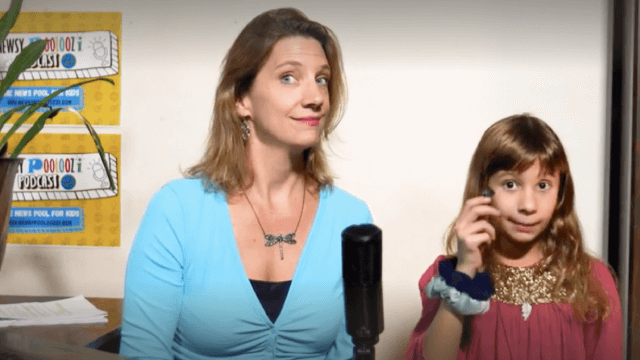
About this activity
Record short podcast-style episodes using a microphone or phone, practicing clear speech, volume control, and simple editing to improve communication skills.
What you need
Step by step
- 1
Step 1
Pick one fun topic for your short episode like a favorite hobby a quick story or a cool fact to share.
- 2
Step 2
Write a short script or three bullet points on paper that take about one to two minutes to say.
- 3
Step 3
Read your script aloud slowly and clearly two or three times to practice your words and tone.
- 4
Step 4
Find a quiet room or corner and close the door to reduce background noise.
- 5
Step 5
Place your microphone or smartphone on a stable surface about an arm’s length away from your mouth.
- 6
Step 6
Open your recording app and record a 20-second test clip saying one full sentence at your normal speaking volume.
- 7
Step 7
Put on headphones and listen to the test clip to check how clear your voice sounds.
- 8
Step 8
Move the microphone or change the volume setting if needed and make one more short test recording.
- 9
Step 9
Press record and perform your full short episode speaking clearly and at the pace you practiced.
- 10
Step 10
Stop the recording when you finish speaking and listen all the way through once.
- 11
Step 11
Open your audio editing app and trim the very start and end and remove any big mistakes.
- 12
Step 12
Export the edited file and give it a short title and one-sentence description.
- 13
Step 13
Share your finished creation on DIY.org.
Fun facts
How do I run a podcast mic test with my child?
Start by choosing a short, simple topic and set up a quiet space with the microphone or phone. Do vocal warm-ups (humming, tongue twisters), then test distance—have the child speak at normal volume about 10–20 cm from the mic. Record a 1–3 minute episode, check clarity and volume, and repeat. Use a basic editing app to trim silence and balance levels. Give positive feedback and suggest one small improvement for the next take.
What materials do I need for a Podcast Mic Test?
You need a microphone or a smartphone with a decent mic, headphones for listening, a quiet room, and a simple recording app (like Voice Memos or a free recorder). Optional items: pop filter, mic stand, a short script or cue cards, a timer, and a basic editing app (e.g., Audacity or free mobile editors). Ensure the device has enough battery and storage before starting.
What ages is a Podcast Mic Test suitable for?
Podcast mic tests suit children roughly aged 5 and up. Ages 5–7 work with close parental guidance and short prompts. Ages 8–12 can plan short scripts, practice volume and clarity, and edit simple clips. Teens can handle longer episodes, advanced editing, and interview styles. Adapt tasks to attention span and motor skills; younger kids benefit from fun prompts and shorter recordings.
What are the benefits of doing a Podcast Mic Test with kids?
Recording short podcast episodes builds speech clarity, storytelling, and listening skills while boosting confidence. It teaches volume control, pacing, and basic editing tech. Regular practice improves vocabulary and organization of thoughts. Keep safety in mind: avoid sharing personal details publicly and supervise publishing. Make it playful—theme episodes or add sound effects—to keep motivation high and reinforce learning.
Watch & Learn
Need help?
What can I use if I don't have a microphone or headphones?
Use your smartphone's built-in microphone placed on a stable surface about an arm's length away and ordinary earbuds as headphones while following the 'Place your microphone or smartphone...' and 'Put on headphones...' steps.
My recording sounds echoey or has background noise—what should I check?
Make sure you're in a quiet room with the door closed, place the mic or smartphone on a stable surface about an arm's length from your mouth, record the 20-second test clip, then move the microphone or change the volume setting as needed before doing the full episode.
How can I adapt this activity for younger or older kids?
For younger kids, use a one-sentence prompt and have a grown-up help open the recording and editing apps and trim the file, while older kids can write a longer 2–3 minute script, practice tone more, and explore advanced editing features.
How can we make the episode more interesting or personal?
Use your audio editing app to add a short intro jingle or sound effects, give the exported file a catchy short title and one-sentence description, or invite a friend to record a guest line for the episode.