Manage a simulated civilization
Design and manage a simple tabletop civilization using paper maps, tokens, and rules to explore resource management, trade, and teamwork through play.


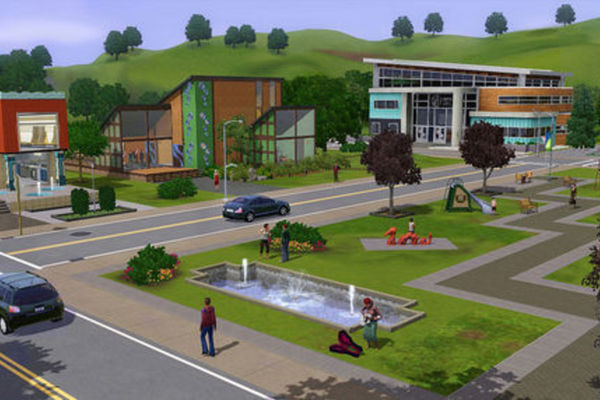

Step-by-step guide to design and manage a tabletop civilization
What Is a Civilization? - How Civilization Spreads
Step 1
Gather all the materials listed and set them on a clear table.
Step 2
Choose a name for your civilization.
Step 3
Pick a theme for your civilization such as island desert forest or futuristic.
Step 4
Draw a map on a sheet of paper and divide it into six regions.
Step 5
Label each region with a resource type like food wood stone water or gold.
Step 6
Choose tokens from your small objects to represent people and to represent goods.
Step 7
Make resource cards on index cards by writing each resource name and a starting amount.
Step 8
Decide the starting resources for each player and write them down on a piece of paper.
Step 9
Place the starting tokens and the matching resource cards onto the regions of your map.
Step 10
Create a simple rule card that explains turn order and how to collect resources on each turn.
Step 11
Make a trade card on an index card that lists exchange rates and how players can offer trades.
Step 12
Write six event ideas on sticky notes shuffle them face down and keep them as surprise events.
Step 13
Play one practice round where each player takes one turn to collect resources following the rule card.
Step 14
Play at least five full rounds using your rules trade with others resolve events and try to reach your civilization goal.
Step 15
Share a photo and description of your finished civilization and its story on DIY.org
Help!?
What can we use instead of index cards, sticky notes, or special tokens if we don't have them?
If you don't have index cards use cut-up paper or cardboard for resource and trade cards, replace sticky notes with small folded paper notes, and use coins, buttons, or LEGO pieces as the small object tokens while still placing them on your drawn map and matching resource cards.
What should we do if players keep getting the same resources or the map regions are confusing during the practice round?
If players keep getting the same resources or the six-region map is confusing during the practice round, fold the sheet into six equal sections or draw a ruler-guided grid, clearly label each resource region, and use a die or spinner to randomly select which region to collect from per the rule card.
How can we adapt this activity for younger or older kids?
For younger children reduce the map to three regions, pre-write resource cards and play only three rounds, while for older kids keep six regions, add complex rule cards, variable event effects on the sticky notes, and longer goals over five or more rounds.
How can we personalize or extend the civilization game after the five rounds?
To extend or personalize the game upgrade tokens into painted mini-figures, create a technology tree on extra index cards that unlocks new resource actions, and write a longer civilization story to share with the photo and description on DIY.org.
Watch videos on how to design and manage a tabletop civilization
What is Civilization? (for kids) | Learn how civilizaitons evolved | Lesson Boosters Social Studies
4 Videos
What is Civilization? (for kids) | Learn how civilizaitons evolved | Lesson Boosters Social Studies

Exploring Egyptian Civilization for Kids I Educational Videos for Children
Ancient Civilizations for Kids
Introduction to Ancient Civilizations: Review Rap - Ancient World History for Kids!
Facts about tabletop game design
🎲 The ancient Egyptian board game Senet is over 5,000 years old — one of the oldest known games ever played!
🕹️ Sid Meier's Civilization series began in 1991 and inspired many tabletop and video games about growing empires.
🌾 On two six-sided dice, 6 and 8 are the most likely non-7 sums — game designers often mark them as high-value spots (like Catan’s red dots).
🤝 Simple trade-and-team mechanics in play teach kids negotiation, planning, and cooperation in hands-on ways.
🗺️ Many board-game creators prototype using paper maps, tokens, and sticky notes because it’s fast, flexible, and fun to iterate.
How do I design and run a simple tabletop civilization game at home?
What materials do I need to make a simple tabletop civilization?
What ages is this tabletop civilization activity suitable for?
What are the benefits and safety tips for playing a tabletop civilization?
