Make your own Uke tune!
Compose and play your own simple ukulele tune using basic chords, rhythm patterns, and creativity. Practice strumming, timing, and melody building.




Step-by-step guide to compose and play your own ukulele tune
Step 1
Tune your ukulele using a tuner or tuning app so each string sounds correct.
Step 2
Look at the chord chart and learn the C chord by placing your fingers as shown and strum once to check it rings clear.
Step 3
Learn the F chord from the chart by placing your fingers as shown and strum once to check it rings clear.
Step 4
Learn the Am chord from the chart by placing your finger as shown and strum once to check it rings clear.
Step 5
Practice a simple strumming pattern slowly with your strumming hand like down down up up down up until it feels steady.
Step 6
Set the metronome to a slow tempo and play the strumming pattern on one chord for four counts each to keep steady timing.
Step 7
Practice switching between C F and Am slowly while keeping the metronome clicks steady.
Step 8
Choose a chord progression for your tune and write the sequence on paper for example C F Am F.
Step 9
Create a short melody by humming or plucking a few single notes that fit the chords and write the melody idea on paper.
Step 10
Play your chord progression while adding the melody slowly one measure at a time until the parts fit together.
Step 11
Practice your full tune from start to finish three times to build confidence and smooth timing.
Step 12
Share your finished ukulele tune on DIY.org so others can hear your music and celebrate your creation.
Help!?
What can we use if we don't have a physical tuner or metronome for this ukulele activity?
Use a free tuning app or online tuner for step 1 and your phone's metronome or a steady foot tap for step 5 while following the printed chord chart in step 2.
My C chord sounds muted or buzzy when I strum in step 2 — how can I fix it?
If the C chord in step 2 buzzes or mutes, press with your fingertip just behind the fret, curl your other fingers so they don't touch adjacent strings, and recheck tuning from step 1.
How can I change the difficulty of this activity for younger or older kids?
For younger kids, simplify steps 6–9 by practicing only C and Am with a very slow metronome and one-measure melodies, while older kids can increase tempo, learn more complex strumming in step 5, and write longer progressions in step 7.
What are some ways to extend or personalize our ukulele tune before sharing it on DIY.org?
Personalize the tune by writing lyrics to your melody from step 8, adding a bridge or extra chord to the progression in step 7, decorating the ukulele for your video, and recording multi-track parts to upload in step 11.
Watch videos on how to compose and play your own ukulele tune
4 EASY chords, 100+ Songs - Ukulele Tutorial
4 Videos

4 EASY chords, 100+ Songs - Ukulele Tutorial

Ukulele Tuning | How to Tune Your Ukulele by Ear & Tuner

Way Maker - EASY ukulele tutorial
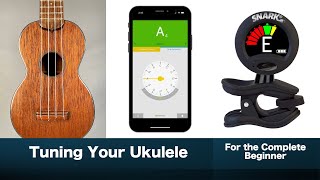
Tuning Your Ukulele - For the Complete Beginner
Facts about ukulele basics and songwriting
🎶 The ukulele was developed in Hawaii in the late 19th century, adapted from small Portuguese stringed instruments.
🪕 Most ukuleles have four strings, which makes learning basic chords fast and friendly for beginners.
🎸 Many popular songs can be played with just three chords — perfect for composing simple uke tunes.
🕒 A common strumming pattern in 4/4 time gives you four beats per measure: count “1-2-3-4” to stay steady.
✨ Israel Kamakawiwoʻole’s ukulele medley of “Somewhere Over the Rainbow” helped make the uke famous worldwide.
How do you compose and play a simple ukulele tune?
What materials do I need to make my own uke tune?
What ages is composing a simple ukulele tune suitable for?
What are the benefits of composing and playing your own uke tune?
