Make architecture in minecraft
Design and build a Minecraft architectural project like a house or castle, plan a simple blueprint, choose materials, and test structural symmetry.


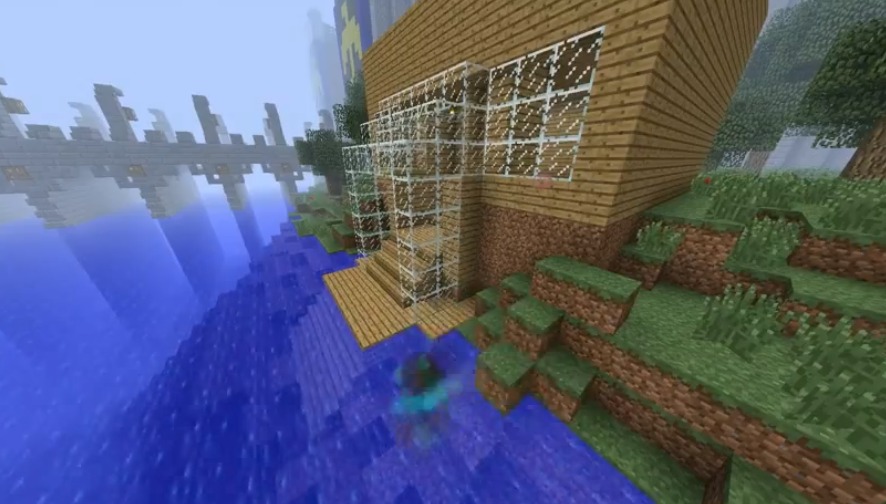
Step-by-step guide to design and build a Minecraft house or castle
Parents' Guide to Minecraft
Step 1
Decide whether you want to build a house or a castle and imagine one big cool feature it will have.
Step 2
Pick a flat spot in your Minecraft world where your project will fit and stand there to check the space.
Step 3
Sketch a simple blueprint on paper showing the floor plan and draw one line that will be the symmetry axis.
Step 4
Choose 4 to 6 block types you will use for walls floor roof and decorations and keep your choices the same on both sides.
Step 5
Measure the footprint on your blueprint and mark the building corners on the ground in Minecraft with a temporary block.
Step 6
Build the outer walls following your blueprint and make sure each wall block you place on one side has a matching block on the other side.
Step 7
Place doors and windows so they line up across the symmetry axis exactly opposite each other.
Step 8
Add floors and a roof using the block types you chose making the left and right sides mirror each other.
Step 9
Stand on the symmetry line and look left and right to spot any differences in shape or block placement.
Step 10
Fix any differences you found so both sides are the same and the building is symmetric.
Step 11
Add lighting stairs and decorative details that are the same on both sides of the symmetry line.
Step 12
Share your finished Minecraft architectural creation on DIY.org
Help!?
What can we use if we don't have the block types we picked for walls, floor, or roof?
If you can't find a chosen block from the 'Choose 4 to 6 block types' step, substitute visually similar blocks (for example stone bricks or smooth stone instead of quartz, plain glass for stained glass, and glowstone or torches instead of sea lanterns) and use the same substitutions on both sides so the symmetry stays consistent.
How can we fix the building if the two sides don't match while building walls and windows?
Follow the 'Measure the footprint...mark the building corners' step and count blocks from the symmetry axis, place temporary marker blocks along that line, then stand on the symmetry line to compare left and right and remove or add blocks until every wall block, door, and window has a matching block on the opposite side.
How should we change the activity for younger or older kids?
For younger kids simplify the blueprint to a small footprint, use only 2–3 block types and help them mark corners and place doors, while older kids can design larger blueprints, choose 4–6 detailed block types, add mirrored interiors and symmetrical redstone mechanisms as part of 'Add lighting stairs and decorative details.'
What are some fun ways to personalize or extend our symmetric Minecraft build before sharing it?
Extend the project by adding mirrored outside features like a matching garden, moat, or twin towers, build mirrored secret rooms or redstone lighting that obeys the 'left and right sides mirror each other' rule, and take screenshots plus your blueprint to share on DIY.org.
Watch videos on how to design and build a Minecraft house or castle
MINECON 2015 Teaching with Minecraft
4 Videos
MINECON 2015 Teaching with Minecraft
The Complete Minecraft Beginners Guide 2024
25 Ideas You Need in a Minecraft House
The Complete Minecraft Beginners Guide for 2023
Facts about Minecraft building and design
🎮 Minecraft is one of the best-selling video games of all time — perfect for practicing real-world design in a fun blocky world.
⛏️ In Minecraft, 1 block is about 1 meter tall, which makes it easy to plan simple blueprints to scale.
🧱 Obsidian is one of the toughest blocks in Minecraft and resists explosions, so it's great for fortress foundations.
🪞 Using symmetry in your design lets you mirror one side to save time and keep your build balanced and pleasing.
🏰 Many real castles used concentric walls (multiple layers of defense) — a neat idea to add depth and realism to castle builds.
How do you design and build an architectural project in Minecraft step by step?
What materials and tools do I need for a Minecraft building project?
What ages is designing and building Minecraft architecture suitable for?
What are the benefits and safety tips for kids building architecture in Minecraft?
