Make a Claymation Video - Bouncing Ball
Create a short claymation video of a bouncing ball using clay, a phone or camera, stop-motion frames, and simple editing to animate movement.


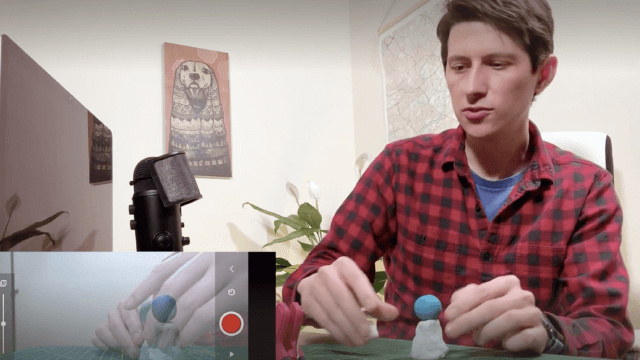

Step-by-step guide to Make a Claymation Video - Bouncing Ball
Step 1
Set up a flat workspace by putting the cardboard base on a table and taping the plain poster behind it as your background.
Step 2
Roll a smooth clay ball about the size of a ping-pong ball so it is ready to bounce.
Step 3
Place the clay ball at the starting spot on the base where you want the bounce to begin.
Step 4
Put your phone or camera on the tripod or stack of books and make sure it will stay still.
Step 5
Look at the screen and frame the shot so the whole bounce path fits inside the picture.
Step 6
Press the shutter to take the first photo to mark the starting position.
Step 7
Move the clay ball a tiny bit along the path to show the next position and take another photo.
Step 8
Repeat moving the ball small amounts and taking one photo each time until the bounce reaches the end position.
Step 9
Open the photos in your stop-motion app or video editor and import them in order.
Step 10
Play the frames as a quick slideshow and adjust the speed to about 10–15 frames per second so the ball looks smooth.
Step 11
Trim or delete any extra photos that make the motion look jumpy and add a title or simple sound if you want.
Step 12
Export your finished claymation video and share your finished creation on DIY.org
Help!?
What can we use instead of a tripod, poster board, or modelling clay if we don't have them?
If you don't have a tripod, steady your phone on a stack of books as the instructions suggest, tape a plain wall or large sheet of white paper behind the cardboard base in place of a poster, and use Play‑Doh or air‑dry modelling clay rolled into a ping‑pong‑sized ball for the bounce.
My claymation looks jumpy or the ball slides unpredictably—what should I check and fix?
Make sure the phone stays totally still on the tripod/books, move the clay ball only tiny amounts between photos as the steps say, keep the lighting consistent, and then delete or retake frames that cause jumps before setting the speed to 10–15 fps.
How can I adapt this activity for different ages?
For younger kids, roll a larger ball, take fewer and slightly bigger moves with an adult pressing the shutter, and for older kids have them do finer clay movements, aim for 10–15 frames per second, and use the stop‑motion app to trim and add titles or sound.
What are simple ways to enhance or personalize our bouncing ball claymation?
Add a painted face or tiny props to the clay ball, decorate the poster background or cardboard base with drawn scenery, introduce small obstacles for the ball to bounce off, and use the stop‑motion app to add a title and sound before exporting.
Watch videos on how to Make a Claymation Video - Bouncing Ball
HOW TO MAKE A CLAYMATION | | For Kids!
4 Videos

HOW TO MAKE A CLAYMATION | | For Kids!
Animation for Beginners - Part 3: Creating a bouncing ball

How to Animate a Bouncing Ball (2D Animation for Beginners)
How to Make a Claymation Character | Easy Stop Motion Tutorial
Facts about stop-motion animation
🎥 Claymation is a form of stop-motion animation made with malleable clay — the term "Claymation" was trademarked by animator Will Vinton.
⏱️ Many stop-motion projects use 12 or 24 frames per second; at 12 fps a 5-second bouncing-ball clip needs about 60 photos.
🏆 Aardman Animations (creators of Wallace and Gromit) have won multiple Academy Awards for their clay stop-motion films.
🧠 The bouncing ball is a classic animation exercise that teaches timing, spacing, and the 'squash and stretch' principle.
📱 You can create claymation with just a phone camera—tiny movements between frames make the motion look smooth.
How do I make a claymation bouncing ball video?
What materials do I need to make a claymation bouncing ball?
What ages is making a claymation bouncing ball suitable for?
What are the benefits, safety tips, and variations for a claymation bouncing ball project?
