Lovable games | Build Kid-Friendly Games with Vibe Coder
Build Lovable-style, kid-friendly games using Vibe Coder’s vibe coding templates. A safe, playful game generator for kids to learn, iterate, and share creations.
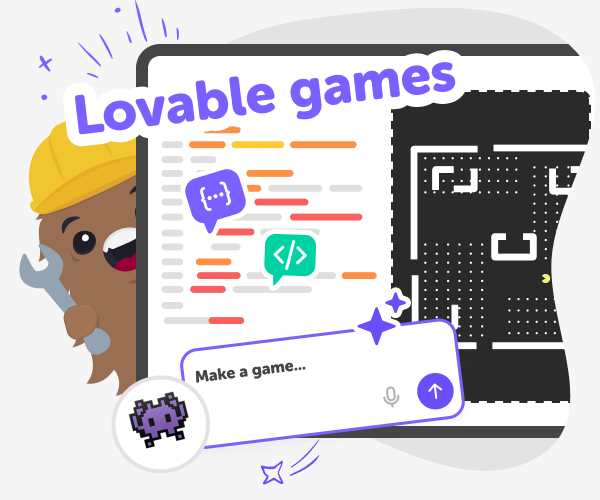
What are Lovable games?
Lovable games are digital games built using vibe coding techniques. They are built using conversational language, rather than complex code, making it easy and accessible for non-coders. Kids can design runners, clickers, quizzes, mazes, and more, then tweak difficulty, colours, and characters until their game feels just right. The idea is to put creation first: games become a way to practise problem solving, storytelling, and basic design without pressure to perform. These games borrow the approachable feeling of platforms like Lovable but are built to be especially kid-friendly. Rather than copying a grown-up tool, Vibe Coder on DIY.org gives children safe templates, step-by-step prompts, and a playful preview window so they can learn by making and play their inventions immediately.
Vibe Coder helps kids turn ideas into playable games using a gallery of kid-ready templates and a friendly conversational prompt box. Kids choose a template—runner, clicker, quiz, or maze—then type how they want the game to feel. A left-side prompt panel guides changes while the right-side Preview shows a live, clickable prototype. Kids can toggle to Code to see how parts work, ask for simple explanations, and export when ready. Because it is designed for children, interactions stay simple and encouraging. Templates help beginners start fast, and built-in guidance teaches iteration, storytelling, and basic coding ideas. With safe sharing inside DIY.org and parent-friendly controls, Vibe Coder works as a game generator for kids that supports creativity, experimentation, and hands-on learning.
How does Vibe Coder help kids build games?
Vibe Coder supports game creation with a kid-focused, conversational workflow. In Game Viber, kids pick a template from the gallery, type prompts in the left panel describing mechanics and style, and watch a live Preview appear on the right. Templates include runner, clicker, quiz, and maze starters so beginners aren’t blocked by blank pages. Kids can toggle to Code to see the underlying JavaScript or exported files, ask the Ask Anything mode for explanations, and iterate quickly. The result is a guided, hands-on path from idea to playable prototype that teaches through doing.
Is Vibe Coder safe and appropriate for children?
Yes. Vibe Coder is designed for kids with simple language, controlled templates, and moderated sharing inside DIY.org. Prompts and examples are age-appropriate, and previewing happens locally so children can play without exposure to unsafe content. Sharing is optional and goes through DIY.org’s child-safe publishing tools, where moderators and privacy controls protect young makers. Parents and educators can supervise projects, review exports, set privacy options, and encourage iteration. The tool also offers clear, kid-friendly explanations and step prompts so learners understand each change. Overall, Vibe Coder balances creative freedom with safety, letting kids experiment confidently while adults stay reassured.
Can kids remix templates and make them their own?
Absolutely. Remixing is a central idea: kids start with a template and then change difficulty, art, and mechanics. For difficulty, try adding slower or faster enemies and adjustable scoring. For art, swap colours, replace sprites, or use simple animations to change mood. For mechanics, combine features—turn a runner into a maze-runner or add a quiz between levels. Vibe Coder’s conversational prompts make remixing easy: tell it what to change, test in Preview, and repeat. This remix culture teaches creative problem solving and design thinking while keeping making playful.
Build a Lovable Game with Vibe Coder
Choose a game template
Open Vibe Coder and pick a template from the game gallery like runner, clicker, quiz, or maze to start quickly.
Describe your vibe
Type a conversational prompt in the left panel describing characters, rules, art style, and difficulty for your lovable game prototype.
Preview and play
Watch your live preview on the right, play the prototype, and note what works or what you want to change next.
Make the most of Lovable games
Try new templates Switch templates in the gallery to explore runner, clicker, quiz, or maze ideas and discover new mechanics. Iterate mechanics Adjust speed, scoring, and obstacles in small steps. Test changes in Preview and keep versions to compare. Polish the art Swap colours, add sprites, or use simple animations to give personality. Ask Vibe Coder for kid-friendly art prompts. Share safely When ready, export or post within DIY.org’s moderated sharing tools so friends can play and react.
Frequently asked questions
What age is Vibe Coder best for?
It’s made for kids aged 5–15, with templates for beginners and more advanced views for older learners.
Do kids need to know how to code first?
No. Templates and conversational prompts mean children can make playable games without prior coding experience.
Can kids start from a blank canvas?
Yes. They can pick a blank template or choose pre-made examples as helpful starting points.
Does Vibe Coder show the code behind games?
Yes. You can toggle to the Code window to see and learn from the code that builds the game.
Is sharing required to use the tool?
No. Sharing is optional. Kids can keep projects private or share through DIY.org’s moderated tools.
Can I export games to play outside DIY.org?
Yes. Finished projects can be exported so kids can run or host their games elsewhere.
What templates are in the gallery?
The gallery includes runner, clicker, quiz, maze templates and playful pranks or helper tools to remix.
Is Vibe Coder a game generator for kids?
Yes. It acts as a kid-friendly game generator by offering templates, prompts, and an interactive preview to build games.
More tools
Build a Nut Clicker Game
Build a nut clicker game with a creative coding tool that helps kids turn a simple idea into an interactive project they can test, change, and improve. This kid-friendly activity supports creativity, problem-solving, and coding confidence as kids make something playful and their own.
Build a Nut Simulator Game
Build a nut simulator game by imagining how a nut moves, bounces, rolls, or gets collected, then shaping those ideas into an interactive project kids can test and improve. This topic helps young makers think about simple game design, playful challenges, and how creative coding turns an idea into something they can actually explore.
Build a Panda Clicker Game
Build a panda clicker game with a kid-friendly creative coding studio that helps kids turn a playful idea into an interactive project. Learn how to make a simple game, test it, and improve it step by step while building coding confidence and creative thinking.
Build a Paper IO Game
Build a paper IO game by turning a simple idea into a playful, interactive project kids can plan, test, and improve. Learn how movement, territory, and quick decisions make this kind of game exciting, then use Vibe Coding to explore it step by step with creative support.
Ready to start creating?
Join hundreds of thousands of kids already building cool stuff on DIY.ORG.
Your first game is on us.
Describe a game below - no sign-up needed to try.
Powered by AstroSafe
Make real games - not just chat