How to Do Multiplication | Learn with KidsGPT
Learn how to do multiplication step-by-step with KidsGPT. Kid-friendly explanations, practice prompts, and safe guidance to build multiplication confidence.
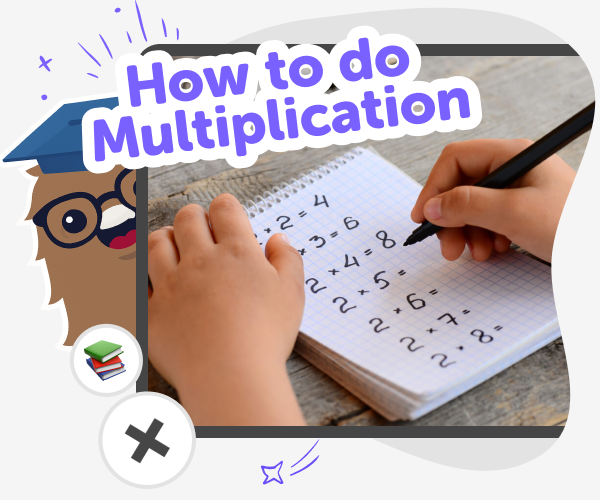
What is multiplication?
Multiplication is the basic idea of combining equal groups to find a total. For kids, it’s a step from counting to faster problem-solving. Learning multiplication helps with everyday tasks like sharing, measuring, and playing games, and it’s a building block for bigger math ideas. Multiplication for kids should feel like hands-on practice more than memorising facts. By using visual models, stories, and repeated practice, children learn why multiplication works. That’s why guided tools and friendly prompts matter: they turn rules into moments of making and understanding, not just memorising tables.
KidsGPT on DIY.org helps kids learn how to do multiplication by explaining ideas at the right reading level and offering step-by-step examples. It’s a kid-safe assistant that guides rather than gives answers, so children practise thinking and solving problems themselves. Kids can ask for models, stories, or practice questions. Try prompts that start simple and grow harder, such as asking for arrays, number lines, or word problems. KidsGPT suggests practice sets, checks work through hints, and offers creative exercises like multiplication games or drawing arrays. Parents and educators can feel confident KidsGPT supports learning in a safe, encouraging way.
Use KidsGPT to learn multiplication
Step 1 - Ask for a simple explanation
Type: 'Explain multiplication like I’m 7' and ask for a short, clear example using objects or groups that shows what multiplication means.
Step 2 - Ask for visual models
Request arrays, number lines, or repeated addition drawings. Ask KidsGPT to describe how to draw each model step-by-step for practice.
Step 3 - Practice with step-up problems
Ask for practice problems that start easy and get harder. Request hints rather than answers so you can try solving first.
Step 4 - Make the most of multiplication
Try different models Ask KidsGPT to show arrays, number lines, and story problems to find which model helps you most. Iterate, don't restart Work on the same problem, try new strategies, and ask KidsGPT for hints to improve your method. Make real problems Turn things you see at home into word problems to practice multiplication in context. Share and reflect Draw or write your solution, optionally share it on DIY.org for safe feedback, and celebrate progress.
What is a 'multiplication lesson'?
How does multiplication help kids learn?
Is KidsGPT safe for learning multiplication?
Can kids practise multiplication creatively?
Frequently Asked Questions
Why 500,000 families trust DIY

Martin
Dad to 2 DIYers
My son loves DIY! He always finds fun projects to do, and we enjoy making things together. It’s a great way to learn, create, and have fun at the same time!

Pearl
DIYer from USA
DIY is such a great app with really sweet people and moderators who always make sure this app is super safe. You can learn to create things or learn drawing techniques - honestly there is so much to do.

Elaine W.
Middle school teacher
I love logging onto DIY every day - not just for projects but to also look at the comments my kids share about each other's work. It's a brilliant way to foster healthy support systems!

Jenn L.
Mom to 3 DIYers
We absolutely love the DIY platform and its endless river of creative adventures and projects! We always have the best time together participating, learning and creating!
