Maps for Kids: An Educational Atlas Made for Exploration
A kid-friendly atlas that turns maps into stories, discovery, and learning — powered by curiosity and KidsGPT.
What are maps for kids?
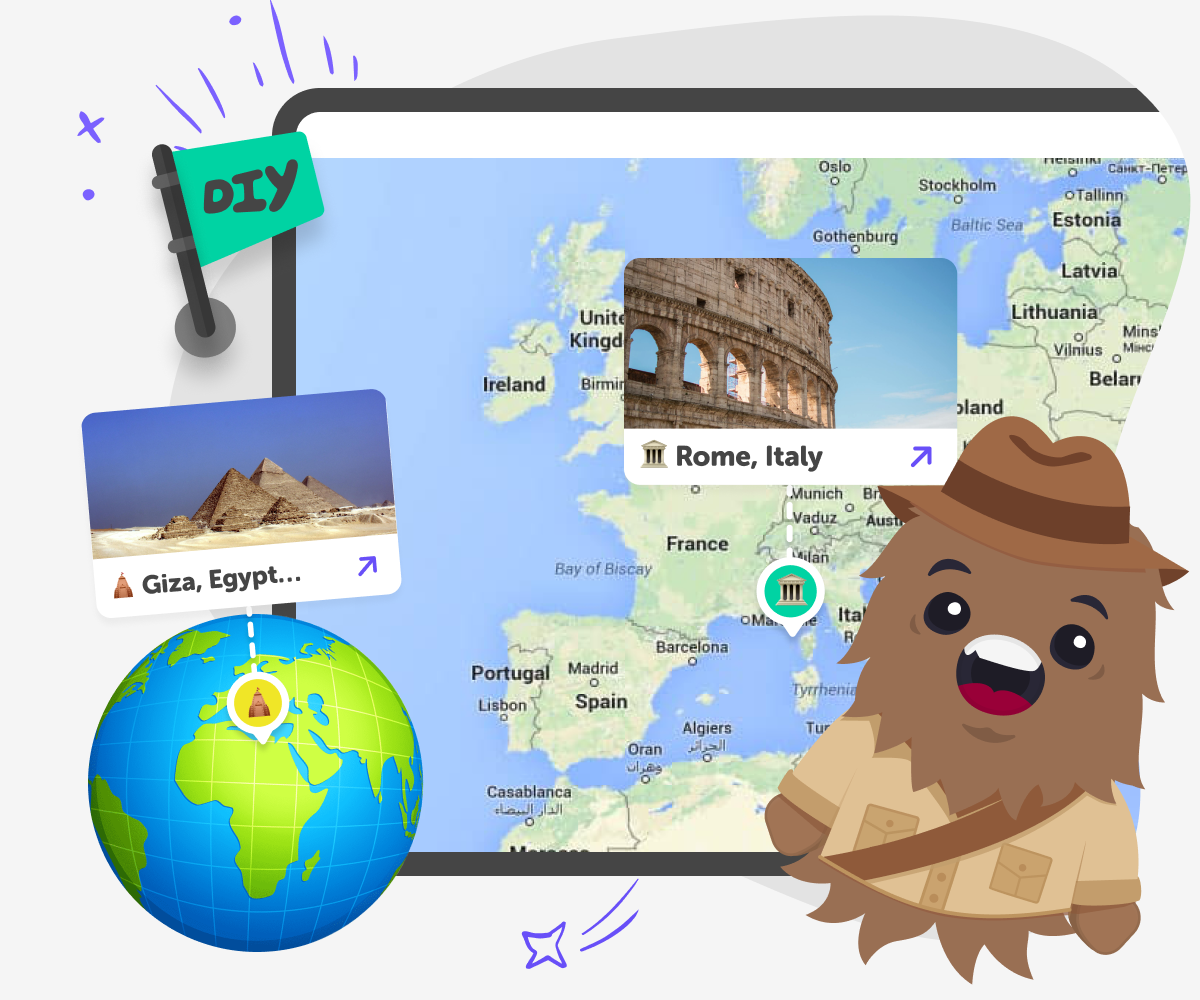
When parents search for maps for kids or an atlas for kids, they’re usually looking for a way to introduce geography in a way that feels engaging rather than overwhelming. Traditional atlases are often packed with labels, symbols, and information that can feel confusing for younger learners. Educational maps for kids focus on exploration instead of memorisation. Rather than expecting children to study place names, these maps invite kids to click, explore, and discover countries, landmarks, animals, cultures, and natural features in a way that feels playful and intuitive.
Magic Maps is designed as a modern educational atlas for kids. It turns the world map into an interactive experience where kids can move freely, follow curiosity, and learn at their own pace. Every place becomes a starting point for discovery, not just a label on a page. By combining maps with storytelling and guided exploration, Magic Maps helps kids understand the world as a connected place. Geography becomes something kids explore actively, making maps feel exciting, meaningful, and easy to understand.
How to use Magic Maps
Step 1 - Open the world map
Click Start Exploring to open the interactive map. Kids can zoom, move around, and choose any place to begin.
Step 2 - Tap a place to discover more
Select a country, city, or region to learn about landmarks, nature, culture, and interesting facts.
Step 3 - Go deeper with KidsGPT
Use KidsGPT to ask questions about what you see on the map and explore ideas in simple, kid-friendly language.
Step 4 - Make the most of Magic Maps
Follow curiosity, not routes Let kids explore wherever they’re interested. There’s no right path through the map. Compare places Jump between countries to spot similarities and differences in climate, culture, and geography. Ask “why is it like this?” Use KidsGPT to understand why places look or work the way they do. Turn maps into conversations Explore together and talk about discoveries at home or in the classroom.
What makes Magic Maps different from a traditional atlas for kids?
Instead of flipping pages, kids explore the world visually. They can move around the map freely, tap on places that interest them, and discover information through exploration rather than instruction. This makes Magic Maps feel less like a reference book and more like a journey, helping kids build geographic understanding naturally and with excitement.
Are these educational maps suitable for kids of different ages?
Older kids can go deeper by asking questions, comparing regions, and using KidsGPT to explore topics like climate, culture, or geography in more detail. Because the experience adapts to curiosity rather than age labels, Magic Maps grows with the child, making it a flexible educational atlas for kids at different learning stages.
How does Magic Maps support real learning, not just exploration?
This discovery-based approach helps information stick because kids find answers through curiosity rather than memorisation. Using KidsGPT, children can ask follow-up questions and explore ideas in simple language. This turns educational maps for kids into a tool for critical thinking, global awareness, and meaningful learning rather than passive browsing.
Is Magic Maps safe for children to use independently?
KidsGPT adds an extra layer of guidance by helping children ask questions and understand what they’re seeing without exposing them to unsuitable information. Parents can feel confident that their child is using an atlas for kids built around curiosity, learning, and safety, allowing independent exploration while maintaining clear, thoughtful boundaries.
Frequently Asked Questions
Why 500,000 families trust DIY

Martin
Dad to 2 DIYers
My son loves DIY! He always finds fun projects to do, and we enjoy making things together. It’s a great way to learn, create, and have fun at the same time!

Pearl
DIYer from USA
DIY is such a great app with really sweet people and moderators who always make sure this app is super safe. You can learn to create things or learn drawing techniques - honestly there is so much to do.

Elaine W.
Middle school teacher
I love logging onto DIY every day - not just for projects but to also look at the comments my kids share about each other's work. It's a brilliant way to foster healthy support systems!

Jenn L.
Mom to 3 DIYers
We absolutely love the DIY platform and its endless river of creative adventures and projects! We always have the best time together participating, learning and creating!
