Create Minecraft Banners
Create Minecraft banners by mixing colors, shapes, and patterns that show off a style, team, or story. This kids-first page explains what banners are, why they are fun to make, and how Vibe Coding helps kids explore the idea through guided, hands-on building, testing, and improving.
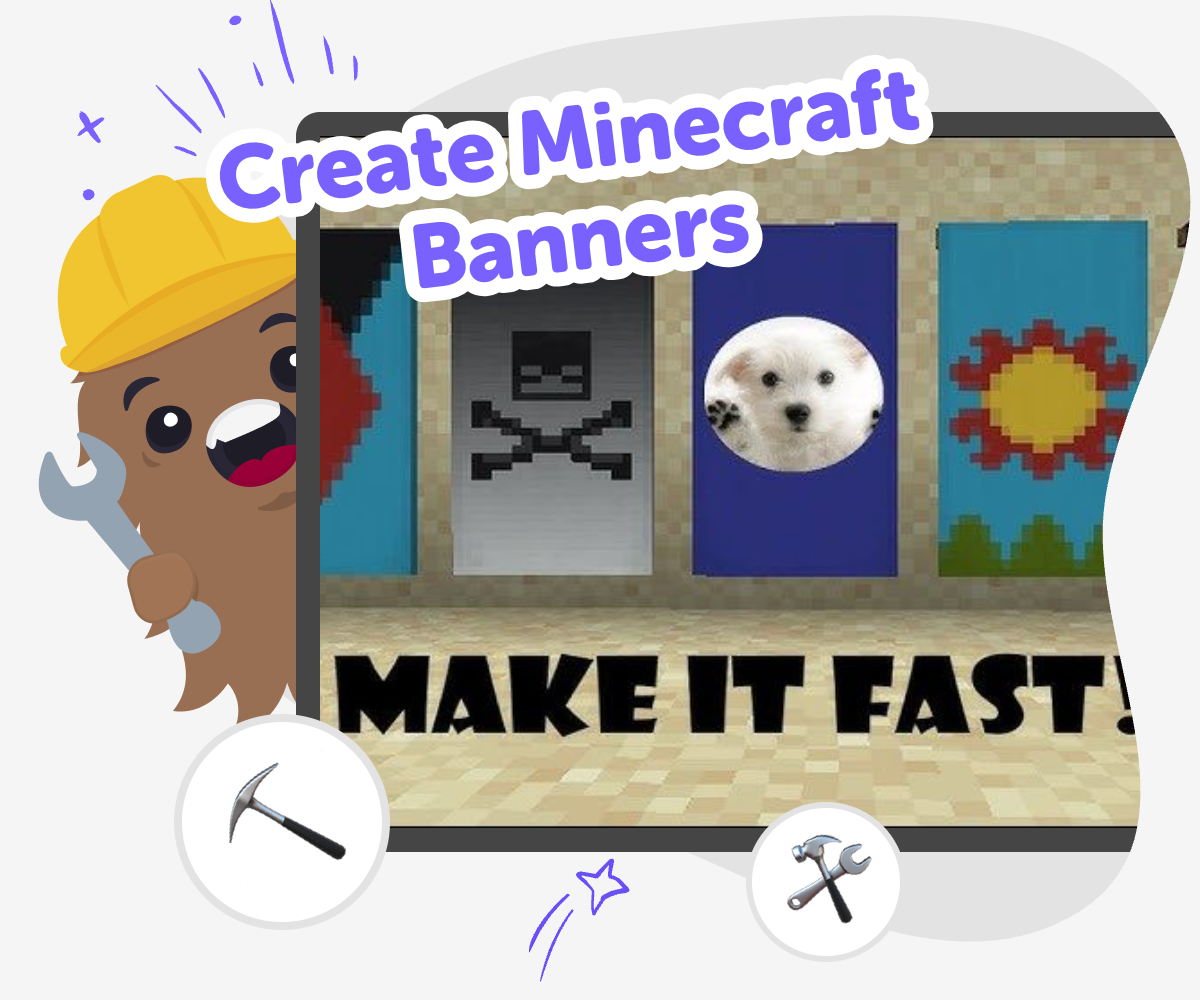
Make Banner Ideas Shine
Create Minecraft banners by choosing colors, shapes, and patterns that show a team, a base, or a story. This kind of project matters because it helps kids turn a simple idea into something clear, personal, and easy to recognize in the game. When kids think through a banner design, they practice planning and visual communication at the same time. They also learn that small choices can change how a build feels, which makes creative work more confident and fun.
Vibe Coding gives kids a safe, guided place to explore Minecraft banner ideas through making, testing, and improving. Kids can describe the look they want, try it step by step, and adjust the design as they learn what works best. That keeps the focus on creativity, experimentation, and clear choices instead of rushing to a finished answer. It is a helpful way to explore banner design while staying hands-on and kid-friendly.
What makes a Minecraft banner useful?
A Minecraft banner is more than decoration. It can help players mark a home, show team color, decorate a castle, or give a build a clear identity. That makes banners useful in both creative and survival-style play, because they help you organize space and express an idea at the same time. Kids can think of a banner like a tiny flag or sign inside the game: it should be easy to recognize, match the world around it, and say something about the player who made it. When kids design a banner, they practice planning, pattern choice, and visual communication. Those are real creative skills, even though the project is small and playful. A good banner can also become part of a bigger build, so one simple design can lead to more ideas later.
Why do colors and patterns matter so much?
Colors and patterns help a banner stand out and make its meaning easier to understand. In Minecraft, a strong banner often uses a few clear colors instead of too many tiny details, because simple shapes are easier to see while moving through the world. This is a great lesson for kids: when you want others to notice something, design choices matter. A red-and-black banner might feel bold, while blue and white can feel calm or icy. Stripes, circles, crosses, and symbols can change the mood without needing words. Kids who experiment with banner designs learn that art is often about testing ideas and seeing what works. That kind of experimenting builds confidence, because there is usually more than one good answer, and each version teaches something useful.
How can kids make a banner feel personal?
The best Minecraft banners often come from a small personal idea. A kid might want to show their favorite color, a pet, a made-up kingdom, a sports team, or a theme from a story they are building. That personal choice gives the banner a reason to exist, instead of making it feel random. Kids can also connect the banner to a place, like a bedroom base, a secret cave, or a town gate, so it becomes part of a bigger world. Personal projects are important because they help kids make decisions with confidence. They are not just copying a design; they are choosing meaning. That makes the work more memorable and more fun to share. When kids explain their banner, they are also practicing clear communication, which is a useful skill both online and offline.
How does guided making help kids learn?
Guided making helps kids move from an idea to a finished design without feeling stuck. A tool like Vibe Coding can support that process by helping kids describe what they want, test a version, and change it step by step. That kind of support is helpful for Minecraft banner projects because kids can focus on creativity instead of worrying about getting everything perfect on the first try. They learn that creative work usually happens in rounds: imagine, try, check, and improve. That is called iteration, and it is one of the most valuable skills in coding and design. It also teaches patience and problem-solving, because kids see that small changes can make a big difference. With the right support, a simple banner becomes a chance to practice making decisions and learning from them.
How to Make It
Choose a banner idea
Pick a purpose for the banner, like a base sign, a team symbol, or a decoration for a room.
Pick colors and shapes
Try simple color combinations and pattern ideas so the banner can be recognized easily.
Build and test the design
Create a first version, then check whether the pattern looks clear from a distance and matches the idea.
Make the most of remixing
Try a new color mix Swap one shape or stripe so the banner feels different while still matching the idea you want people to notice. Check the look Look at the banner as if you were walking past it in the game. If the design is hard to read, simplify one part and test it again. Keep improving Save your favorite version, make a small change, and compare the two so you can learn which choices work best. Share safely Show your finished banner to a trusted grown-up or friend and explain what it means, why you chose it, and what you might try next.
Frequently asked questions
What is a Minecraft banner?
A Minecraft banner is a decorative in-game design that can show color, pattern, or meaning. Players use banners to mark places, decorate builds, or make a team or base feel more personal.
Why do kids make Minecraft banners?
Kids make Minecraft banners because they are a fun way to be creative inside the game. Banners let players show style, tell a story, and make a build easier to पहचान? Wait need plain text. Must avoid non-English. Let's craft clean.
How do you come up with a banner idea?
Start with a purpose, like a base sign, a team color, a favorite animal, or a story theme. Once you know what the banner should represent, it is easier to choose colors and shapes that fit.
Can kids make their own Minecraft banners safely?
Yes. Banner design is a kid-friendly creative activity when it stays focused on building, testing, and sharing ideas safely. Kids can work with a trusted grown-up or use a guided tool like Vibe Coding to explore their design step by step.
What makes a banner easy to recognize?
Simple shapes, clear color choices, and a design with one main idea usually make a banner easier to recognize. If there are too many details, the banner can be harder to read while playing.
Do Minecraft banners need to match a real flag?
No. A Minecraft banner can be inspired by a flag, but it does not have to follow any real-world rules. Kids can make something playful, fictional, or themed around a build they are creating.
Can a banner be part of a bigger build?
Yes. Banners can help a castle, shop, village, arena, or secret base feel complete. They can also help guide players by showing where something important is located.
How can Vibe Coding help with banner ideas?
Vibe Coding can help kids explore banner ideas by turning a simple description into a guided creative project. Kids can try a design, test it, and improve it as they learn what makes the banner feel clear and personal.
More tools
Build a Talking Tom Soundboard
Build a talking tom soundboard with playful buttons, funny reactions, and simple sound controls kids can explore step by step. This topic turns a familiar character idea into a hands-on creative project, helping kids think about timing, choice, and how sound can make an interaction feel lively and fun.
Build a Temple Run Game
Build a Temple Run Game with a kid-friendly creative coding studio that helps kids turn a fast, exciting game idea into something they can test, change, and improve. Learn how endless runners work, try out obstacles and controls, and build confidence through hands-on making.
Build a This or That Game
Build a this or that game to help kids make quick choices, share opinions, and turn simple ideas into a fun interactive project. With guided creative coding, kids can design questions, test answers, and improve their game step by step while building confidence and problem-solving skills.
Build a Tic Tac Toe Game
Build a tic tac toe game and learn how a simple idea can become a fun, playable project. Kids can explore patterns, rules, turns, and strategy while creating their own version step by step with guided support.
Ready to start creating?
Join hundreds of thousands of kids already building cool stuff on DIY.ORG.
Your first game is on us.
Describe a game below - no sign-up needed to try.
KidsGPT has moved!
Log into ChatDino to access your chats
Powered by AstroSafe
Make real games - not just chat