Create a Minecraft Skeleton Skin
Create a Minecraft skeleton skin and turn a blocky character idea into a custom look you can test, tweak, and make your own. This kid-friendly project helps young makers explore game design, character style, and creative coding with guided support.
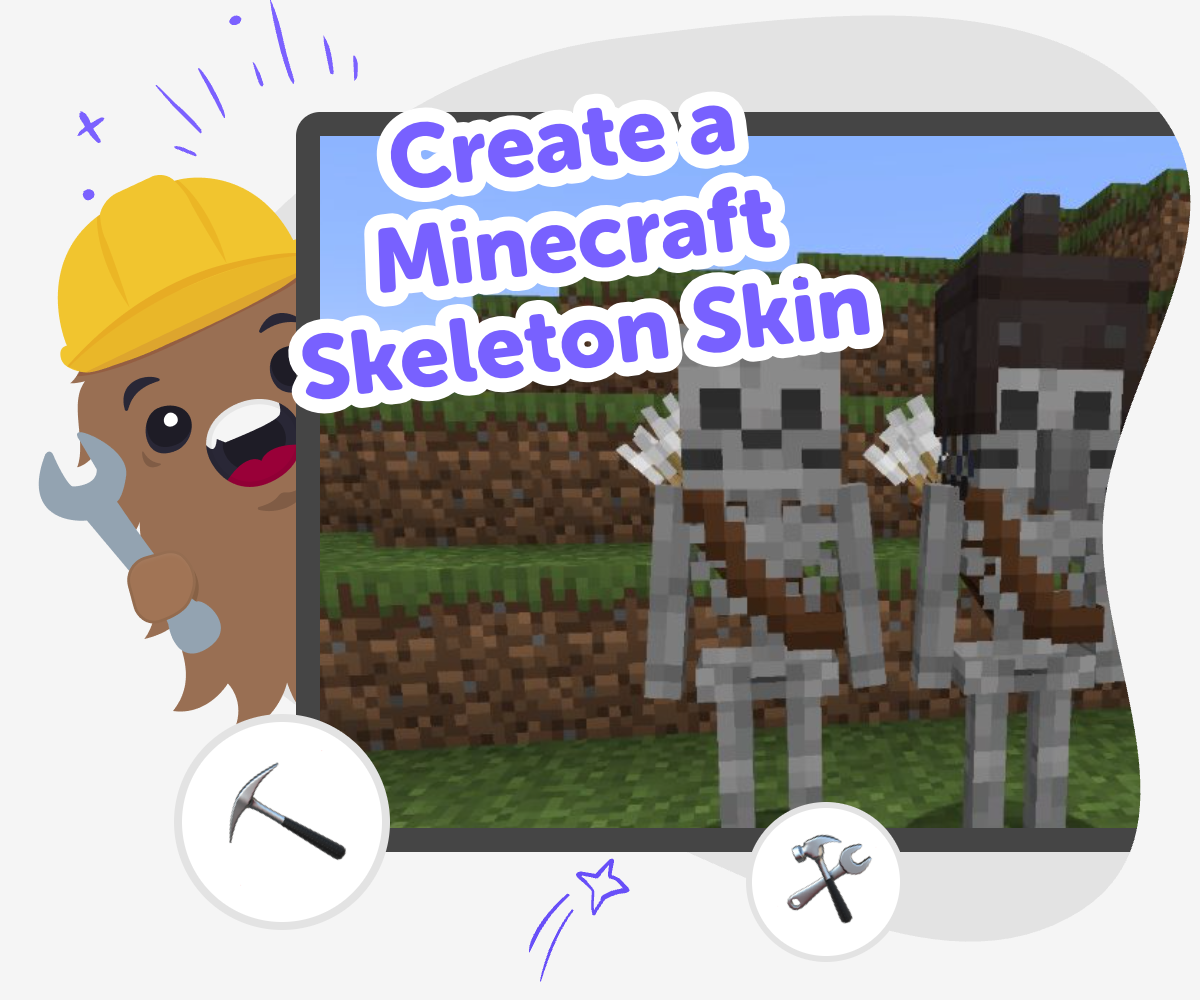
Skeleton Skin Ideas
If you want to create a minecraft skeleton skin, you are making a custom character look inspired by Minecraft's blocky style. It is a fun way to explore design choices like colour, shape, and details while learning how small changes can make a big difference in how a character feels. This kind of project matters because it helps kids practise creative decision-making. They can think about what makes a design clear, unique, and easy to recognise, then improve it one step at a time.
Vibe Coding gives kids a guided place to build, test, and improve their skeleton skin idea step by step. It keeps the process hands-on, so young makers can try choices, compare results, and learn from each version without needing to figure everything out at once. The tool supports safe creative play by helping kids stay focused on making and experimenting. That makes it easier to explore style, build confidence, and keep the Minecraft skeleton skin project fun and manageable.
What is a Minecraft skeleton skin?
A Minecraft skeleton skin is a custom look for a character that makes it seem like a skeleton inside the game. Kids can use it to change the style of a player or character without changing how the game works. That makes it a great creative project because it is about appearance, not power. A skin can be simple with just bones and a white-and-black palette, or it can be detailed with glowing eyes, icy patterns, or cool accessories. The best part is that a skin lets kids practice design choices: What should stand out first? Which parts need to be simple so the character is easy to recognise? Those questions help young makers think like designers while still having fun.
Why do kids like making their own skins?
Kids often like making their own skins because it lets them show personality in a game they already know. A skeleton skin can feel spooky, silly, brave, or magical depending on the details a child chooses. That means the same basic idea can become many different creations. Making a skin also gives kids a chance to make decisions and see results quickly, which helps build confidence. They can try a version, notice what works, and then improve it. That kind of practice is useful far beyond games. It teaches that creativity is something you can work on, not something you either have or do not have. A small project can become a strong step toward bigger creative technology skills.
How does guided coding help with skin ideas?
Guided coding helps kids turn a loose idea into something they can actually build and test. Instead of guessing every step, they can describe what they want, see a structure for the project, and make changes as they go. That makes the process feel less overwhelming, especially for younger kids or beginners. With a tool like Vibe Coding, kids can keep experimenting without needing to know everything at once. They can try one detail, compare it with the original idea, and decide what to improve next. This kind of guided making supports problem-solving because children learn to notice what is working, what is not, and how to revise. It also keeps the project playful, which helps learning feel natural.
What should families know about safe creative play?
Creative game projects are best when kids can explore in a safe, calm way. A Minecraft skeleton skin is a good topic for that because it is about design, not chat or competition. Families and educators can use it to talk about choices, online sharing, and what makes a project appropriate for different ages. Kids can also learn that a good design does not need to be perfect. It just needs to be clear, thoughtful, and built with care. When children make, test, and improve a skin, they practise patience and resilience. Those are useful skills for school projects, art, and technology too. Safe creative play gives kids a place to experiment while still keeping adults comfortable with what they are doing.
How to build it
Choose the look
Start by picking the kind of skeleton you want to make. Decide if it should feel spooky, funny, icy, or simple, and note the main colours or details you want to use.
Shape the skin
Use guided prompts to turn your idea into a character design. Add important parts like the skull, ribs, arms, legs, and any extra patterns that help your skin stand out.
Test the design
Check how your skeleton skin looks from different angles and make small changes. Try new colour choices, cleaner lines, or bolder details until the design is easy to read and fun to use.
Make the most of testing
Try a remix Change one detail, like the face, colours, or accessories, so you can see how a small edit changes the whole character. Check the style Look at your skin and ask whether it feels spooky, friendly, or playful. If one part looks confusing, simplify it and try again. Keep improving Save your best version, then make one more update to make the design clearer, cooler, or more like your own idea. Share safely Show your finished idea to a parent, teacher, or friend and talk about what you changed, what you learned, and what you want to try next.
Frequently asked questions
What is the main idea behind a Minecraft skeleton skin?
It is a custom character look based on a skeleton shape. Kids use it to change how a character appears while practicing creativity and design.
Can kids make their own skeleton skin from scratch?
Yes. Kids can start with a basic idea and build up the details step by step until the skin feels unique and recognisable.
Do skeleton skins have to look spooky?
No. A skeleton skin can be spooky, funny, cool, icy, or simple. The style depends on the choices the maker wants to try.
What makes a skeleton skin easy to recognise?
Clear shapes, a strong colour choice, and a few bold details help the character stand out. Simple designs are often easier to read.
Is this a good project for beginners?
Yes. It is a friendly way to practise making decisions, testing ideas, and improving a design without needing advanced skills.
How does Vibe Coding help with this project?
Vibe Coding gives kids guided support while they shape, test, and improve their idea. It helps the project feel manageable and creative at the same time.
Can this kind of project teach coding skills?
Yes. Kids practice problem-solving, iteration, and creative technology skills as they build and revise their idea step by step.
Is it okay to share a skeleton skin with adults first?
Yes. Sharing with a parent or teacher can be a good way to get feedback and make sure the design feels right before showing more people.
More tools
photoshop-for-kids
Explore photoshop-for-kids with Drawing Tool on DIY.org — the creative platform kids love for learning, making, and sharing.
Programming Concepts | Learn with Vibe Coder
Use Vibe Coder to explore programming concepts with kid-safe examples. Learn algorithms, variables, and debugging by building games, apps, and simple robots.
Programming Guides
Programming guides help kids learn how to turn ideas into interactive projects with clear steps, simple choices, and room to experiment. On this page, kids and families can understand what programming guides are, why they matter, and how Vibe Coding can help kids build with confidence by making, testing, and improving one step at a time.
Python for Kids | Learn Python with Vibe Coder
Learn Python for kids by building fun mini programs with Vibe Coder. Safe, playful coding that teaches basics through hands-on projects.
Ready to start creating?
Join hundreds of thousands of kids already building cool stuff on DIY.ORG.
Your first game is on us.
Describe a game below - no sign-up needed to try.
Powered by AstroSafe
Make real games - not just chat