Coding Meaning
Coding meaning is the idea of using code to give instructions to a computer so it can do something useful, fun, or creative. On this kids-first page, you can learn what coding meaning is, why it matters, and how to explore it by making your own interactive project with guided support.
What Coding Means
Coding meaning is the idea of telling a computer what to do with clear instructions. When kids learn coding meaning, they start to see that digital tools do not just happen on their own; people plan, test, and improve them step by step. That makes coding a creative skill for solving problems, building ideas, and understanding how the apps and games we use every day are made. Learning coding meaning can help kids feel more confident with technology because it turns a big idea into something they can understand and practice. Instead of feeling mysterious, coding becomes a way to make choices, try ideas, and see what happens when instructions change.
Vibe Coding gives kids a safe, guided way to explore coding meaning by turning an idea for a game, app, quiz, story, or invention into something they can build and improve. Kids can start by describing what they imagine, then shape it, test it, and make changes with support along the way. This keeps the focus on learning by doing. Kids get to experiment, fix problems, and see how small changes can make a project better, which helps them grow coding confidence and creative technology skills.
What does coding meaning actually mean?
Coding meaning is about giving a computer instructions in a way it can understand. A code can tell a device how to move, what to show, when to play a sound, or how to respond when someone clicks a button. For kids, this is an important idea because it shows that digital tools are built by people who plan them carefully. Coding is not only about typing; it is also about thinking clearly, solving problems, and making choices. When children understand coding meaning, they begin to see that technology can be shaped by imagination. That understanding helps them move from just using digital tools to creating with them. It also makes mistakes feel useful, because every error can help a maker learn what needs to change next.
Why does coding matter for kids?
Coding matters because it helps kids turn ideas into working projects. A child might imagine a quiz for friends, a story with choices, or a simple game with rules, and coding is what helps those ideas become real. It also teaches problem-solving in a hands-on way. If something does not work, kids learn to look closely, test a new idea, and try again. That kind of thinking builds patience and confidence. Coding can support many other skills too, including reading, math, logic, art, and design. Most of all, it shows kids that technology is something they can shape. Instead of wondering how apps and games are made, they begin to understand how to make their own and how to improve them over time.
How is coding creative?
Coding is creative because it lets kids decide what to build and how it should feel. Two people can use the same basic coding ideas and still make very different things. One project might be playful and colourful, while another might be calm, helpful, or full of surprises. Kids can choose characters, questions, sounds, movements, and rules to match their own ideas. That means coding is not only technical; it is also a way to express personality and imagination. Creative coding helps kids experiment safely, because they can test a small change and see what it does. Over time, they learn that creative work often grows through revision. The first version is just the start, and each round of changes can make the project better, clearer, and more original.
How can kids stay safe while learning coding?
Kids can stay safe while learning coding by working in a guided, age-appropriate space and choosing projects that fit their comfort level. A good learning tool should support experimentation without asking kids to share personal information or take big risks. It should also make it easy to test ideas, undo mistakes, and improve a project step by step. That way, kids can focus on learning instead of worrying about getting everything right the first time. Vibe Coding supports this kind of creative practice by helping kids explore coding meaning through building, testing, and improving ideas with guidance. This gives children a place to learn at their own pace, make thoughtful choices, and feel more confident as they create.
Explore Coding Meaning
Think of an idea
Choose something you want to make, like a game, quiz, story, or helpful tool. Start simple so your idea is easy to describe and build.
Describe what it should do
Write what you want the project to do, who it is for, and what should happen when someone clicks, taps, or answers a question.
Build and test it
Use guided coding help to shape your idea into something interactive, then try it out and notice what works or feels confusing.
Make the most of testing
Try a remix Change one part of your project, like a question, rule, sound, or colour, and see how it changes the experience. Look for clear results Test your project again so you can notice what is easier, funnier, smoother, or more fun for players to use. Fix and improve Update anything that does not work the way you want, then keep adjusting until the project feels more like your idea. Save your best version Keep the version you like most so you can share it safely, return later, and build on it again.
Frequently asked questions
What is coding meaning in simple words?
Coding meaning is the idea of telling a computer what to do with clear instructions. Kids can think of it like giving directions for a game, story, or tool so it works the way they want.
Why do people learn coding?
People learn coding to build digital things, solve problems, and make technology do useful work. It also helps with thinking, planning, and fixing mistakes when something does not work right away.
Is coding only for older kids?
No. Kids of many ages can start learning coding in simple ways. Younger kids can begin with easy ideas like sequences, patterns, and clear steps, while older kids can build more detailed projects.
Can coding be creative?
Yes. Coding can be very creative because kids choose what to make, how it looks, and how it responds. A project can be playful, helpful, funny, or imaginative, depending on the maker’s ideas.
What should a beginner make first?
A beginner can start with a small project, like a quiz, a simple game, or a short interactive story. Small projects are easier to test and improve, which helps kids learn faster and feel proud of their work.
How does testing help with coding?
Testing shows what works and what needs to change. When kids try their project, they can spot confusing parts, fix problems, and make the experience smoother. This is a normal and important part of learning.
Is it okay if my first code is not perfect?
Yes. Most coding projects need changes after the first try. Mistakes are useful because they show what to improve next, and that is how kids build confidence and problem-solving skills.
How can Vibe Coding help with learning?
Vibe Coding gives kids a guided place to explore coding meaning by building and improving an idea step by step. It helps them turn a game, app, story, or invention into something interactive while they practice testing and revision.
More tools
Alternatives to Tinkerkad
Alternatives to Tinkerkad help kids find creative tools for designing, building, and learning in ways that feel friendly and fun. This page explains what the topic means, why it matters, and how kids can explore it through guided making with Vibe Coding.
Alternatives to Tynker
Explore alternatives to Tynker and find kid-friendly ways to learn coding through creative, hands-on making. This page explains what to look for in a safe, playful coding tool and how kids can build games, stories, and inventions with guided support.
Among Us Character Maker
The Among Us Character Maker is a creative way for kids to design their own crewmate or impostor style character, choose colors and details, and imagine a new role for play and storytelling. It turns a popular game idea into a hands-on making activity that supports creativity, confidence, and problem-solving.
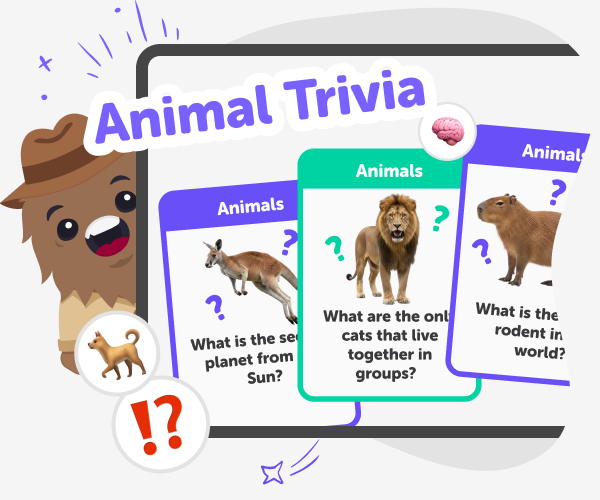
Animal Trivia | Create a Kids Quiz with Good Boy Game
Use Good Boy Game to build a fun animal trivia quiz for kids. Multiple-choice questions, streaks, safe sharing, and kid-friendly categories.
Ready to start creating?
Join hundreds of thousands of kids already building cool stuff on DIY.ORG.
Your first game is on us.
Describe a game below - no sign-up needed to try.
Powered by AstroSafe
Make real games - not just chat