Build a Tinker Soundboard
Build a tinker soundboard to turn funny ideas, custom noises, and playful reactions into a hands-on project kids can shape, test, and improve. It is a creative way to explore how sound, buttons, and simple interactions work together while building confidence through making.
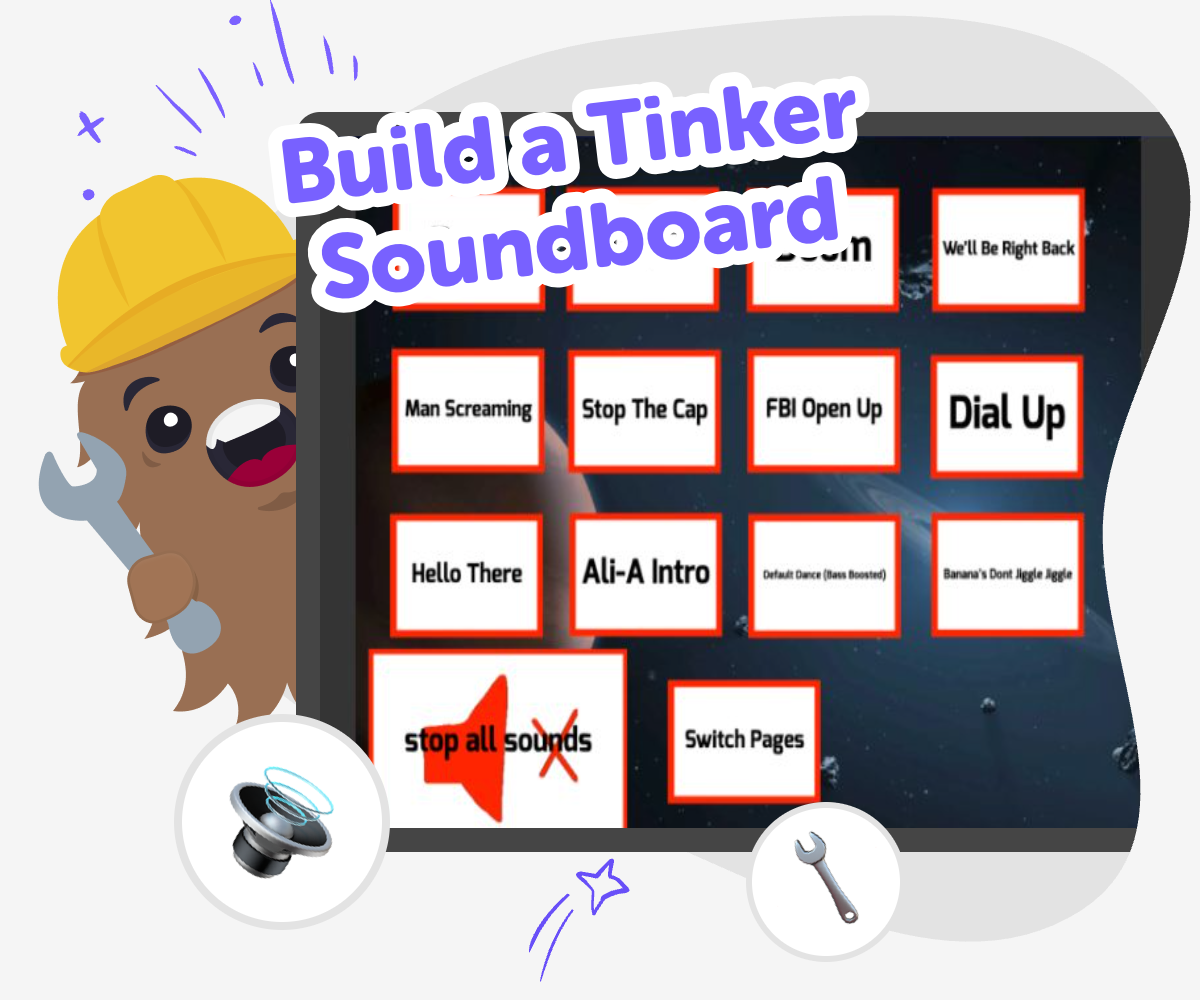
Build a Tinker Soundboard
Build a tinker soundboard to turn playful ideas into an interactive project kids can explore with sound, buttons, and simple logic. It helps children see how small choices can change what happens next, which makes creative technology feel friendly and easy to try. This kind of project matters because it blends imagination with problem-solving. Kids can plan a sound for each button, test what happens, and keep improving their board until it feels fun, clear, and their own.
Vibe Coding gives kids a guided way to make this project step by step. They can describe the kind of soundboard they want, shape it with support, test it, and make changes as they learn without needing to know everything at the start. That mix of guidance and freedom helps kids stay curious, safe, and confident while they explore creative coding. The result is not just a finished idea, but a project they understand and can keep improving.
What is a tinker soundboard?
A tinker soundboard is a playful project where buttons, sounds, and simple actions work together in one interactive place. Kids can think of it like a mini control panel for jokes, reactions, or themed noises. The fun comes from making choices: which button plays which sound, how the board looks, and how people understand it. Because it is built piece by piece, kids get to try ideas, listen carefully, and change things when something does not feel quite right. That process helps them learn that making is not about getting it perfect immediately. It is about testing, noticing, and improving until the project feels clear and exciting to use.
Why do kids learn from sound projects?
Sound projects help kids practice careful thinking in a way that feels playful. When a child chooses a sound for a button, they are making a decision, predicting what will happen, and checking whether the result matches their idea. That is a simple form of problem-solving. Kids also learn about sequence, because buttons need to work in a certain order and each choice can affect the whole experience. If the wrong sound plays, they can fix it and try again. This builds confidence because mistakes become useful feedback. It also supports creativity, since there is no single correct answer. A soundboard can be calm, goofy, dramatic, or strange, depending on the maker's idea.
How does Vibe Coding fit in?
Vibe Coding gives kids a guided way to turn a soundboard idea into something interactive without taking away the making part. Kids still need to choose the sounds, shape the layout, test the buttons, and adjust the project as they go. The tool helps by making the process feel less overwhelming, especially when a child is new to coding or interactive design. That support matters because it lets kids focus on learning by doing instead of worrying about every technical detail at once. As they build, they can see how small changes affect the result. Over time, that helps them grow coding confidence and feel comfortable experimenting with new ideas.
What makes a good soundboard?
A good soundboard is easy to understand and fun to press. It usually has a clear theme, like animal noises, weather sounds, funny phrases, or character reactions, so every button feels like part of the same idea. The best soundboards also work smoothly: each button should be easy to find, the labels should make sense, and the sounds should not be confusing or too similar. Kids can improve their board by checking how it feels to someone else. Can a friend guess what the buttons do? Can they use it quickly? Those questions help makers design with care. A simple board that works well is often better than one that tries to do too much at once.
How to make it
Choose the vibe
Pick the feeling for your soundboard, such as silly, spooky, tiny, or super busy, so the sounds all match one playful idea.
Map the buttons
Decide what each button should do and write a simple plan for where sounds, labels, and reactions will go.
Build and test
Use guided coding support to turn your plan into a working board, then press the buttons to check if each sound plays at the right time.
Make the most of remixing
Try a new sound set Change one button at a time so you can hear what feels better and what still needs work. Check the reactions Press every button in different orders and notice whether the board is easy to understand and fun to use. Tidy the board Rename confusing buttons, shorten long labels, and remove anything that makes the project hard to follow. Keep improving Save your favourite version, test another idea, and keep adjusting until the soundboard feels clear, playful, and ready to share.
Frequently asked questions
What is a tinker soundboard?
It is a playful interactive project where buttons trigger sounds or reactions. Kids can build one around a theme, like animals, jokes, game effects, or character voices.
Do I need to know coding first?
No. A soundboard is a good beginner project because kids can start with a simple idea and improve it step by step while learning how the pieces fit together.
What kind of sounds can I use?
Kids can use any age-appropriate sounds that match the theme, such as taps, beeps, laughs, nature sounds, or voice clips. The best choices are clear and easy to tell apart.
How do I make my soundboard easy to use?
Keep the layout simple, use short labels, and make each button do one clear thing. It also helps to test the board with someone else and see if they understand it quickly.
Can kids make their own sound themes?
Yes. Kids can choose a theme that feels fun to them, then build sounds and buttons around it. A strong theme helps the board feel more connected and creative.
Is this a good project for beginners?
Yes. It is a friendly way to practice planning, testing, and revising without needing a big amount of experience. Kids can start small and keep adding ideas as they learn.
How does Vibe Coding help with this project?
Vibe Coding gives guided support while kids build, test, and improve their soundboard. It helps them stay focused on making the project themselves instead of feeling stuck at the start.
Can I keep changing my soundboard later?
Yes. Making is an ongoing process, and kids can always remix sounds, rename buttons, or improve the flow until the project feels right to them.
More tools
Alternatives to Kevingames
Alternatives to kevingames are kid-friendly ways to explore creative making, practice problem-solving, and build confidence through hands-on projects. On this page, kids can learn what alternatives to kevingames mean and try Vibe Coding to turn ideas into interactive creations step by step.
Alternatives to Kodable
Alternatives to Kodable help kids find creative ways to learn coding through games, stories, and hands-on projects. On DIY.org, kids can use Vibe Coding to build, test, and improve their own ideas with guided support that makes coding feel playful and doable.
Alternatives to Memesoundboard
Alternatives to Memesoundboard helps kids find a creative way to make, test, and improve interactive projects with guided support. It is a kid-first starting point for building games, quizzes, stories, and inventions while learning by doing.
Alternatives to Messcraft
Explore alternatives to messcraft with a kid-friendly creative coding studio where kids can build games, apps, stories, and inventions by making, testing, and improving their ideas step by step.
Ready to start creating?
Join hundreds of thousands of kids already building cool stuff on DIY.ORG.
Your first game is on us.
Describe a game below - no sign-up needed to try.
Powered by AstroSafe
Make real games - not just chat