Build a Soundboard Meme
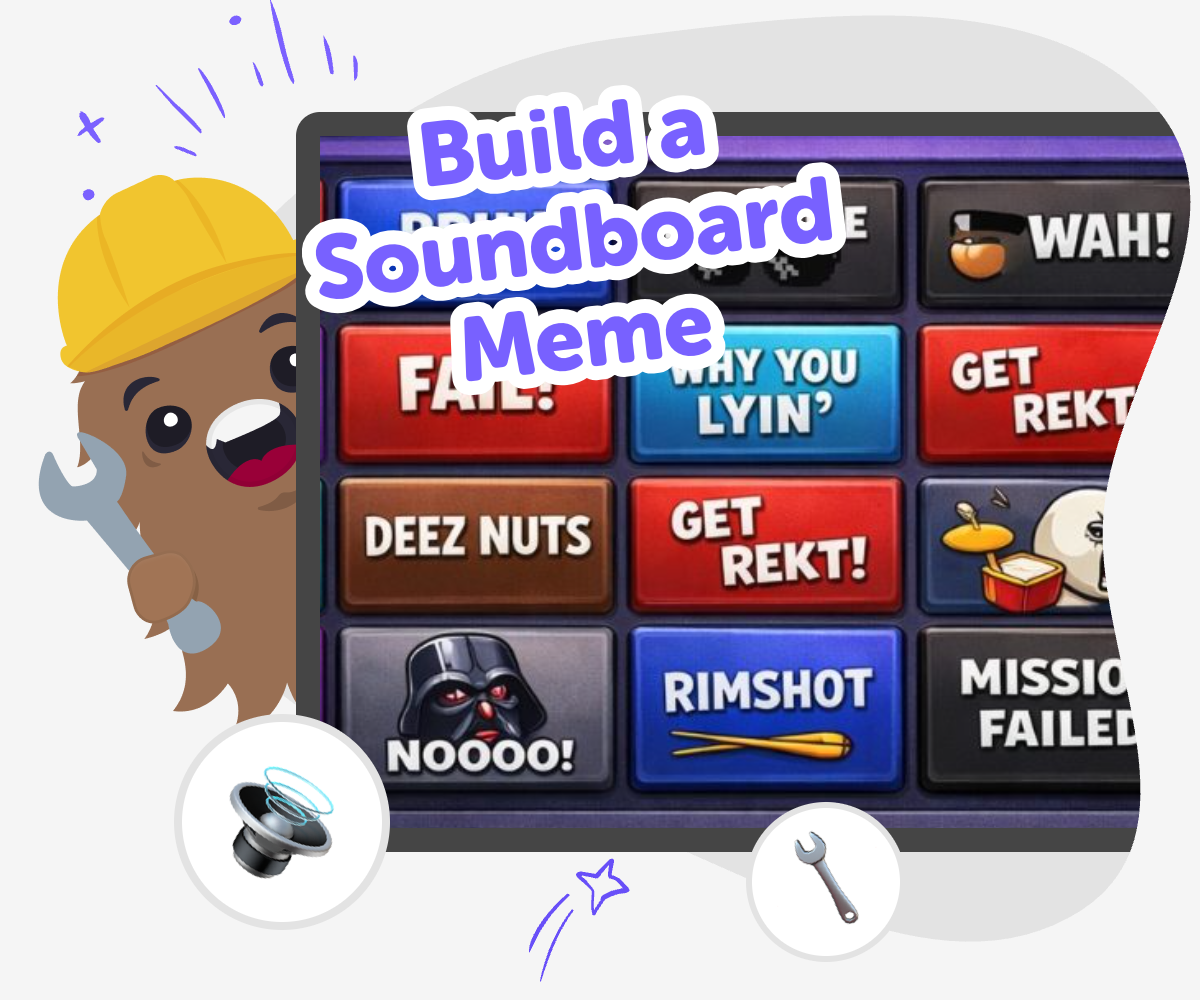
Build a soundboard meme with playful sounds, quick reactions, and your own sense of timing. Kids can explore how a simple soundboard turns a joke, moment, or idea into something fun to tap, share, and remake.
Soundboard meme basics
To build a soundboard meme, kids combine a funny idea with sounds they can tap at just the right moment. It matters because timing, surprise, and repetition can turn a small joke into an interactive project that is easy to share and fun to remake. This kind of making also helps kids practice choosing, testing, and improving instead of guessing. They learn how tiny changes can change the feeling of a joke, which builds creativity and confidence at the same time.
Vibe Coding gives kids a guided way to explore build a soundboard meme by turning their idea into something they can shape step by step. Kids can describe the joke they want, try sounds, adjust labels, and test what feels clear and funny without needing to know everything at once. The tool keeps the process hands-on and safe, so kids stay in charge of the creative choices while they learn by doing. It supports experimentation, careful editing, and playful problem-solving, which helps the final soundboard feel simple to use and ready for more remixes.
What makes a soundboard meme work?
A soundboard meme works when a sound, a reaction, and a moment come together in a way that makes people laugh or notice the joke faster. The sound does not have to be loud or complicated. In fact, short and clear sounds are often the strongest because they are easy to remember and easy to tap at the right time. The joke usually depends on timing, so the same sound can feel different depending on when it plays. That is why this kind of project is a great way for kids to think about creativity and cause-and-effect at the same time. It is not only about being funny. It is also about making choices, testing them, and noticing what gets a stronger reaction.
Why do kids like making them?
Kids often enjoy soundboard memes because they feel playful, immediate, and personal. Instead of only watching a joke, kids get to shape how the joke works. They can pick sounds they already find funny, then arrange them into something that feels like their own creation. This builds confidence because the project is small enough to understand, but open enough to remix in many ways. Kids also practice problem-solving when they ask questions like: Which button should come first? Is this sound too long? Does the joke still make sense without explaining it? Those choices help turn a simple idea into a real interactive project, which is a strong way to learn through making.
How can kids keep it safe and kind?
A good soundboard meme should feel fun for the maker and comfortable for the people who hear it. That means choosing sounds that are friendly, age-appropriate, and not meant to tease, scare, or embarrass anyone. Kids can stay safe by making jokes about silly situations, game moments, or made-up characters instead of real people. It also helps to keep the board easy to understand, with clear labels and short sounds that do not overwhelm the listener. This is a good chance to practice digital kindness: making something that invites laughter without making anyone feel left out. Safety and creativity can work together, and that makes the project better for everyone.
How does Vibe Coding help with the build?
Vibe Coding gives kids a guided place to turn an idea into something interactive without having to know everything at once. A child can describe the kind of soundboard meme they want, then shape it, test it, and improve it as they go. That step-by-step process matters because real creative coding usually takes a few tries. Kids learn that changing a label, shortening a sound, or moving a button can make the whole project easier to use. The tool supports experimentation, but the child stays in charge of the idea. That helps build coding confidence, creative technology skills, and the habit of improving a project instead of giving up when the first version is not quite right.
How to make it
Pick the joke
Choose the funny idea, reaction, or moment you want your soundboard meme to capture. Keep it simple so every button connects to the same joke.
Choose your sounds
Select short clips, voice lines, or effects that match the feeling of the meme. Try sounds that are clear, easy to hear, and fun to tap.
Build the buttons
Arrange the sound buttons so the board is easy to use and the labels make sense. Test each one to make sure the sound plays at the right time.
Make the most of remixing
Try a remix Swap one sound or label so the joke feels fresher while still staying easy to understand. Check the flow Tap each button in order and look for any sound that is too quiet, too long, or confusing to find. Share kindly Keep the meme friendly and age-appropriate so it feels playful for other kids and safe to show at home or in class. Keep improving Save your favourite version, test new timing, and keep changing the board until it feels smooth, funny, and easy to play again.
Frequently asked questions
What is a soundboard meme?
A soundboard meme is a playful set of buttons or sounds that people tap to match a joke, reaction, or funny moment. It usually works best when the sounds are short, clear, and easy to use.
What makes a soundboard meme funny?
Timing, surprise, and repetition often make it funny. A sound that appears at just the right moment can make a simple joke feel bigger and more memorable.
Can kids build a soundboard meme?
Yes. Kids can build one by choosing a joke idea, picking sounds that match it, and arranging the buttons so the board is easy to play and understand.
What kinds of sounds work best?
Short reactions, quick voice lines, and simple effects usually work well. It helps if the sounds are easy to hear and fit the same joke or theme.
How can a soundboard meme stay age-appropriate?
Choose friendly jokes, clear sounds, and ideas that do not tease or target real people. The best projects feel playful, not mean.
Do kids need coding experience to start?
No. Kids can start with a simple idea and learn as they build. Guided tools like Vibe Coding help them test, change, and improve the project step by step.
How do kids make the soundboard easy to use?
Keep the button labels short, use sounds that are easy to tell apart, and test the board more than once. Simple layouts are usually the easiest to enjoy.
Can a soundboard meme be remixed later?
Yes. Kids can always change the sounds, move the buttons, or try a new joke idea. Remixing is a great way to learn what works better the next time.
More tools
Alternatives to Messcraft
Explore alternatives to messcraft with a kid-friendly creative coding studio where kids can build games, apps, stories, and inventions by making, testing, and improving their ideas step by step.
Alternatives to Scratch
Alternatives to Scratch are kid-friendly ways to learn coding, make games, and build creative projects in different styles. Some tools use blocks, some use simple text, and some help kids design interactive stories, apps, or inventions while they learn at their own pace. This page helps kids and families understand the topic and find a hands-on way to try it with Vibe Coding.
Alternatives to Scratch Jr
Explore alternatives to scratch jr and find kid-friendly ways to build games, stories, and interactive ideas with guided support. This page helps kids and families understand the topic and try creative coding through hands-on making.
Alternatives to Shecodes
Alternatives to Shecodes for kids are creative ways to learn by making, testing, and improving ideas step by step. This page explains the topic in a kid-friendly way and shows how Vibe Coding helps young makers explore coding confidence, problem-solving, and creative technology skills through guided projects.
Ready to start creating?
Join hundreds of thousands of kids already building cool stuff on DIY.ORG.