Build a Dragon Maker
Build a dragon maker is a creative kid-friendly way to imagine, shape, and test a dragon idea step by step. Kids can turn a wild creature concept into a real interactive project, using guided making to build confidence, practice problem-solving, and keep improving their creation as they go.
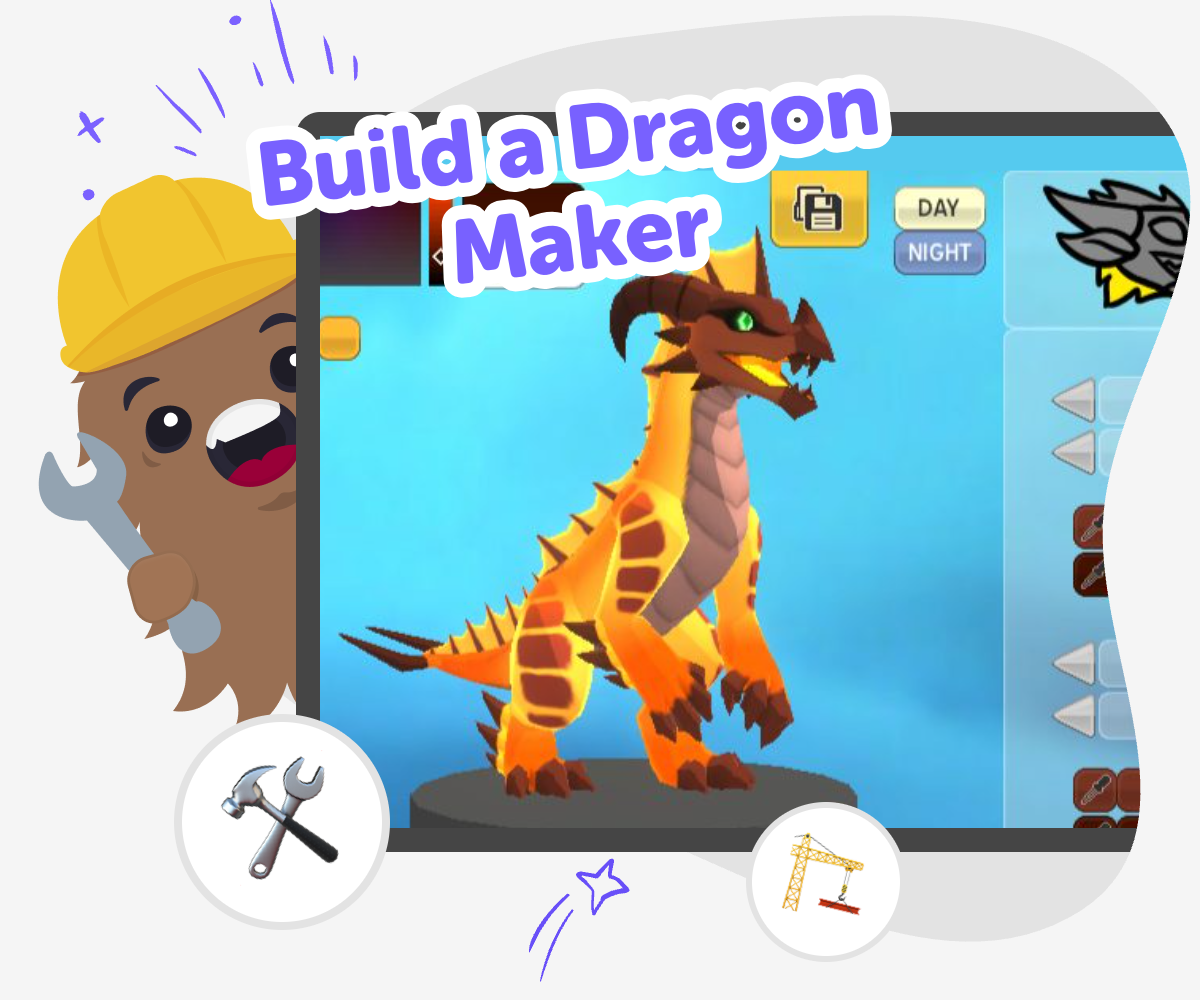
Make Your Dragon Idea
A build a dragon maker page helps kids turn a dragon idea into something they can shape, test, and change. It matters because making a dragon is more than drawing a creature; it is a chance to practice creative thinking, solve small problems, and feel proud of building something that starts in your imagination. Kids can begin with one simple dragon and add details as they go, which makes the process calm and approachable. That step-by-step way of making helps children learn that creative work grows through testing, not perfection.
Vibe Coding gives kids a guided place to explore the idea safely and creatively. They can describe the dragon they want, build it in small steps, and try it out to see what works before they add more details. This kind of support keeps the topic of build a dragon maker at the center while giving kids room to experiment, fix, and improve their project. It encourages confident making because each change is something they can understand and try for themselves.
Why do kids like building dragons?
Dragons are a great project idea because they can be anything a child imagines. A dragon can be scary, friendly, funny, glowing, tiny, or huge, which gives kids room to make choices and show personality. That freedom matters for young makers because it helps them practice creative decision-making instead of only copying an example. When kids build a dragon, they also get to think about details like colour, motion, powers, and sound. Those choices make the project feel alive. The result is often more than a character; it becomes a small world or story that belongs to the child who made it. That sense of ownership can make creating feel exciting and confidence-building.
What skills do kids use while making one?
Making a dragon project can support several important skills at once. Kids practice problem-solving when they figure out how a dragon should move, react, or look on screen. They use iteration when they test something, notice what needs work, and make another version. They also build creative technology skills by turning an idea into something interactive. Even simple choices, like whether the dragon flies, roars, or guards a castle, ask kids to plan and explain their ideas. These skills matter because they help children learn that mistakes are part of making. Instead of stopping when something does not work the first time, they can try a new approach and keep going.
How can a dragon project stay age-appropriate?
A kid-friendly dragon project should be playful, clear, and safe to explore. That means keeping the goals simple, using friendly language, and letting children make changes without needing advanced coding knowledge. It also helps to focus on creative choices rather than complicated technical tasks. Kids can start with one dragon, one action, or one short story and then build from there. This approach works well for a wide age range because younger children can enjoy the idea and older children can add more detail. Guided tools like Vibe Coding can support that process by breaking the work into small steps so the project stays approachable and encouraging.
What makes this kind of project worth repeating?
A dragon maker is not just a one-time activity. Kids can return to the same idea again and again, and each version can feel different. One day they might make a water dragon, and another day they might turn it into a robot dragon or a sleep dragon. Repeating the project helps children see that creative work gets stronger over time. They learn that testing, changing, and improving are normal parts of making. That lesson is useful far beyond dragons, because it builds confidence for games, stories, apps, and inventions too. A project that can grow with a child gives them a reason to keep exploring and a safe way to practice new ideas.
How to Make a Dragon
Imagine your dragon
Choose what kind of dragon you want to make, such as a friendly dragon, a fire dragon, or a tiny baby dragon. Think about its look, its powers, and where it lives.
Build the first version
Use guided coding help to turn your dragon idea into a simple project. Start with the main parts first, like the dragon's shape, name, or a special action it can do.
Test and change
Try your dragon project and see what happens when you click, type, or play with it. Notice what feels missing or confusing, then adjust it and try again.
Make the most of experimenting
Try a new look Change one detail, like colour, wings, or sound, to see how the dragon's personality changes. Small edits can make your project feel more magical and more like your own. Test what works Run the project again and look for parts that are fun, easy to understand, and ready for a younger maker to enjoy. If something feels too tricky, simplify it and keep going. Add your own twist Give your dragon a special power, a silly habit, or a surprise scene so it feels original. This is a good time to explore ideas and notice how each choice changes the whole project. Keep improving Save the version you like best, then come back to make it better. Each round of changes helps build coding confidence and shows that creative projects grow through practice.
Frequently asked questions
What is a dragon maker for kids?
A dragon maker for kids is a creative project where children imagine a dragon and build it step by step. It can be a story, a game character, or an interactive creation with special features. The fun part is that kids get to choose the dragon's look, powers, and personality while learning how to shape an idea into something real.
Do kids need coding experience to build a dragon maker?
No. Kids can start with a simple idea and grow it over time. Guided tools like Vibe Coding help them take small steps, try ideas, and make changes without needing to know everything at the start.
What can a dragon project include?
A dragon project can include a name, colours, wings, sounds, movement, and special powers. Kids can also add a story, a challenge, or a place where the dragon lives. The best part is choosing details that make the dragon feel unique.
Can kids make a friendly dragon instead of a scary one?
Yes. Kids can make any kind of dragon they want, including a kind helper dragon, a baby dragon, or a silly dragon. Creative projects are a good place to explore different personalities and story ideas.
How does building a dragon help kids learn?
Building a dragon helps kids practice problem-solving, creative thinking, and iteration. They learn how to try something, see what happens, and improve it. That process builds confidence and shows them that making is something they can keep learning.
Is this kind of project safe for younger kids?
It can be, especially when the project is guided, age-appropriate, and focused on making rather than open-ended internet searching. A supervised creative space keeps the activity calm and child-friendly while still letting kids explore big ideas.
Can kids change their dragon after they start?
Yes, and that is often the best part. Kids can change the dragon's colour, features, story, or actions whenever they want. Changing a project helps children learn that creative work gets better through testing and revision.
What should kids try after they finish one dragon?
They can make a new version with a different mood or power, or they can build a whole dragon world with friends, challenges, or a story. Once children feel comfortable with one project, they can use the same skills for other games, apps, and inventions.
More tools
Build a Flappy Duck Game
Build a Flappy Duck Game and learn how simple game ideas turn into playful interactive projects. Kids can explore tapping, timing, obstacles, scoring, and retries while making a game that feels fun to play and easy to improve.
Build a Fox Clicker Game
Build a fox clicker game and learn how simple games work by making one step by step. Kids can design a fox theme, add clicks and upgrades, and keep testing ideas until the game feels fun to play.
Build a Funny Soundboard
Build a funny soundboard by choosing silly sounds, arranging buttons, and testing how each one changes the mood. Kids can make a playful mix of noises that feels fun to tap, easy to use, and full of personality. It is a creative way to explore timing, choices, and simple digital making.
Build a Gacha Character
Build a gacha character by choosing a style, adding details, and making a character that feels unique, playful, and ready for stories, games, or art projects.
Ready to start creating?
Join hundreds of thousands of kids already building cool stuff on DIY.ORG.
Your first game is on us.
Describe a game below - no sign-up needed to try.
Powered by AstroSafe
Make real games - not just chat