Best Minecraft Seeds
Explore the best minecraft seeds and learn how to turn a great world into a creative project. Kids can discover what makes a seed exciting, then use Vibe Coding to build, test, and improve their own ideas step by step.
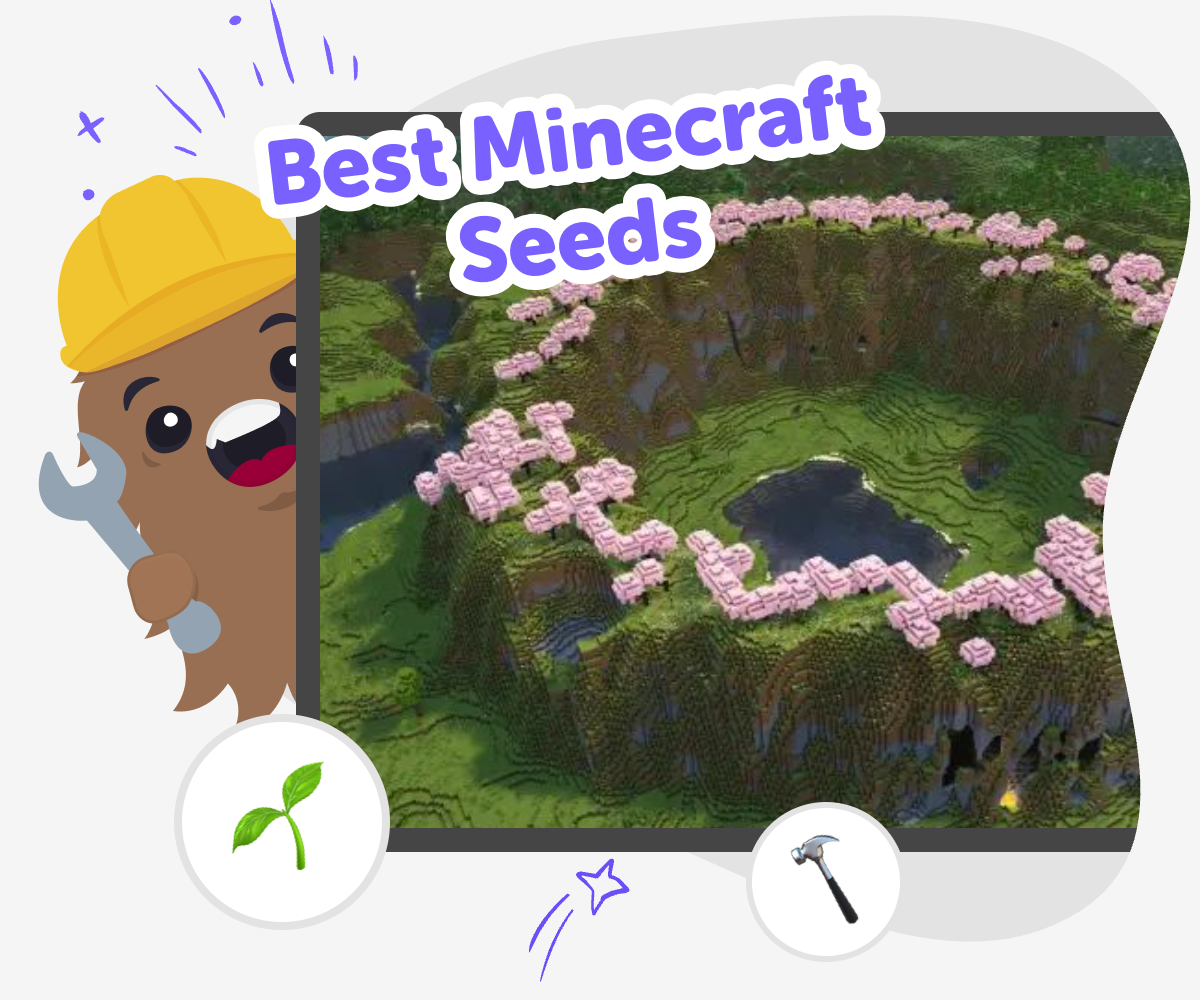
Explore Minecraft Seeds
The best minecraft seeds help you start a world that feels exciting, useful, or surprising from the first moment. Some seeds give you villages, islands, mountains, or big caves, and that matters because the world shape can change how you explore, build, and plan your next move. When kids notice what makes a seed feel special, they also practice comparing choices and thinking about what kind of adventure they want to have. That makes the game more thoughtful and helps each player find a world that fits their style.
Vibe Coding gives kids a guided way to turn ideas from Minecraft seeds into something they can make themselves. They can describe a game, story, map, or invention inspired by a world they like, then build it step by step, test it, and improve it as they learn. That keeps the topic playful and creative while still making safety and confidence part of the process. Kids stay active, make small changes, and learn by doing instead of just looking at ideas.
What makes a Minecraft seed good?
A good Minecraft seed gives you a world that feels interesting to explore and useful for the kind of play you want. Some players like seeds with villages close by because they make the first minutes easier. Others want big mountains, ocean islands, jungle biomes, or strange cave systems because those places create exciting challenges and fun building spots. The best seed is not always the rarest one. It is the one that matches your goal, whether that goal is surviving, building, discovering, or playing with friends. When kids think about seeds this way, they start to notice game design ideas like balance, surprise, and choice. That is a great skill for any maker, because it helps you compare options and decide what feels right instead of just picking the first thing you see.
Why do players search for special seeds?
Players search for special seeds because each one can make the game feel different from the start. A seed might place you near lava, a stronghold, a snowy village, or a rare biome that is exciting to explore. That changes the story you can tell in the world. A strong seed can also save time, which is helpful if you want to build faster or start an adventure with a clear goal. Kids often enjoy seeds that give them a challenge, a surprise, or a cool place to build a base. Looking for special seeds also teaches pattern-spotting. You learn to compare worlds, notice what you like, and explain why one choice feels better than another. Those are useful thinking skills for both games and creative projects.
How can kids choose a seed safely?
Choosing a seed is safe because it is just a world code that changes your game world. Still, kids do best when they choose seeds with a clear goal and with a trusted grown-up nearby if they need help finding age-appropriate content online. It helps to use seeds from places that explain what the world contains, so you know whether you are getting a peaceful start, a difficult challenge, or a build-friendly area. Kids can also look for worlds that match their comfort level. If a seed seems too tricky, too empty, or too confusing, they can try another one. This keeps the experience fun and builds confidence. Safe exploration is about making thoughtful choices, asking questions, and changing your plan when something does not feel right.
How does making your own project help you learn from seeds?
When kids turn seed ideas into their own project, they do more than copy a world. They practice thinking about what makes a game interesting, then use that knowledge to build something new. For example, a kid might notice that a seed feels exciting because it has a hidden cave, and then make a small game or story about exploring underground spaces. Another kid might like a seed because it starts near a village and use that idea in a quiz, map, or adventure plan. This kind of making builds confidence because it breaks a big idea into small steps. With Vibe Coding, kids can describe what they want, test it, and improve it as they go. That process helps them learn coding, problem-solving, and creativity at the same time.
Explore seed ideas
Choose a world style
Think about the kind of Minecraft start you want, such as a village, an island, a snowy area, or a big mountain.
Spot the useful parts
Look for nearby wood, food, caves, water, or safe places to build so you know what the seed gives you at the start.
Try your favorite first
Pick one seed that matches your goal, open it in the game, and see how the landscape changes your first plans.
Make the most of testing
Try a second seed Compare what feels different about the landscape, resources, and starting challenge so you can notice what matters to you. Change one choice Switch to a seed with a different biome, village distance, or terrain shape and see how that changes your idea for building or exploring. Check what feels fun Notice which world gives you the best mix of surprise, comfort, and challenge for the kind of Minecraft story you want to play. Keep improving Use what you learned to pick, replay, and adjust your seed choice until the world feels like a good fit for your next adventure.
Frequently asked questions
What are Minecraft seeds?
Minecraft seeds are codes that create a world in the game. The same seed can make the same kinds of land, biomes, and starting areas, so players use them to find worlds that feel fun, useful, or surprising.
What makes the best Minecraft seeds worth trying?
The best Minecraft seeds are worth trying when they give you a world that matches your goal. Some seeds are great for building, some for survival, and some for exploration because they create interesting places to discover right away.
Can kids use Minecraft seeds to build creative projects?
Yes. Kids can use the ideas they notice in a seed, like villages, islands, or mountains, as inspiration for stories, maps, and game ideas. They can also use Vibe Coding to turn those ideas into a project they build step by step.
Are Minecraft seeds the same on every device?
Not always. Some seeds can look different depending on the version of Minecraft and the device you play on. It is a good idea to check the version before you save or share a seed.
How do I know if a seed is good for beginners?
A good beginner seed usually gives you helpful resources nearby, like wood, food, or a village. That makes the first part of the game easier and lets new players learn without feeling stuck right away.
Can Minecraft seeds help with learning?
Yes. Looking at seeds can teach kids how to compare choices, notice patterns, and plan ahead. Those skills help with games, coding, and creative problem-solving.
Should kids pick the rarest seed?
Not always. A rare seed can be exciting, but the best choice is the one that fits what the player wants to do. A simple seed can be better than a rare one if it gives a kid the kind of world they want to build in.
How can I turn a seed idea into something new?
Start by noticing what you like about the seed, such as the shape of the land or the nearby structures. Then use that idea as a starting point for a story, a map, or a guided coding project with Vibe Coding.
More tools
Create Reading Games For 5th Grade
Create reading games for 5th grade with simple, fun ideas that help kids practice reading, think carefully, and stay engaged. This page shows how making a reading game can turn stories, clues, and questions into an active learning experience.
Create Reading Games For Kindergarten
Create reading games for kindergarten with simple, playful ideas that help young children practice letters, sounds, matching, and early reading skills. This page explains the topic in a kid-friendly way and shows how Vibe Coding can help kids build, test, and improve their own reading games step by step.
Create Scary Maze Game
Create scary maze game ideas with a kid-friendly coding studio that helps you build a spooky challenge step by step. Kids can design the maze, add surprises, test how it feels, and keep improving it until it is fun, clear, and just the right amount of scary.
Create Stabfish IO Game
Create stabfish io game ideas with guided, hands-on building that helps kids turn a game concept into something they can test, change, and improve. This kid-first page explains the idea in a simple way and shows how creative coding can make game making feel fun, safe, and possible.
Ready to start creating?
Join hundreds of thousands of kids already building cool stuff on DIY.ORG.