AI for Kids | KidsGPT (Ask Yawee)

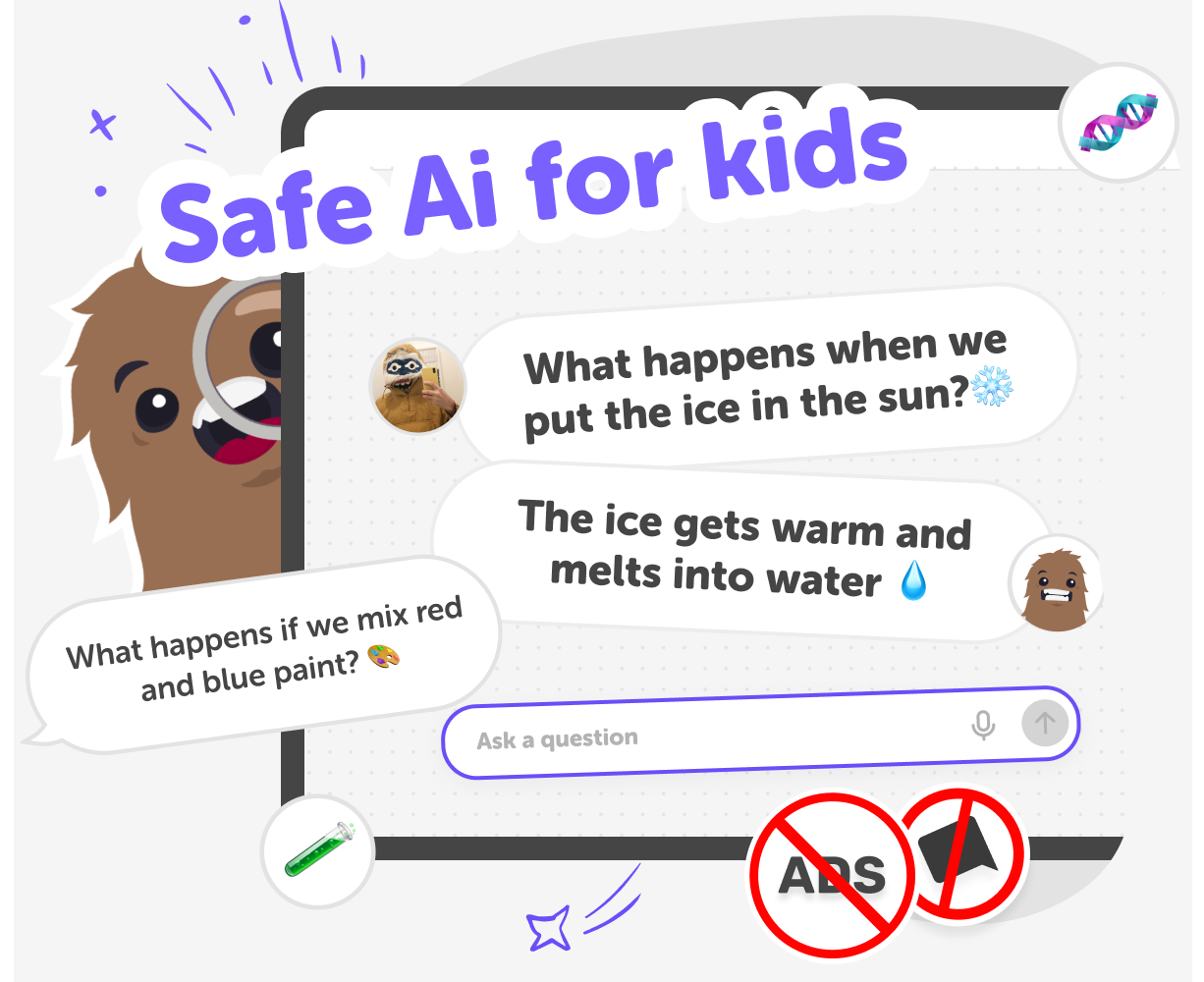
Try AI for kids with KidsGPT — a kid-safe assistant that helps children ask questions, get ideas, and learn through step-by-step guidance.
AI for Kids | KidsGPT (Ask Yawee) hero

What is AI for kids?

AI for kids means using artificial intelligence tools created especially for children. These tools help kids ask questions, explore ideas, and get step-by-step help written at a friendly reading level. Instead of mysterious or adult-focused results, kid-targeted AI turns suggestions into practical, creative prompts children can use right away. It exists because children learn best by making and asking, not just copying. A child-friendly AI invites curiosity, supports trial and error, and gives tools for creativity—story starters, project ideas, and clear instructions that encourage learning through doing.

KidsGPT on DIY.org—branded as "Ask Yawee"—is a kid-safe assistant that answers in plain text and guides kids with simple, stepwise instructions. It never acts like an authority; instead, it coaches kids through tasks such as writing scripts, creating quizzes, or explaining ideas. KidsGPT only outputs text, so children follow instructions to make things themselves rather than receiving finished images or files. Because it's designed for young learners, KidsGPT keeps language age-appropriate, avoids harmful content, and encourages follow-up questions. Parents and educators can feel reassured that the experience promotes creativity, learning by doing, and safe exploration within DIY.org’s controlled environment.

Explore AI for Kids with KidsGPT

Step 1 - Open KidsGPT (Ask Yawee)

Go to KidsGPT on DIY.org and start a new conversation. Type a simple question or creative prompt into the text box.

Step 2 - Ask for ideas or steps

Tell KidsGPT what you want—ideas, a how-to, quiz, or script. Keep prompts clear so replies match your age and interest.

Step 3 - Use step-by-step guidance

Follow the helper's instructions. KidsGPT gives short, friendly steps you can try on paper, in the workshop, or on screen.

Step 4 - Make the most of KidsGPT

Try different prompt types Ask for stories, step-by-step projects, quizzes, or translation tasks to see how varied answers spark new ideas. Iterate and improve Use KidsGPT’s suggestions as a starting point; try changes, ask follow-ups, and practise skills over time. Mix screen time with making Turn text instructions into hands-on projects—drawings, builds, experiments—to learn by doing. Share safely When ready, use DIY.org’s moderated sharing to show work and get encouraging feedback from friends and teachers.

What is AI for kids?

AI for kids describes tools and assistants made especially for children to explore, learn, and create. On DIY.org, AI for kids means a safe, text-only helper called KidsGPT that answers in clear, age-appropriate language. Instead of giving final answers or copying adult content, the tool explains steps, offers ideas, and suggests follow-ups so children can try things themselves. It encourages asking questions, testing ideas, and learning by doing. Parents and educators can use it to support projects, check replies, and turn suggestions into hands-on activities. The goal is to make technology a creative partner that builds confidence and curiosity.

How does KidsGPT help learning?

KidsGPT helps learning by turning questions into small, doable steps and creative prompts that children can act on. It suggests clear project ideas, writes short scripts, creates quizzes, explains words, and translates phrases at a child’s reading level. Instead of delivering finished work, KidsGPT guides kids through each stage so they practise planning, testing, and improving their projects. By asking follow-ups and changing instructions, children learn to reflect, solve problems, and communicate more clearly. Educators and parents can use KidsGPT to scaffold tasks, encourage hands-on work, and turn digital replies into real-world making and discovery.

Is KidsGPT kid-safe and age-appropriate?

Yes. KidsGPT is designed for children and built with safety and age-appropriate language in mind. The assistant filters inappropriate topics, avoids giving unsafe instructions, and keeps explanations simple so young learners understand. It does not present itself as an authority; instead it offers suggestions, checks for understanding, and encourages adults to join projects when needed. Parents and educators can review conversations, set limits, and use DIY.org’s moderated sharing to post finished work. While no system is perfect, KidsGPT is built to reduce exposure to harmful content and to support safe, supervised exploration that turns ideas into hands-on learning.

What can kids make with KidsGPT?

Kids can use KidsGPT to create many different projects: short stories, step-by-step craft instructions, quiz questions, simple video scripts, translation exercises, and idea lists for art or science activities. The assistant helps break tasks into clear steps that children follow offline—drawing, building, experimenting, or recording. Kids can ask for ways to combine activities, such as turning a story into a comic strip, making a quiz about a favourite topic, or designing a mini science experiment. Finished projects can be shared optionally through DIY.org’s moderated, kid-safe posting tools so friends and teachers can give positive feedback.

Frequently Asked Questions

What age is AI for kids?

Is KidsGPT kid-safe AI?

Do kids need an account to use KidsGPT?

Can KidsGPT help with homework?

Can KidsGPT create images or videos?

How can parents support use?

Can kids share their KidsGPT projects?

What are good starter prompts?

Why 500,000 families trust DIY

User Avatar

Martin

Dad to 2 DIYers

My son loves DIY! He always finds fun projects to do, and we enjoy making things together. It’s a great way to learn, create, and have fun at the same time!

User Avatar

Pearl

DIYer from USA

DIY is such a great app with really sweet people and moderators who always make sure this app is super safe. You can learn to create things or learn drawing techniques - honestly there is so much to do.

User Avatar

Elaine W.

Middle school teacher

I love logging onto DIY every day - not just for projects but to also look at the comments my kids share about each other's work. It's a brilliant way to foster healthy support systems!

User Avatar

Jenn L.

Mom to 3 DIYers

We absolutely love the DIY platform and its endless river of creative adventures and projects! We always have the best time together participating, learning and creating!

Ready to create?

Make

To create a safe space for kid creators worldwide!

Create

Vibe Coding

Kids GPT

All Tools

Kibu

Learn

Worksheets

Courses

Skills

Resources

SafeTube

Blog

FAQ

Pricing

Account

Log-in

Sign-up

Data Deletion

Company

About

Community Guidelines

Privacy Policy

Terms of Service

2025, URSOR LIMITED. All rights reserved. DIY is in no way affiliated with Minecraft™, Mojang, Microsoft, Roblox™ or YouTube. LEGO® is a trademark of the LEGO® Group which does not sponsor, endorse or authorize this website or event. Made with love in San Francisco.
