Illustrate a coffee shop on Procreate
Use Procreate to illustrate a cozy coffee shop scene, learning layers, brushes, perspective, and color choices while creating characters, furniture, and lighting effects.


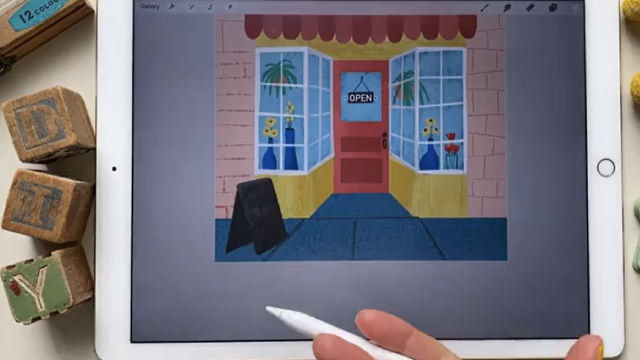

Step-by-step guide to illustrate a cozy coffee shop on Procreate
Step 1
Open Procreate on your iPad.
Step 2
Create a new canvas about 2048 by 2732 pixels.
Step 3
Turn on Drawing Guide and switch it to 2‑point perspective.
Step 4
Make three new layers and name them Background; Midground; Foreground.
Step 5
Pick three or four warm colors you like for a cozy coffee shop.
Step 6
Save those colors as a new palette in Procreate.
Step 7
On the Background layer block in the walls and floor with your base colors.
Step 8
On the Midground layer sketch the layout and furniture using the perspective lines.
Step 9
On the Foreground layer draw characters with a clean brush and give each one a simple pose.
Step 10
Paint soft shadows on a new layer using a brush and set that layer’s blend mode to Multiply.
Step 11
Paint warm light on a new layer where lamps or windows shine and set that layer to Overlay.
Step 12
Add small details like coffee cups steam pastry patterns and wood or fabric textures on a new layer.
Step 13
Use Smudge or a light Gaussian Blur to soften edges where the light lands.
Step 14
Export your finished illustration to your Photos or Gallery.
Step 15
Share your finished coffee shop illustration on DIY.org.
Help!?
What can we use if we don’t have Procreate or an iPad for this coffee shop illustration?
If you don’t have Procreate on an iPad, use another layered drawing app like ibisPaint X or Autodesk SketchBook on a tablet or phone and create a canvas about 2048 x 2732, enable a 2‑point perspective guide or draw perspective lines manually, and make Background, Midground, and Foreground layers as instructed.
My furniture sketches on the Midground layer don’t match the perspective lines — how do I fix that?
Enable Drawing Assist for the Midground layer (with Drawing Guide set to 2‑point perspective) so strokes snap to the vanishing points, lower layer opacity to redraw clean shapes, and use the Transform tool to nudge pieces into place if needed.
How can I adapt this activity for different ages?
For younger kids simplify to one layer each for Background/Midground/Foreground and preselect the warm palette so they block in walls, floors, and big furniture, while older kids can add Multiply shadow layers, Overlay warm light layers, texture layers, and use Smudge or Gaussian Blur for softer lighting.
What are some ways to extend or personalize the finished coffee shop illustration?
Personalize by importing a photo to trace perspective, create custom character stickers from the Foreground layer, animate steam with Procreate’s Animation Assist, and finish with Multiply shadows, Overlay warm lights, and subtle Gaussian Blur before exporting to Photos/Gallery and sharing on DIY.org.
Watch videos on how to illustrate a cozy coffee shop on Procreate
How To Draw Pizza - Preschool
4 Videos

How To Draw Pizza - Preschool

How To Draw Shopkins Shoppies Peppa-mint

Turning Kids Drawings Into Real Toys

How to Draw Wednesday Addams Drinking Starbucks Coffee
Facts about digital illustration for kids
🎨 Procreate was released by Savage Interactive in 2011 and quickly became a favorite digital art app for iPad artists.
🖌️ Procreate includes hundreds of brushes and lets you create, import, and tweak custom brushes for unique textures.
🔁 Procreate's maximum layer count depends on canvas size and iPad model—smaller canvases let you use more layers.
☕ Coffeehouses began in the 15th-century Near East and grew into lively social hubs across Europe in the 17th century.
🌈 Warm colors (reds, oranges) tend to appear closer while cool colors (blues, greens) recede—great for making cozy depth.
How do you illustrate a cozy coffee shop scene on Procreate step-by-step?
What materials do I need to illustrate a coffee shop on Procreate?
What ages is this Procreate coffee shop illustration suitable for?
What are the benefits of illustrating a coffee shop on Procreate?
