How to Draw a Microphone
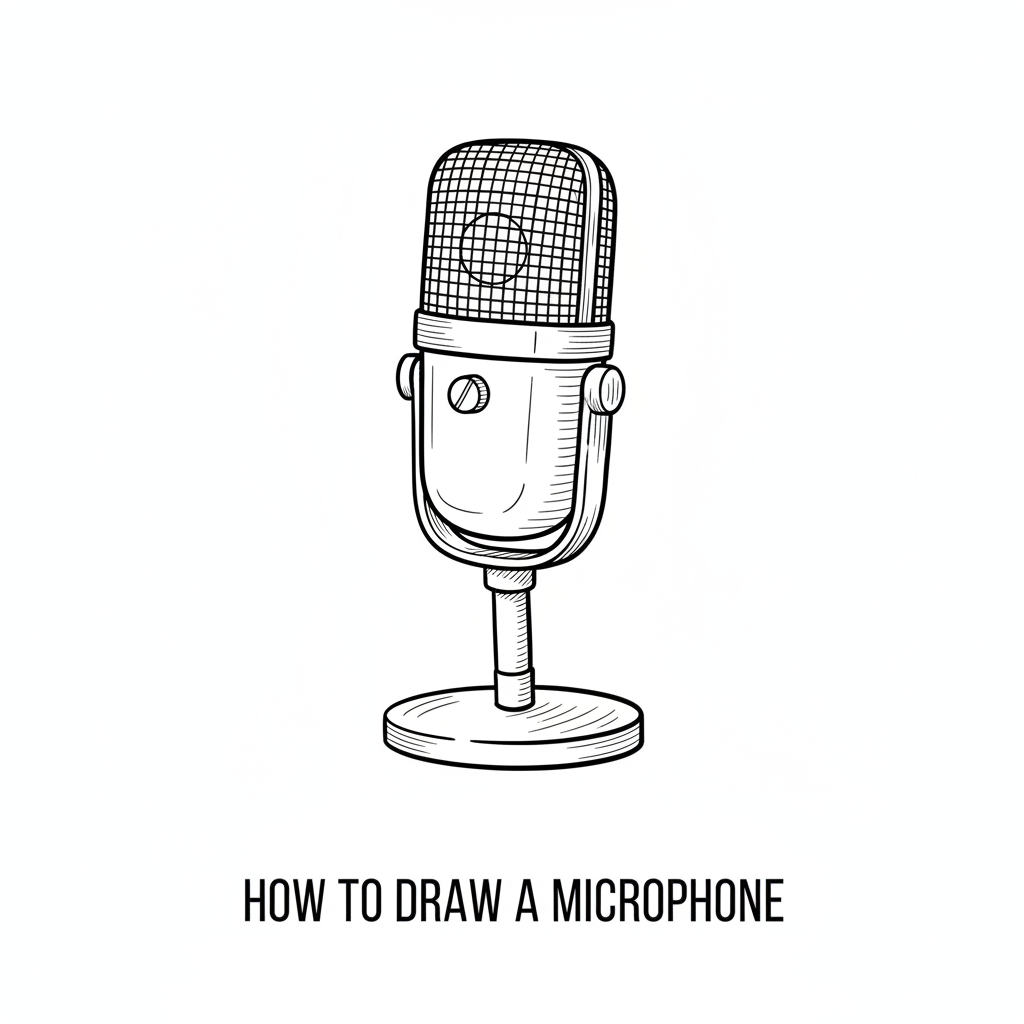
Draw a realistic microphone step by step using basic shapes, lines, and shading. Practice proportion, texture, and perspective through guided sketching exercises.
About this tutorial
Draw a realistic microphone step by step using basic shapes, lines, and shading. Practice proportion, texture, and perspective through guided sketching exercises.
What you need
Instructions
- 1
Step 1
Lightly draw a vertical centerline down the middle of your paper with your pencil.
- 2
Step 2
Draw a long narrow rectangle centered on the line for the microphone handle about two-thirds of the paper height.
- 3
Step 3
Draw a slightly flattened oval that overlaps the top of the handle for the microphone head.
- 4
Step 4
Draw a smaller oval inside the head that follows its shape to make the grille rim.
- 5
Step 5
Add three to five evenly spaced curved horizontal lines across the head to show the rounded grille rings.
- 6
Step 6
Fill the grille area with tiny diagonal hatch marks or small dots to create a mesh texture.
- 7
Step 7
Sketch a thin band where the head meets the handle to show the joint.
- 8
Step 8
Draw a small circle at the bottom of the handle for the connector jack.
- 9
Step 9
Erase any extra guidelines so the microphone outline looks clean and tidy.
- 10
Step 10
Shade the head with soft pencil strokes that follow its curve to make it look round.
- 11
Step 11
Add a soft shadow beneath the microphone to show it sitting on a surface and give it perspective.
- 12
Step 12
Share your finished realistic microphone drawing on DIY.org
Get inspired
Fun facts
How to draw a realistic microphone step by step?
Start by sketching basic shapes: a rounded oval for the mic head and a long cylinder for the handle, connected by a short neck. Add center guidelines to set perspective and proportion. Draw the grille pattern with light cross-hatching, then refine the handle with thicker outlines and switch or clip details. Use shading to indicate a light source—darker shadows opposite the light, midtones on curved surfaces. Erase guides, blend softly, and add highlights for realism.
What materials do I need to draw a realistic microphone?
You'll need a few basic supplies: sketch paper or a sketchbook, a pencil set (HB for guidelines, 2B or 4B for darker lines and shading), a kneaded or vinyl eraser, pencil sharpener, and a blending stump or cotton swab for smooth shading. Optional items: ruler for straight edges and perspective, fine liner pen for inked outlines, and colored pencils if you want to add metallic finishes or color accents.
What ages is drawing a realistic microphone suitable for?
This activity suits kids roughly aged 7 and up. Younger children (7–9) can follow simplified steps focusing on basic shapes and outlines with adult help; older kids (10–14+) can work on proportion, perspective, and detailed shading independently. Adjust difficulty by simplifying grille pattern, reducing shading, or introducing step-by-step tracing for beginners. Supervise sharp pencils and small tools for safety, and encourage short practice sessions to build skill and focus.
What are the benefits of drawing a realistic microphone?
Drawing a realistic microphone improves proportion, perspective, and observation skills while building fine motor control and hand–eye coordination. Practicing textures (metal grille, smooth handle) and shading teaches light source understanding and value contrasts. The step-by-step process boosts patience and confidence as children see progress. Try timed warm-ups and variation exercises—draw different microphone styles or angles—to extend learning and keep practice playful and motivating.
Watch & Learn
Need help?
What can we use if we don't have a pencil for the light centerline and shading?
Use a light-colored erasable colored pencil, a mechanical HB pencil, or a soft charcoal pencil for the vertical centerline and shading and keep a good eraser to remove guidelines before adding fine grille details.
My oval head looks off-center or the grille lines are uneven — how can I fix it?
If the flattened oval head is off-center or grille rings look uneven, lightly erase the top of the handle and redraw the oval centered on the vertical centerline, then use a ruler or fingertip as a guide to space the three to five curved horizontal grille lines evenly.
How can I change this activity for younger or older children?
For younger kids, simplify by drawing a single oval head and rectangle handle with marker and omit the tiny diagonal hatch marks, while older kids can add extra curved grille rings, detailed mesh texture inside the grille rim, and more advanced curved shading and soft shadow for realism.
How can we extend or personalize the finished microphone drawing before sharing it on DIY.org?
To personalize the drawing before sharing on DIY.org, sketch a cable from the small circle connector jack, add a logo or color bands on the handle, and increase realism by deepening the curved shading on the head and the soft shadow underneath.