Create the same painting with 2 Backgrounds
Paint the same picture twice using two different backgrounds and compare color, mood, and technique to learn how backgrounds change visual storytelling.


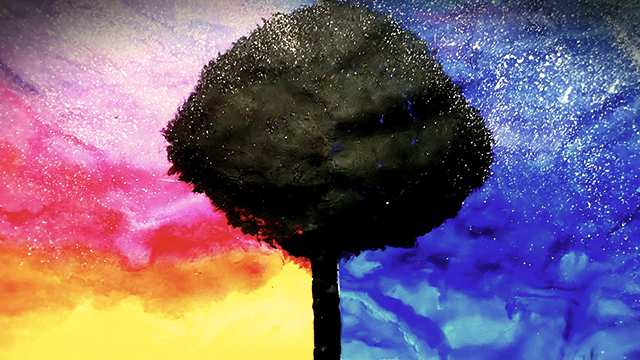

Step-by-step guide to create the same painting with 2 backgrounds
Step 1
Gather all your materials and place them on a flat table so everything is easy to reach.
Step 2
Choose a simple subject to paint like a tree a cat a house or a sun.
Step 3
Lightly sketch the same image in the middle of both sheets using your pencil.
Step 4
Tape the edges of both sheets to the table so they do not move while you paint.
Step 5
Decide on the first background color and mix it on your palette.
Step 6
Paint the first background around the sketch on the first sheet using broad even strokes.
Step 7
Rinse your brush in the cup of water.
Step 8
Paint the subject on the first sheet using the colors and brush strokes you like.
Step 9
Decide on a different second background color and mix it on your palette to create a new mood.
Step 10
Paint the second background around the sketch on the second sheet using broad even strokes.
Facts about painting and color theory
🎨 Warm colors (reds, oranges, yellows) tend to 'advance' toward the viewer while cool colors (blues, greens) 'recede' — a quick way to change depth.
🌡️ Color can change mood: studies and artists use blue for calm scenes and red for energetic or intense moments.
🧠 Kandinsky believed colors have emotional powers — he wrote that yellow feels lively and blue feels spiritual or meditative.
👀 Figure–ground tricks show how a background can flip what you see as the main subject or make details disappear.
🌫️ Atmospheric perspective makes faraway objects bluer, lighter, and fuzzier — an easy technique to show distance in a background.
