Create an Epic Face Filter w/ Jr Mod TinyIsFiney
Design and build an epic face filter with Jr Mod TinyIsFiney, using kid-friendly AR tools or stickers; test it on camera and customize animations.


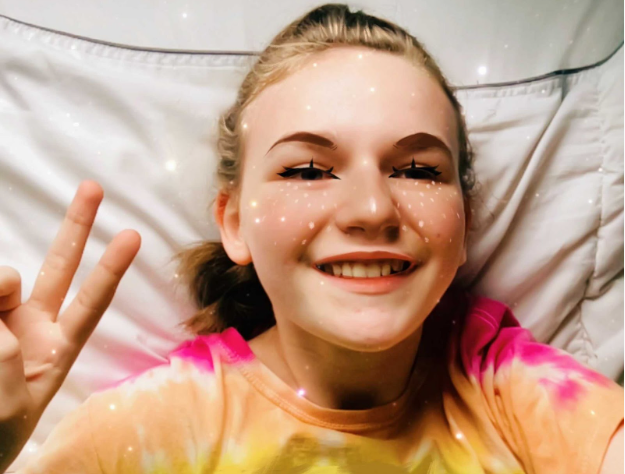

Step-by-step guide to create an epic face filter with Jr Mod TinyIsFiney
Step 1
Open your AR app and start a new face filter project.
Step 2
Turn on face tracking or choose the front-facing face template in the app.
Step 3
Add Jr Mod TinyIsFiney from the app library or upload your TinyIsFiney sticker.
Step 4
Drag TinyIsFiney onto the face where you want it to appear.
Step 5
Resize TinyIsFiney until it fits the face the way you like.
Step 6
Rotate TinyIsFiney if needed so it sits at the right angle.
Step 7
Pick one animation effect for TinyIsFiney from the animation menu.
Step 8
Set one trigger for the animation such as a smile or mouth open so it plays when you do that.
Step 9
Add one extra accessory like glasses or a hat and attach it to the correct face anchor.
Step 10
Choose one color or pattern and apply it to TinyIsFiney or the accessory.
Step 11
Preview the filter in camera mode to see it live.
Step 12
Move your face and use the trigger to test tracking and the animation.
Step 13
Save or export your finished face filter and share your creation on DIY.org
Help!?
What can we use if Jr Mod TinyIsFiney isn't available in the app library?
Upload your own TinyIsFiney sticker or substitute any similar face sticker from the app library and then follow the 'Add Jr Mod TinyIsFiney' and 'Drag TinyIsFiney onto the face' steps.
The animation doesn't play when I smile—what should I check?
Ensure you turned on face tracking or chose the front-facing face template, set the trigger to 'smile' in the animation menu, grant camera permissions, preview in camera mode, and reposition TinyIsFiney onto the correct face anchor if tracking drifts.
How can I change the activity for different age groups?
For younger kids simplify to 'Drag TinyIsFiney onto the face' and 'Add one extra accessory', for school-age kids include 'Resize' and 'Rotate' plus 'Pick one animation' and 'Set one trigger', and for teenagers add custom colors/patterns, multiple accessories, and export to share.
How can we make the face filter more unique or advanced?
Add multiple accessories attached to different face anchors, layer or change animations and triggers like 'mouth open', customize colors or patterns for TinyIsFiney, or create and upload a new TinyIsFiney sticker before saving and exporting to DIY.org.
Watch videos on how to create an epic face filter with Jr Mod TinyIsFiney
FACE REVEAL!! How to Draw Snapchat Dog Filter + Snapchat Draw So Cute Characters
4 Videos
FACE REVEAL!! How to Draw Snapchat Dog Filter + Snapchat Draw So Cute Characters

How To Draw A Christmas Elf Face
A Guide To Children's Face Painting Activity
How to Draw a Cute School Girl 📚Wearing a Face Mask
Facts about augmented reality and digital design for kids
🤳 Snapchat’s Lenses, introduced in 2015, helped make real-time face filters popular worldwide.
🧭 A common face-tracking method maps about 68 facial landmark points to follow smiles, eyes, and nose movements.
🛠️ Kid-friendly AR tools like Spark AR and Snap’s Lens Studio include templates so beginners can add stickers and animations without deep coding.
✨ Face filters can respond to blinks, smiles, and head turns so stickers and animations look alive on camera.
🎨 Making a great filter mixes art and code—many creators sketch characters first, then animate them for fun effects.
How do I create an epic face filter with Jr Mod TinyIsFiney?
What materials and apps do I need to make a Jr Mod TinyIsFiney face filter?
What ages is this Jr Mod TinyIsFiney face filter activity suitable for?
What safety tips should parents follow when kids make AR face filters?
