Build something new and awesome in Minecraft
Design and build an original Minecraft structure, choose a castle, treehouse, or redstone contraption, plan, construct, and test your creation in survival or creative mode.


Step-by-step guide to build an original Minecraft structure
13 Awesome Building Ideas for Minecraft!
Step 1
Choose which structure you will build by picking castle or treehouse or a redstone contraption.
Step 2
Decide whether you will build in Creative mode or Survival mode.
Step 3
Explore your world and pick a good flat or interesting spot for your build.
Step 4
Draw a simple plan on your paper showing the size shape and one special feature.
Step 5
Gather the blocks tools and materials in-game or open the Creative inventory to collect blocks.
Step 6
Mark the outline of your build on the ground using a contrasting block.
Step 7
Build the foundation and floor inside your outline.
Step 8
Build the walls up to the height you planned.
Step 9
Add the roof or top structure to finish the main shape.
Step 10
Place doors and windows so you can enter and look outside.
Step 11
Add ladders stairs and lighting to make the build easy to use and safe.
Step 12
Decorate the inside and outside with furniture plants banners or other details.
Step 13
Test your build by walking through using the mode you chose and fix any problems or redstone bugs.
Step 14
Share your finished creation on DIY.org
Help!?
What can we use if a material like glass, torches, or redstone parts is hard to find?
If you can't find glass, torches, or redstone components in Survival, substitute iron bars or stained glass for windows, lanterns or glowstone for lighting, and prototype redstone designs in the Creative inventory before gathering materials.
My walls or roof look wrong or my redstone doesn't work—what should I check first?
Confirm your marked outline and level foundation are correct, use scaffolding or temporary blocks to align walls and the roof, and for redstone double-check dust connections, repeater direction, and power sources while testing in the mode you chose.
How can I change the challenge for younger or older kids?
Let younger kids pick Creative mode, draw a tiny paper plan and build a one-room treehouse with an adult gathering blocks, while older kids try Survival mode, a detailed castle or redstone contraption with multi-level roofs and a full materials list.
What are easy ways to extend or personalize our finished build?
Add a secret room or redstone-activated door, landscape paths and gardens outside, place custom banners, plants and furniture inside, improve safety with ladders or stairs and extra lighting, then share the finished creation on DIY.org.
Watch videos on how to design and build an original Minecraft structure
100+ Build Ideas for Your Minecraft Survival World!
4 Videos
100+ Build Ideas for Your Minecraft Survival World!
ADDING A NEW STRUCTURE | HOW WE MAKE MINECRAFT
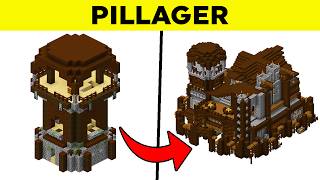
20 New Minecraft Structures!
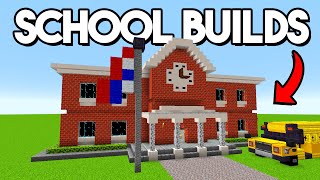
Minecraft: 20+ School Build Hacks & Ideas!
Facts about Minecraft building and design
🕹️ Minecraft has sold over 200 million copies, making it one of the best‑selling video games ever.
⚙️ Redstone in Minecraft works like simple electricity — players use it to build doors, traps, and even calculators.
🏰 Castles are a super popular Minecraft project; community builds sometimes use thousands of blocks and secret passageways.
🌳 Treehouses are a favorite for blending nature and design, often linked by bridges and hidden rooms.
🛠️ Creative mode gives unlimited blocks for fast building, while Survival mode turns building into a resource‑gathering challenge.
How do I design and build an original Minecraft structure like a castle, treehouse, or redstone contraption?
What materials and tools do I need to build a Minecraft castle, treehouse, or redstone contraption?
What ages is designing and building Minecraft structures suitable for?
What are the benefits of designing and building original structures in Minecraft?
