Animate a head turn - Part 3!
Create a stop motion animation of a head turning using paper cutouts or clay, a camera, and frame-by-frame photos to explore motion.
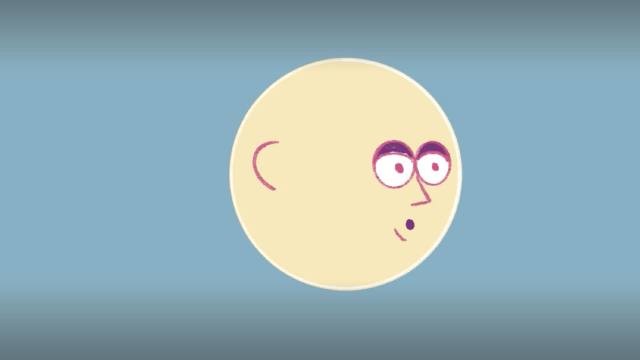
About this activity
Create a stop motion animation of a head turning using paper cutouts or clay, a camera, and frame-by-frame photos to explore motion.
What you need
Step by step
- 1
Step 1
Choose whether you will make the head from paper cutouts or from modeling clay.
- 2
Step 2
Tape the plain background paper or cardboard to a flat table so it will not move.
- 3
Step 3
Make a small neck stand from clay or a folded paper strip and tape it to the background so heads can sit on it.
- 4
Step 4
Create at least eight head positions that gradually turn from full front to profile using paper cutouts or by shaping the clay in small turns.
- 5
Step 5
Decorate each paper head or clay head with the same face features and colors so the movement looks smooth.
- 6
Step 6
Attach each paper head to the neck stand with tape or stick each clay head onto the neck with a toothpick so they stay steady.
- 7
Step 7
Place a lamp or steady light so the scene is evenly lit and does not change while you work.
- 8
Step 8
Set your camera or phone on a stable surface or tripod and frame the head so it stays in the same spot in every photo.
- 9
Step 9
Take the first photo of the front-facing head.
- 10
Step 10
Move the head to the next position and take another photo and repeat this action until you have photographed every head position.
- 11
Step 11
Look through your photos and delete any that are blurry or where the head moved too much.
- 12
Step 12
Import the photos into a stop-motion app or video editor and arrange them in order from front to profile.
- 13
Step 13
Set the playback speed to about 10 frames per second and export your animation as a video file.
- 14
Step 14
Share your finished head-turn animation on DIY.org.
Fun facts
How do I animate a head turning in stop motion?
Set up a stable camera and steady, even lighting. Plan the motion with a simple storyboard: start, mid-turn, and end poses. Use a paper cutout or clay head mounted on a base. Take one photo, move the head a tiny amount (rotate ~2–5 degrees), and shoot the next frame. Keep camera settings constant and check playback in an app, adjusting the frame rate (12–24 fps) until the turn looks smooth.
What materials do I need to create a stop-motion head turn?
You'll need a camera or smartphone, a tripod or stable surface, paper cutouts or modeling clay, a base (cardboard or bottle cap), pins/toothpicks for armature, scissors, glue, markers, and consistent background and lighting. Download a stop-motion app or video editor. Optional extras: a turntable for smooth rotation, extra sheets for replacement parts, and small tools for shaping clay. Supervision is recommended for scissors and small parts.
What ages is a stop-motion head turn activity suitable for?
This activity suits kids about 6+ with adult help for cutting and setup. Ages 8–12 can complete most steps independently with guidance on tiny movements and camera use. Teens can experiment with more complex rigs, frame rates, and editing. Adjust complexity: use larger cutouts or pre-rolled clay for younger children, and encourage older kids to plan storyboards and edit sound for a more advanced project.
What are the benefits and safety tips for making stop-motion head turns?
Stop-motion builds patience, sequencing skills, fine motor control, and storytelling. It introduces basic filmmaking concepts like frames per second and continuity. Safety tips: supervise scissors, small clay pieces, and pins to avoid choking; keep a tidy workspace and use non-toxic clay. Variations include 2D paper flaps for faster setups, full-body turns, or changing lighting for mood. Encourage short practice tries to prevent frustration and keep it fun.
Watch & Learn
Need help?
What can I use instead of modeling clay or toothpicks if those are hard to find?
Replace modeling clay with crumpled aluminum foil wrapped in masking tape or air-dry clay, and swap toothpicks for rolled paper pins or short wooden skewers to stick each clay head to the neck stand so they stay steady.
My heads keep wobbling or photos are blurry — what should I check?
Ensure the background paper/cardboard is taped to the table, firmly tape or push a longer toothpick/skewer through each head into the neck stand, use a tripod or stable surface for your camera, and test one shot with the lamp in place to confirm the image is sharp before continuing.
How can I adapt this head-turn activity for a 5-year-old versus a 12-year-old?
For a 5-year-old use paper cutouts, pre-cut head shapes, and only 4–6 positions with adult help taping and taking photos, while a 12-year-old can sculpt 8–12+ clay heads, control the tripod, set playback to ~10 fps, and import the photos into the stop-motion app independently.
How can we make the animation more interesting or personalize it after exporting the video?
Personalize the exported animation by adding different facial expressions or accessories to successive heads, changing or decorating the taped background, importing the video into the editor to add music or captions, or increasing the number of head positions for smoother movement.