Minecraft Education Mods
Minecraft Education Mods help kids change a Minecraft world in creative ways, from new rules and challenges to custom lessons and activities. This page explains what the topic is, why it matters, and how kids can explore it by making their own interactive ideas with guided support.
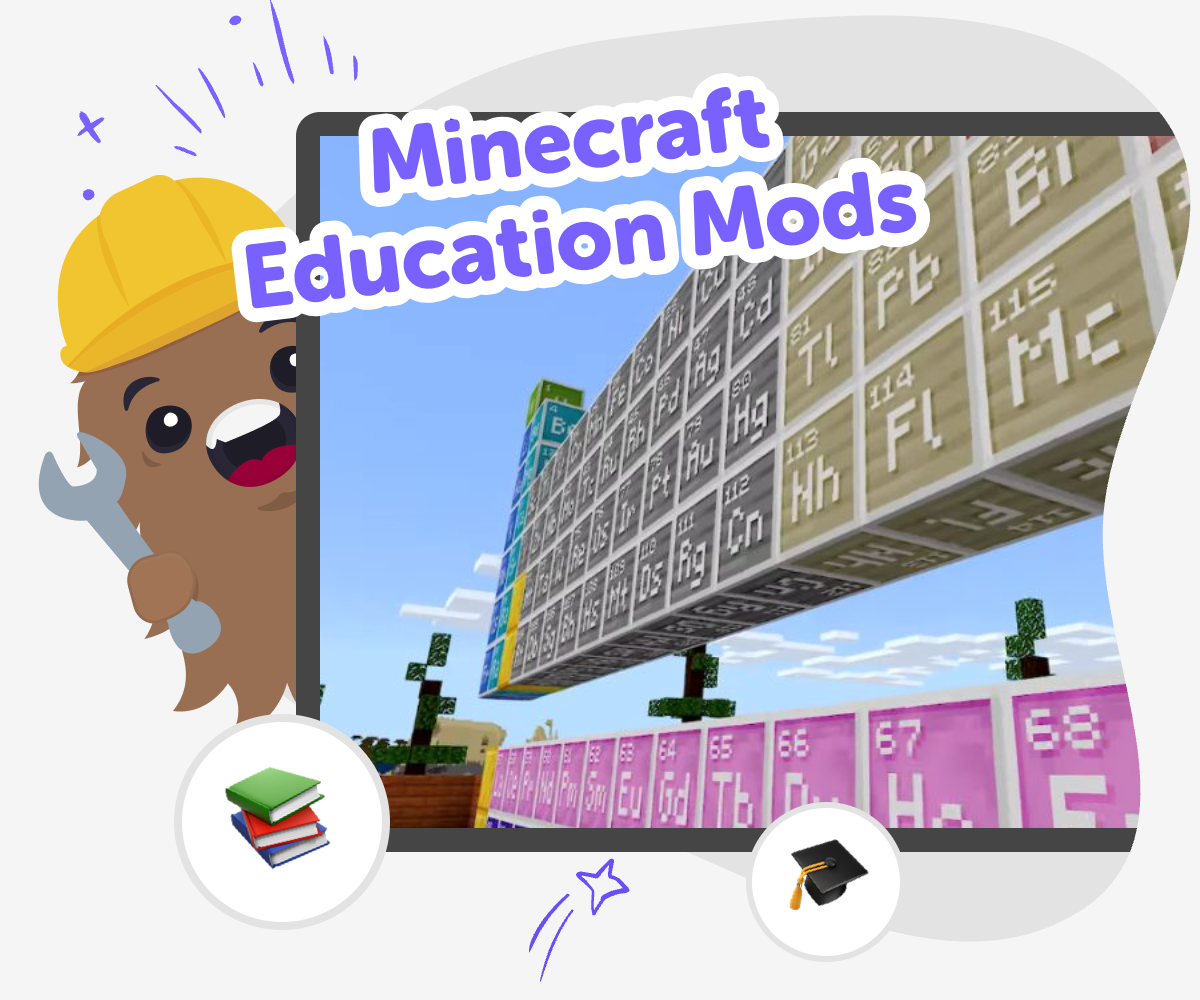
Learn Minecraft Education Mods
Minecraft education mods are changes that add new ideas, rules, or activities to a Minecraft learning world. They can help kids make a game feel more playful, turn a lesson into a challenge, or create a custom experience that matches a class topic or a personal idea. Learning about them matters because it combines creativity, problem-solving, and digital confidence in one hands-on project. When kids understand how mods work, they also learn that technology is something they can shape instead of only use. That makes the topic useful for classroom projects, home learning, and imaginative play.
Vibe Coding gives kids a guided way to explore the topic by describing what they want to build, then shaping, testing, and improving it step by step. It supports experimentation without rushing the process, so kids can try ideas, make changes, and learn from each version. That kind of hands-on making helps young creators stay safe, curious, and confident while they build creative technology skills.
What are Minecraft Education mods?
Minecraft Education mods are custom changes that shape how a Minecraft learning world works. A mod can add a new task, change how players solve a problem, or make a lesson feel like an adventure. In a school or home setting, that means kids can take a topic they are learning about and turn it into something interactive. The best part is that mods are not only about making things look different. They can also change how people play, explore, and think. For kids, that makes the topic a mix of imagination and problem-solving. It is a chance to make technology feel hands-on, because each choice can change what happens next in the world. When kids understand this idea, they see that games can be designed with purpose, not just played for fun. This opens the door to creativity, teamwork, and better understanding of how digital tools work.
Why do kids use mods in learning?
Kids use mods in learning because they can turn a lesson into something active. Instead of only reading about a topic, they can explore it through play, experiments, and challenges inside a Minecraft world. That can make school ideas feel more memorable and easier to talk about. Mods also give kids a chance to make choices, solve problems, and notice what happens when they try something new. Those are important skills for coding, but they are also useful for everyday learning. A kid who builds a mod may need to think about order, logic, cause and effect, and clear instructions. That means the project supports more than creativity. It also builds confidence. When children see their idea working, even in a small way, they learn that they can improve a project one step at a time. That sense of progress is often what keeps them engaged.
How can kids make mods safely?
Kids can make mods safely by working with guided tools, clear goals, and age-appropriate projects. A safe learning space keeps the focus on creating, testing, and improving rather than copying complicated code without understanding it. It also helps when the project starts small, because smaller ideas are easier to manage and less likely to become confusing. For families and educators, safety also means choosing tools that support learning and keep the experience calm and moderated. Vibe Coding fits that kind of maker space because it helps kids describe what they want, then build it piece by piece with support. That means the child stays active in the process and can make decisions along the way. Safety is not just about blocking problems. It is also about helping kids feel steady, curious, and in control while they learn how to create digital things.
What do kids learn by improving a mod?
When kids improve a mod, they learn that making something useful usually takes more than one try. They may test a version, notice what feels off, and then change one part at a time. That process teaches patience, persistence, and problem-solving. It also shows that mistakes are not the end of the project. Instead, they are clues that help the idea get stronger. In a Minecraft Education setting, this kind of practice can make learning feel playful because every test gives new feedback. Kids learn to compare versions, ask better questions, and think carefully about how a change affects the whole experience. Those habits are valuable far beyond game design. They help with writing, science, design, and coding too. Over time, children begin to trust their own judgment. They see that a good project grows through revision, which is a powerful lesson for any young maker.
How to Explore Mods
Choose an idea
Pick one thing you want your Minecraft Education mod to change, such as a rule, a challenge, a classroom activity, or a fun new reward.
Plan the changes
Write down what players should see, do, or learn when the mod starts working, then decide which parts need to be simple and which can be extra creative.
Build and test
Use guided coding to shape your idea into a working project, then try it out and notice what feels clear, confusing, or exciting.
Make the most of testing
Try a remix Change one rule, feature, or detail so you can see how a small edit affects the whole mod. Check the flow Test the project from start to finish and fix anything that slows players down or makes the idea hard to follow. Share safely Keep the project age-appropriate, kind, and easy to understand so other kids can enjoy it too. Keep improving Save a version, make another change, and compare results so your mod gets better each time you revisit it.
Frequently asked questions
What are Minecraft Education Mods?
Minecraft Education Mods are custom changes that alter how a Minecraft learning world works. They can add new challenges, rules, or activities that help kids explore a topic in a more hands-on way.
Can kids make their own Minecraft Education mods?
Yes. Kids can make simple mods or mod-like projects with guided support, especially when they start with a clear idea and build one part at a time. The goal is to help them create, test, and improve, not to rush into complicated code.
Are Minecraft Education mods good for learning?
They can be very good for learning because they turn ideas into interactive play. Kids practice problem-solving, creative thinking, and following steps while they build something they can actually use.
What kinds of ideas work well for a mod?
Simple ideas work best at first. A new rule, a classroom challenge, a quiz-style activity, or a themed adventure can all be strong starting points because they are easy to test and improve.
Do kids need coding experience first?
No. Many kids begin with a small idea and learn as they go. Guided tools can help them shape the project, make changes, and understand the process while they work.
How do mods help kids stay creative?
Mods help kids be creative because they get to choose what changes in the world and why. They are not only following instructions; they are making decisions that affect the play experience.
Is building Minecraft Education mods safe for kids?
It can be safe when kids use age-appropriate tools, clear project goals, and supervised learning spaces. A guided maker tool like Vibe Coding can help keep the process focused, calm, and creative.
What should kids try after making one mod?
After one mod, kids can try changing a rule, adding a new challenge, or making the experience easier or harder. Small revisions are a great way to learn how design choices affect the final project.
More tools
Create Minecraft Armor
Create Minecraft Armor by exploring colours, shapes, and game-style ideas in a hands-on way. With Vibe Coding, kids can turn a simple idea into an interactive project, then test, change, and improve it as they learn coding confidence and creative problem-solving.
Create Minecraft Banners
Create Minecraft banners by mixing colors, shapes, and patterns that show off a style, team, or story. This kids-first page explains what banners are, why they are fun to make, and how Vibe Coding helps kids explore the idea through guided, hands-on building, testing, and improving.
Create Minecraft Blocks
Create Minecraft Blocks is a kid-friendly way to turn ideas into game-ready block designs and explore how simple building parts shape a world. Kids can imagine textures, functions, and styles, then use guided creative coding to test ideas, make changes, and learn by doing. It is a hands-on project for curious makers who want to understand how blocks can become part of something bigger.
Create Minecraft Characters
Create Minecraft characters by designing heroes, villagers, mobs, and original skin ideas with imagination and care. Kids can explore what makes each character unique, then use Vibe Coding to turn character ideas into creative projects they can build, test, and improve step by step.
Ready to start creating?
Join hundreds of thousands of kids already building cool stuff on DIY.ORG.
Your first game is on us.
Describe a game below - no sign-up needed to try.
Powered by AstroSafe
Make real games - not just chat