Javascript for Kids | Learn JavaScript with Vibe Coder
Learn JavaScript through games and animations using Vibe Coder. A kid-safe, hands-on way to write real JavaScript and build fun projects.
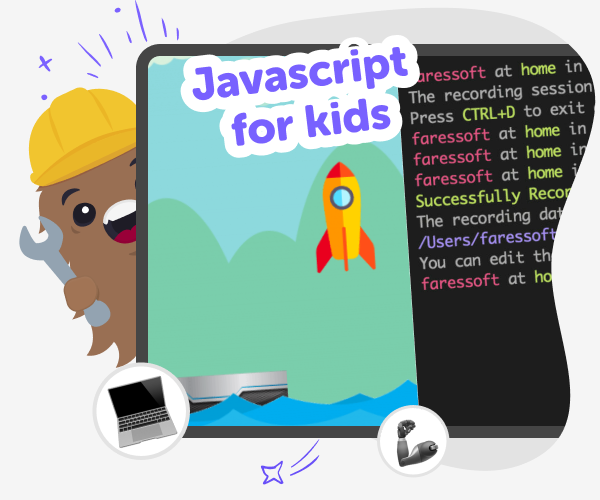
What Is Javascript?
JavaScript is a programming language that makes websites, games, and animations interactive. For kids learning JavaScript, it’s all about understanding cause and effect: change a number and something on-screen moves, blinks, or reacts. Learning JavaScript teaches logical thinking, sequencing, and simple problem-solving while keeping the focus on creating things kids care about. Kids begin with small, playful projects — moving a sprite, making buttons respond, or creating a short animated story. These first steps explain key ideas like variables (storing values), loops (repeating actions), functions (named steps), and events (things that trigger reactions). This hands-on approach helps kids build confidence quickly.
Vibe Coder is a kid-friendly coding studio that helps kids learn JavaScript by making things that move and respond. Use the Java Coder environment to turn your ideas into real JavaScript, or simply start by choosing an example to modify. The left prompt window guides what to generate, while the Preview shows a live, clickable prototype. Toggle to Code view to see underlying code and export it when you’re ready. Vibe Coder also includes Game Viber, Ardu Coder, and Ask Anything, so kids can build games, simulate circuits, and ask coding questions in a safe space. It’s designed for experimentation: change variables, run an update loop, and watch results. Parents can trust the kid-focused tools and optional moderated sharing that keep creativity safe and social.
How does Vibe Coder help kids learn JavaScript?
Vibe Coder is built for learning by doing. Its Java Coder environment shows a prompt window for ideas and a Preview that runs the real JavaScript your child creates. Kids can choose example projects to start from, or write their own prompts and iterate in conversation with the tool. Toggle to the Code view to inspect and edit the underlying JavaScript, or export projects when ready. Vibe Coder also includes Ask Anything for friendly explanations, Game Viber for playable projects, and Ardu Coder for hardware simulation, giving a safe range of ways to practise coding concepts.
Is learning JavaScript safe and age-appropriate?
Yes. Learning JavaScript on DIY.org through Vibe Coder is designed to be age-appropriate and safe. The tool uses guided prompts, example projects, and a Preview that shows results without exposing kids to unsafe content. Explanations are written for young learners, and Ask Anything offers simple answers to coding questions. Sharing is optional and moderated by DIY.org so only kid-safe posts are visible to others. Parents and carers can encourage projects, review code in Code view, and support iterative learning. The emphasis is on experimenting, making, and learning rather than performance or competition.
What can kids build with JavaScript first?
Begin with tiny, clear projects that demonstrate movement and interaction. Try animating a character across the screen, making a bouncing ball using loops and position variables, or creating buttons that change colour when clicked. Simple games like ‘catch the falling star’ teach collision checks and scoring logic. Animated stories use functions for repeated behaviours and events for user input. Each project can be expanded: add sounds, levels, or timers. Vibe Coder’s Preview makes it easy to test changes, and inspecting Code view helps kids link what they wrote with on-screen behaviour, building understanding step by step.
Make a moving JavaScript animation with Vibe Coder
Pick a JavaScript starter project
Open Vibe Coder and choose Java Coder. Pick an example like moving character, bouncing ball, or start with a blank canvas.
Write real JavaScript code
Type a simple script to move a sprite: set variables for position, use functions to draw and update each frame, and run preview.
Add interaction and events
Use events like keypress or mouse clicks to change variables. Add loops to animate motion and conditional checks for reactions.
Make the most of Vibe Coder
Try templates Start from an example project in Java Coder or Game Viber to see working code and change parts to learn what code does. Iterate and test Make small tweaks, run Preview, and fix behaviour so changes teach clear lessons about code. Ask and explore Use Ask Anything to get kid-friendly help with variables, loops, or events while you experiment and learn. Share safely Export or post projects with DIY.org’s moderated sharing so friends can try and give kind feedback.
Frequently asked questions
What age is Javascript for kids?
Designed for ages 5–15. Vibe Coder's visual prompts and templates help beginners while still challenging older kids.
Do kids need to know coding before starting?
No. Example projects, templates, and Ask Anything let kids start without prior coding and learn step-by-step.
Can Vibe Coder show the JavaScript code?
Yes. Toggle to Code view to see the real JavaScript behind your project and export it when ready.
Do kids build games with real JavaScript?
Yes. In Java Coder and Game Viber, kids write real JavaScript that runs in the Preview window as playable projects.
Can parents monitor or help?
Yes. Parents can review projects, encourage iteration, and use moderated sharing to control who sees creations.
Is sharing required?
No. Sharing is optional. Kids can keep projects private, export code, or share only when they feel ready.
What skills does Javascript teach?
It builds problem-solving, logical thinking, sequence understanding, and creativity through making interactive animations and simple games.
Do kids need an account?
No, they can try demos. Creating an account saves projects, unlocks sharing, and tracks progress over time.
More tools
Build a Helicopter IO Game
Build a helicopter io game with a kid-friendly creative coding studio that helps you shape an idea into a playable project. Kids can plan how the helicopter moves, test game rules, and improve the experience step by step while learning coding confidence, problem-solving, and creative technology skills.
Build a Hello Kitty Game
Build a Hello Kitty Game is a kid-friendly creative project where kids imagine a gentle, playful game and bring it to life step by step. With guided support, they can design characters, choose simple actions, test ideas, and keep improving their game as they learn. It is a fun way to practice coding confidence, problem-solving, and creative thinking while making something personal and shareable.
Build a Hole IO Game
Build a hole io game and learn how simple rules, movement, and goals can turn an idea into a playable challenge. Kids can explore how the game might work, shape their own version, and keep improving it with creative, hands-on making.
Build a Horror Game
Build a horror game by turning spooky ideas into an interactive project kids can design, test, and improve. With guided support from Vibe Coding, young makers can explore suspense, choices, characters, and game play while learning creative coding skills in a safe, hands-on way.
Ready to start creating?
Join hundreds of thousands of kids already building cool stuff on DIY.ORG.
Your first game is on us.
Describe a game below - no sign-up needed to try.
Powered by AstroSafe
Make real games - not just chat