Game Programming
Game programming is the creative process of building the rules, actions, and reactions that make a game work. Kids can use game programming to turn an idea into something interactive, like a character that jumps, a score that changes, or a level that reacts when a player plays. It helps young makers learn problem-solving, creativity, and confidence while they build projects step by step.
Build Games by Coding
Game programming is how kids turn a game idea into something that plays, reacts, and changes. It matters because it helps young makers learn how rules, timing, and actions work together to create a game that feels fun and understandable. When kids learn game programming, they practice thinking step by step. They also get a chance to be creative, solve problems, and see how small changes can make a big difference in how a game plays.
Vibe Coding helps kids explore game programming by guiding them as they describe a game, app, story, or invention they want to make. Then they can build, test, and improve it one step at a time, which keeps the work hands-on and easy to follow. The process stays creative and safe because kids are still making the choices and trying out their own ideas. Vibe Coding supports the learning, but the game grows through each round of experimenting, fixing, and trying again.
What is game programming?
Game programming is the part of game making that controls how a game behaves. It tells the game when a character moves, what happens when a player wins, how points are counted, and how the screen changes during play. A game can have drawings, sounds, and a story, but programming is what connects those pieces so the game feels interactive. For kids, this can be a great way to learn that big creative projects are built from small choices. A jump can be one rule. A score can be another. A level can change when something touches something else. That makes game programming both logical and imaginative, because every line of behavior helps create the player experience.
Why does it matter for kids?
Game programming matters because it teaches kids how to turn ideas into real working projects. Instead of only imagining a game, they can build a version, try it, and improve it. That process helps children practice problem-solving, because they have to ask what is happening and why. It also builds confidence, since even a simple project can feel exciting when it responds to the player. Game programming supports creativity too, because kids choose the story, style, rules, and pace of play. When children learn to make small changes and see the results, they start to understand that coding is not just about typing commands. It is about thinking clearly, experimenting safely, and making something they can be proud of.
How do kids learn through making?
Kids learn game programming best when they can build something simple, test it, and make it better. That is because games are easy to understand: if a button works, if a score changes, or if a character jumps, the result is visible right away. This makes the learning feel practical instead of abstract. When a child changes one part and sees the game behave differently, they begin to connect cause and effect. That is a powerful skill for both coding and everyday problem-solving. A guided tool like Vibe Coding can support that process by helping kids shape an idea, try a version, and refine it without feeling stuck. The child still does the making, but with helpful support along the way.
How can kids stay safe and creative?
Game programming is safest and most useful when kids start small, test often, and build with support. Simple projects help children focus on learning the basics without feeling overwhelmed. It is also helpful to make games that are age-appropriate, clear, and kind, especially when a project might be shared with others. Creativity grows when kids are free to experiment, but they also need space to pause, review, and improve what they made. That is why guided tools can be helpful: they give structure without taking over the work. Kids can explore, edit, and retry ideas in a calm way. Over time, this builds not only coding skill, but also patience, confidence, and the habit of making thoughtful changes.
How to Start Game Programming
Choose your game idea
Pick a simple idea, like a jumping challenge, a quiz, or a maze, and decide what players should do.
Build the first version
Add the main parts of the game, such as a player, a goal, a score, or a start button.
Test what happens
Play the game and watch closely to see what works, what feels confusing, and what needs to change.
Make the most of testing
Try a remix Change one rule, button, sound, or level detail so you can see how a small update affects the game. Look for patterns Notice what players do again and again, then adjust the game so the actions feel clear, fair, and fun. Fix and improve Tidy up any confusing parts, slow spots, or broken reactions, then test again to make sure the game feels better. Save your best version Keep the version you like most, then build a new one later so you can compare ideas and keep learning.
Frequently asked questions
What is game programming in simple words?
Game programming is the part of making a game that tells it what to do. It controls movement, scores, reactions, and rules so the game becomes interactive instead of staying still.
What can kids make with game programming?
Kids can make simple platform games, quizzes, mazes, clickers, adventure games, and more. They can also build small interactive stories or playful tools that react when someone uses them.
Is game programming hard for beginners?
It can feel new at first, but beginners can start with very small steps. A first project might only need one character, one goal, and one rule, which makes learning easier.
What skills do kids learn from game programming?
Kids practice problem-solving, creative thinking, patience, and debugging. They also learn how to test ideas, notice what changed, and improve a project over time.
Can kids make their own game ideas?
Yes. Kids should start with their own ideas, because that makes the project more exciting and personal. A simple idea is often the best way to begin.
How do kids improve a game after building it?
They can play it, notice what feels confusing or too easy, and change one part at a time. Small updates help kids learn how testing and revision make games better.
Is game programming safe for kids?
Yes, when kids use age-appropriate tools, simple projects, and trusted guidance. Safe game programming keeps the focus on making, learning, and experimenting in a supported way.
How can Vibe Coding help with game programming?
Vibe Coding gives kids a guided place to explore game programming by helping them describe an idea, build a first version, test it, and keep improving it. It supports the maker process without doing the work for them.
More tools
Alternatives to Tinkerkad
Alternatives to Tinkerkad help kids find creative tools for designing, building, and learning in ways that feel friendly and fun. This page explains what the topic means, why it matters, and how kids can explore it through guided making with Vibe Coding.
Alternatives to Tynker
Explore alternatives to Tynker and find kid-friendly ways to learn coding through creative, hands-on making. This page explains what to look for in a safe, playful coding tool and how kids can build games, stories, and inventions with guided support.
Among Us Character Maker
The Among Us Character Maker is a creative way for kids to design their own crewmate or impostor style character, choose colors and details, and imagine a new role for play and storytelling. It turns a popular game idea into a hands-on making activity that supports creativity, confidence, and problem-solving.
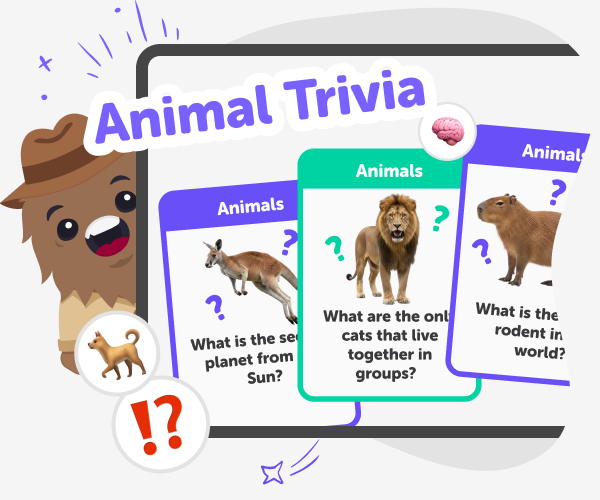
Animal Trivia | Create a Kids Quiz with Good Boy Game
Use Good Boy Game to build a fun animal trivia quiz for kids. Multiple-choice questions, streaks, safe sharing, and kid-friendly categories.
Ready to start creating?
Join hundreds of thousands of kids already building cool stuff on DIY.ORG.
Your first game is on us.
Describe a game below - no sign-up needed to try.
Powered by AstroSafe
Make real games - not just chat