Create a Minecraft Piglin Skin
Create a Minecraft Piglin Skin and explore how a Minecraft character can look fierce, funny, or friendly. Kids can design their own style, try new colours, and build confidence by making something that feels personal and creative.
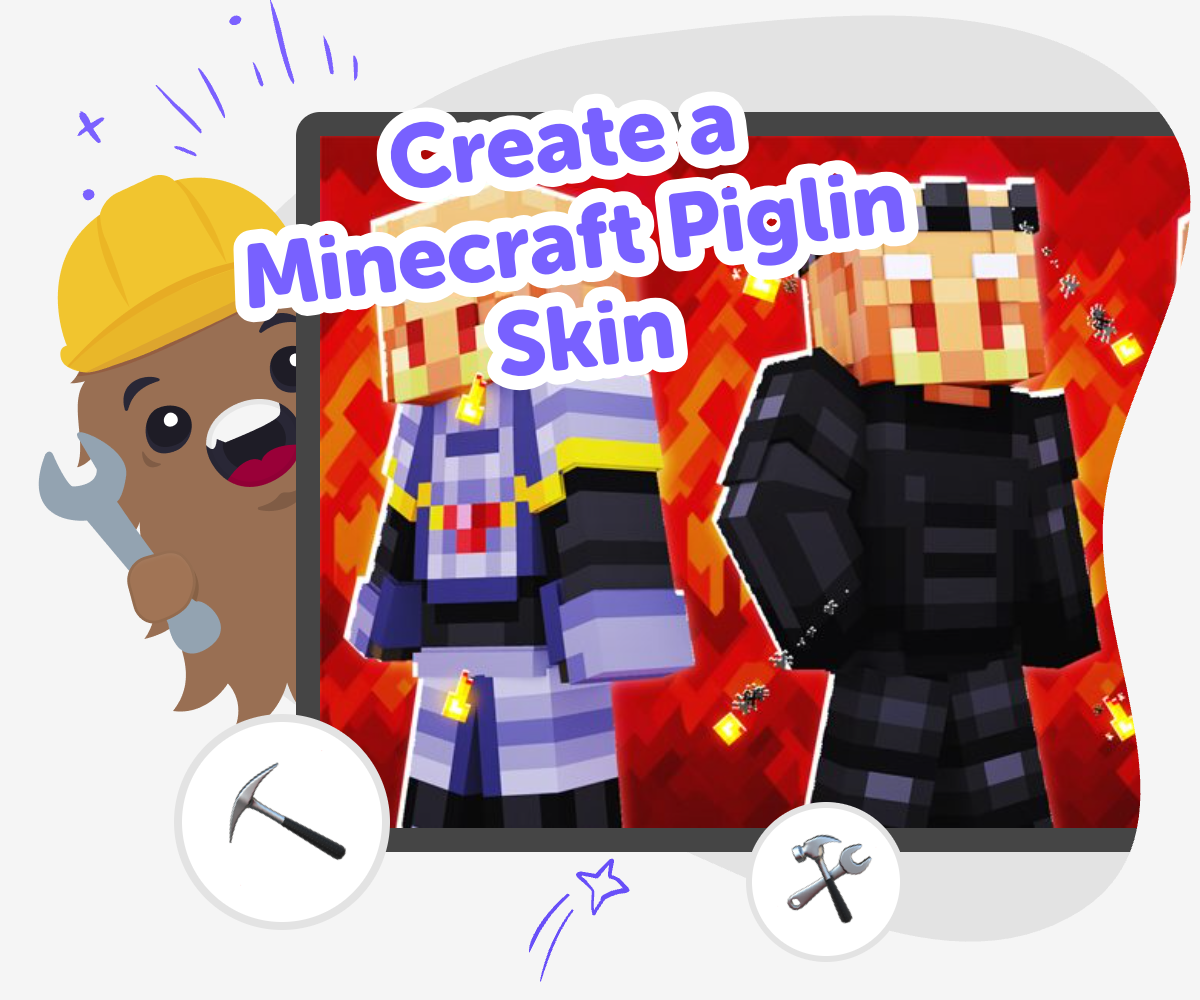
Piglin skin ideas
Create a Minecraft Piglin Skin by starting with one clear idea for your character. You can decide if the Piglin feels bold, playful, spooky, or friendly, and that choice helps the skin feel personal instead of random. When kids plan a character this way, they practice making choices, noticing details, and turning an idea into a design they can build on.
Vibe Coding can help kids explore the idea step by step while they make changes and test what works. It keeps the process hands-on and guided, so kids can try new details, improve their design, and learn from each version without feeling stuck. That kind of making supports creativity, confidence, and safe experimentation, because the focus stays on building, testing, and improving the Piglin skin itself.
What makes a Piglin skin special?
A Piglin skin is special because it starts with a character people already know, then turns it into a personal design. Piglins are usually linked with the Nether, gold, and a strong look, so kids can explore how colour, shape, and small details change the mood of a character. A Piglin skin can look serious, playful, brave, or even a little silly, depending on the choices you make. That means the project is not just about copying a game character. It is also about making design decisions, noticing patterns, and showing personality through art. For many kids, that makes the project feel exciting because it connects a familiar Minecraft idea with their own imagination and style.
Why do kids like making custom skins?
Kids like making custom skins because they get to turn an idea into something visible and personal. Instead of using the same look as everyone else, they can choose colours, facial expressions, and outfit details that match the character they imagine. That can feel rewarding because the final skin shows their taste and effort. It also gives kids a safe way to practice creative decision-making. They learn that design is often about trying something, noticing how it looks, and making small changes. That process builds confidence because mistakes are not the end of the project; they are part of the way to a better version. A custom skin also gives kids something they can show, compare, and improve over time.
How does making a skin help with learning?
Making a skin helps with learning because it uses design thinking in a simple, kid-friendly way. Kids plan an idea, break it into smaller parts, test changes, and revise what they made. Those steps build problem-solving skills without feeling like a worksheet. They also help kids think carefully about patterns, colour contrast, and how different pieces work together. When a child changes one detail and sees the result, they learn how small edits can make a big difference. That is an important creative skill for coding, art, and game design. It also teaches patience, because good projects often improve through several versions. The more a child experiments, the more confident they become about trying new ideas and learning from them.
How can kids stay safe while being creative?
Kids can stay safe and creative by focusing on age-appropriate design choices, using guided tools, and making sure an adult can help when needed. A Piglin skin project is a good place to practice safe creativity because it is about building and improving a character, not sharing personal information. Kids should keep their project about the design itself: colours, shapes, style, and the story they want the character to suggest. If they use a guided coding studio like Vibe Coding, they can explore ideas step by step instead of rushing. That makes the process calmer and easier to manage. Safety and creativity can work together when kids have clear boundaries, supportive guidance, and time to experiment without pressure.
How to build it
Choose your Piglin style
Think about whether your Piglin should look tough, cute, gold-themed, or a little spooky. Pick a few colours and features before you start so your design has a clear idea.
Sketch the main features
Add the big parts first, like the head shape, eyes, clothing, and any gold details. Keep the design simple at the start so you can change it easily later.
Build and test your look
Use guided coding help to try your Piglin design in a project and see how the pieces fit together. If something looks off, change one part at a time and check it again.
Make the most of testing
Try a remix Change one colour, pattern, or feature so the Piglin looks different while still feeling like the same character. Check the details Look at the face, outfit, and small accents to see which parts are easy to spot and which parts need more contrast or shape. Compare versions Save one idea, test another, and notice which version feels more fun, clear, or playful when you look at it again. Keep improving Use what you learned to make a cleaner, bolder, or more creative Piglin skin, then keep building new versions whenever you want to practice more.
Frequently asked questions
What is a Minecraft Piglin skin?
A Minecraft Piglin skin is a custom character design inspired by a Piglin. Kids can change colours, clothes, face details, and style to make the Piglin look the way they want.
Can kids make their own Piglin skin?
Yes. Kids can make their own Piglin skin by choosing a style and adjusting the design step by step. Guided tools can help them experiment without needing to know everything at the start.
What should I think about before I start?
It helps to decide whether the Piglin should look serious, funny, bold, or friendly. Choosing a simple idea first makes it easier to pick colours and details that match.
Do I need art experience to design one?
No. A Piglin skin is a good beginner project because kids can start with simple shapes and improve the design as they go. Small changes can make a big difference.
How do I make my Piglin look original?
Try using a unique colour mix, a special pattern, or a different mood for the face and outfit. Even small design choices can help the skin feel personal.
Is it okay to change the design more than once?
Yes. Changing the design is part of the creative process. Kids often learn the most when they test one version, notice what they like, and make another try.
Can this help with coding skills too?
Yes. When kids build and adjust a skin idea in a guided studio, they practice planning, testing, and improving, which supports coding confidence and problem-solving.
What if my first idea does not look right?
That is normal. Kids can change one part at a time, like the colours or face details, and try again until the Piglin looks closer to the idea in their head.
More tools
Build a Ball Clicker Game
Build a ball clicker game and learn how simple game ideas turn into something you can play, test, and improve. Kids can explore how clicks, scores, and fun game rules work while making a project that feels their own.
Build a Ball Simulator Game
Build a ball simulator game by designing how a ball moves, bounces, rolls, and reacts in a playful interactive project. Kids can explore physics ideas, test different settings, and shape a game that feels fun, surprising, and their own.
Build a Banana Clicker Game
Build a banana clicker game with Vibe Coding and turn a simple idea into a playful interactive project kids can make, test, and improve step by step. This kid-friendly creative coding page helps young makers explore game design, confidence, and problem-solving while shaping their own banana-themed game.
Build a Bar Clicker Game
Build a bar clicker game by turning a simple idea into a playful interactive project with clear goals, quick feedback, and room to experiment. Kids can explore how clicking, scoring, timing, and upgrades work while they practice creative problem-solving and learn by making.
Ready to start creating?
Join hundreds of thousands of kids already building cool stuff on DIY.ORG.
Your first game is on us.
Describe a game below - no sign-up needed to try.
Powered by AstroSafe
Make real games - not just chat