Create a Minecraft Creeper
Create a Minecraft Creeper by exploring its blocky shape, playful mystery, and game design style, then build your own version with hands-on creative coding.
Build a Creeper idea
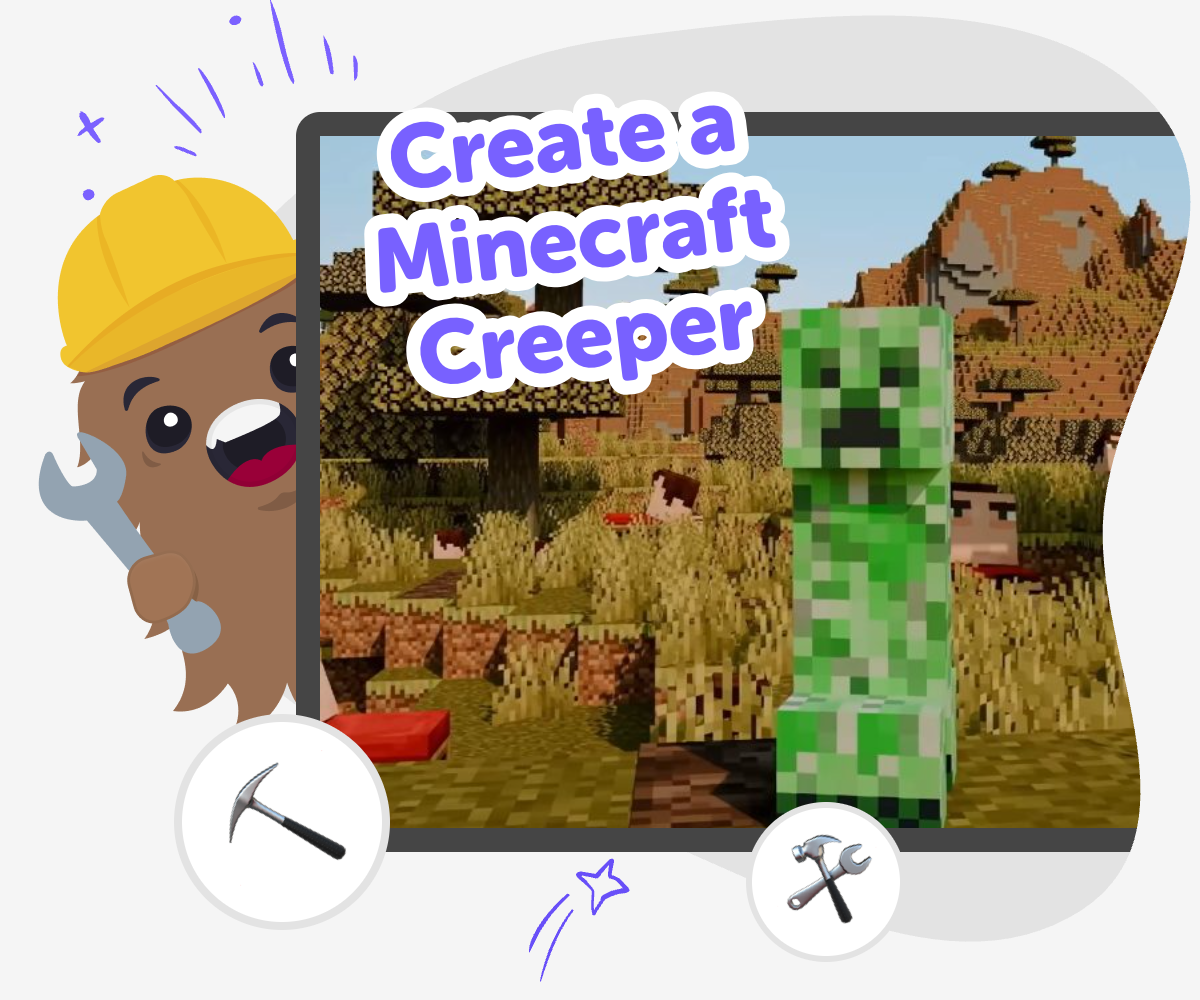
To create a minecraft creeper means turning one of Minecraft’s most famous characters into a project you can understand, design, and make your own. Kids can look closely at the Creeper’s blocky shape, green colours, and surprising personality, then use that idea to spark creativity, problem-solving, and confidence with digital making. This matters because making something based on a familiar game character helps kids practice careful thinking and creative choices at the same time. They can explore how simple shapes, patterns, and small changes can transform an idea into something new.
Vibe Coding gives kids a guided place to explore the topic by describing what they want to build, then shaping it, testing it, and improving it step by step. It keeps the process playful and hands-on, so kids can experiment safely while learning how creative technology projects grow through practice. The goal is not instant perfection. It is to help kids make a Creeper-inspired project they understand, can change, and feel proud of as they keep building.
What makes a Creeper so easy to recognize?
A Minecraft Creeper is easy to spot because its design is simple, bold, and very blocky. The tall body, square head, and green colour make it stand out right away, even when the details are minimal. That is part of why it is such a useful topic for kids to create around: the shape is clear enough to copy, remix, and reimagine without needing complicated drawing skills. When kids study the Creeper closely, they learn how strong design can come from just a few repeating shapes and colours. They also notice that a character does not need lots of details to feel memorable. This helps young makers understand an important creative idea: simple choices can make a project readable, fun, and instantly recognizable.
Why do kids like making Creeper projects?
Kids often enjoy creating around the Creeper because it feels familiar, playful, and a little mysterious. It is a character many kids already know from games, videos, or stories, so starting from that idea can feel less intimidating than starting with a blank page. A Creeper project also gives room for imagination. One child might make a friendly version, another might design a funny animation, and another might build a game scene with surprises. That flexibility is valuable because it lets kids make choices and see how those choices change the result. When kids turn a familiar game character into something they build themselves, they practice creativity with confidence. They are not just copying a character; they are learning how to shape an idea into their own version.
How does creative coding help with this topic?
Creative coding helps kids move from idea to action. Instead of only thinking about a Creeper, they can make one appear, move, react, or become part of a small game or story. That hands-on process teaches problem-solving in a way kids can see. If a shape is too big, a colour feels wrong, or an animation is too fast, they can change it and try again. That is called iteration, and it is one of the most useful parts of making. With guided support, kids can learn that mistakes are not the end of a project. They are clues that help the project get better. This builds coding confidence, because the child sees that technology can be shaped step by step instead of feeling fixed or hard to approach.
How can families and educators use this safely?
A Minecraft Creeper project works well for family time, classroom time, or guided independent making because it has a clear theme and a manageable size. Adults can help kids talk about choices: What makes the character recognizable? What should stay the same? What can be changed to make it more playful or original? Those questions support both creativity and digital literacy. Safety also matters, especially for younger kids, so it helps to keep the project focused on making, not on complicated settings or unsupervised sharing. With a guided tool like Vibe Coding, kids can explore the topic in a structured way, test ideas, and improve their work without needing advanced technical skills. That keeps the experience calm, creative, and appropriate for learning.
How to start
Look at the Creeper
Notice the Creeper’s tall body, square face, and simple green pattern so you can decide which parts matter most in your project.
Pick your project idea
Choose what you want to make, such as a picture, game character, quiz, or interactive scene inspired by the Creeper.
Build and test
Use guided coding help to add shapes, colours, or actions, then try the project and see what looks right or needs changing.
Make the most of testing
Try a remix Change one part of your Creeper project, like the colour, movement, or style, to see how it changes the result and keeps the idea fresh. Check what feels clear Play through your project again and notice anything confusing, too slow, or missing so you can make it easier to enjoy. Improve your favourite version Save the version you like best, then keep adjusting small details until the project feels more like your own creative idea. Share it safely Show your finished work to a parent, teacher, or friend and talk about what you made, what you learned, and what you want to try next.
Frequently asked questions
What is a Minecraft Creeper?
A Minecraft Creeper is a well-known character from the game with a tall, blocky shape and a green, pixel-like look. It is famous because it is easy to recognize and fun to design around in creative projects.
Why is the Creeper a good topic for kids to make?
The Creeper is a good topic because its shape is simple, its look is memorable, and kids can change it in lots of creative ways. That makes it a strong starting point for drawing, coding, stories, or game ideas.
Can kids make their own Creeper version?
Yes. Kids can make a Creeper-inspired character that looks funny, friendly, spooky, or totally different while still keeping the blocky style. Changing a few shapes or colours is a great way to make it feel original.
What can I build with a Creeper idea?
Kids can build a picture, animation, quiz, mini game, or story scene based on the Creeper. The best projects start small and grow as the maker tests and improves their idea.
Is this topic good for beginners?
Yes. The Creeper’s simple design makes it a beginner-friendly topic because kids do not need lots of details to get started. They can focus on one part at a time and build confidence as they go.
How does Vibe Coding help with a Creeper project?
Vibe Coding gives kids a guided space to describe what they want, then build, test, and improve it step by step. It helps make the process feel creative and manageable instead of overwhelming.
What should a parent or teacher look for?
Look for clear choices, simple shapes, and safe sharing habits. It is also helpful to ask what the child learned, what they changed, and what they want to try next so the project stays focused on learning.
Can this kind of project teach coding skills?
Yes. Kids practice coding confidence, problem-solving, and iteration when they turn a Creeper idea into a project. They learn that coding is something they can shape by testing ideas and making small improvements.
More tools
Build a Dress Up Game
Build a dress up game by mixing characters, outfits, and simple choices into a playful interactive project. Kids can explore style, story, and game design while practicing creativity, problem-solving, and confidence through hands-on making.
Build a Duck Clicker Game
Build a duck clicker game and turn a simple idea into an interactive project kids can tap, test, and improve. With guided support from Vibe Coding, kids can explore game design, practice problem-solving, and make a playful project that feels uniquely theirs.
Build a Dvd Screensaver
Build a dvd screensaver and turn a classic moving logo into a playful coding project. Kids can explore motion, timing, and simple rules while making a screen animation that bounces, changes, and feels their own.
Build a Fart Simulator Game
Build a fart simulator game and turn a silly idea into a real interactive project. Kids can design sounds, reactions, and playful timing while learning how games are planned, tested, and improved step by step.
Ready to start creating?
Join hundreds of thousands of kids already building cool stuff on DIY.ORG.
Your first game is on us.
Describe a game below - no sign-up needed to try.
KidsGPT has moved!
Log into ChatDino to access your chats
Powered by AstroSafe
Make real games - not just chat