Code Monkey | Learn with Vibe Coder
Use Vibe Coder as a kid-friendly Code Monkey alternative to build games, apps, and circuits. Learn coding concepts by remixing, creating, and sharing safely.
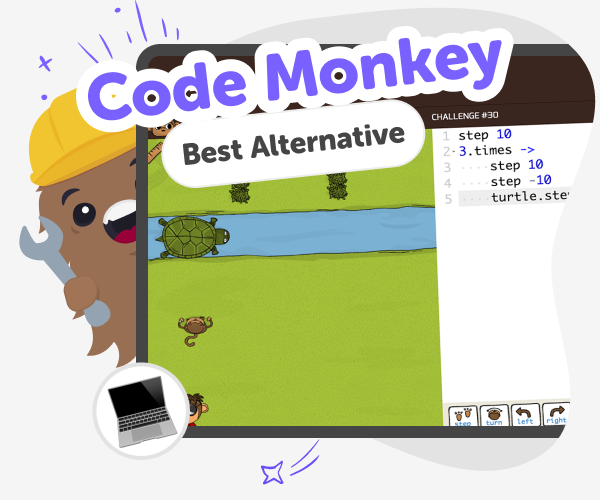
What is Code Monkey?
Code Monkey is a kid-friendly way to learn programming by solving puzzles, making games, and building small projects. It teaches sequencing, logic, and problem-solving while keeping lessons playful and hands-on for young learners. Platforms like Code Monkey help kids practise writing code step by step, but many kids also enjoy remixing ideas, creating original projects, and seeing results immediately. That’s where Vibe Coder acts as a creative Code Monkey alternative, letting kids describe what they want, try templates, and iteratively build games, apps, or circuits while learning real coding concepts.
Vibe Coder gives kids kid-friendly coding spaces: Game Viber for games, Ardu Coder for Arduino simulation, Java Coder and Py Coder for language practice, plus Ask Anything for help. Kids type prompts, pick templates, or start blank and watch a live Preview of their project. The Code view shows the underlying code and allows exporting when ready. Designed for children, Vibe Coder keeps learning safe and playful. Kids iterate by chatting in the prompt, test creations in Preview, and learn by making. Sharing is optional and moderated so parents and teachers can feel confident. As a Code Monkey alternative focused on creativity, Vibe Coder helps kids build real projects while practising sequencing, logic, and problem-solving.
Build a Code Monkey-style Project in Vibe Coder
Step 1 - Choose a Vibe Coder Environment
Open Vibe Coder and pick an environment: Game Viber, Ardu Coder, Java Coder, Py Coder, or Ask Anything to get started.
Step 2 - Start with a Template or Blank
Select a template like blinking LED or a simple game, or choose a blank prompt to describe your own project in your own words.
Step 3 - Iterate with Conversational Prompts
Talk to Vibe Coder in the prompt window to tweak mechanics, change visuals, or add features. Watch updates appear in Preview instantly.
Step 4 - Make the most of Vibe Coder
Try different starting points Switch templates and environments to see how ideas work in games, Arduino sims, or Python projects, or tweak a blank canvas. Iterate, don't restart Make small changes, save versions, test often, and improve your project step by step. Learn from the code Open Code view to see JavaScript, Python, or Arduino sketches and ask Ask Anything for clear, kid-friendly explanations. Share safely Use DIY.org’s moderated sharing when ready, invite friends to try your Preview, or keep projects private—sharing is optional and parent-approved.
What is Code Monkey?
How does Vibe Coder teach similar skills?
Is Vibe Coder safe for kids?
Can kids make real projects with Vibe Coder?
Frequently Asked Questions
Why 500,000 families trust DIY

Martin
Dad to 2 DIYers
My son loves DIY! He always finds fun projects to do, and we enjoy making things together. It’s a great way to learn, create, and have fun at the same time!

Pearl
DIYer from USA
DIY is such a great app with really sweet people and moderators who always make sure this app is super safe. You can learn to create things or learn drawing techniques - honestly there is so much to do.

Elaine W.
Middle school teacher
I love logging onto DIY every day - not just for projects but to also look at the comments my kids share about each other's work. It's a brilliant way to foster healthy support systems!

Jenn L.
Mom to 3 DIYers
We absolutely love the DIY platform and its endless river of creative adventures and projects! We always have the best time together participating, learning and creating!
