Build Alex from Minecraft
Build Alex from Minecraft is a creative way for kids to explore a familiar character by making something of their own. It turns a simple idea into a hands-on project that supports imagination, problem-solving, and confidence as kids design, test, and improve what they create.
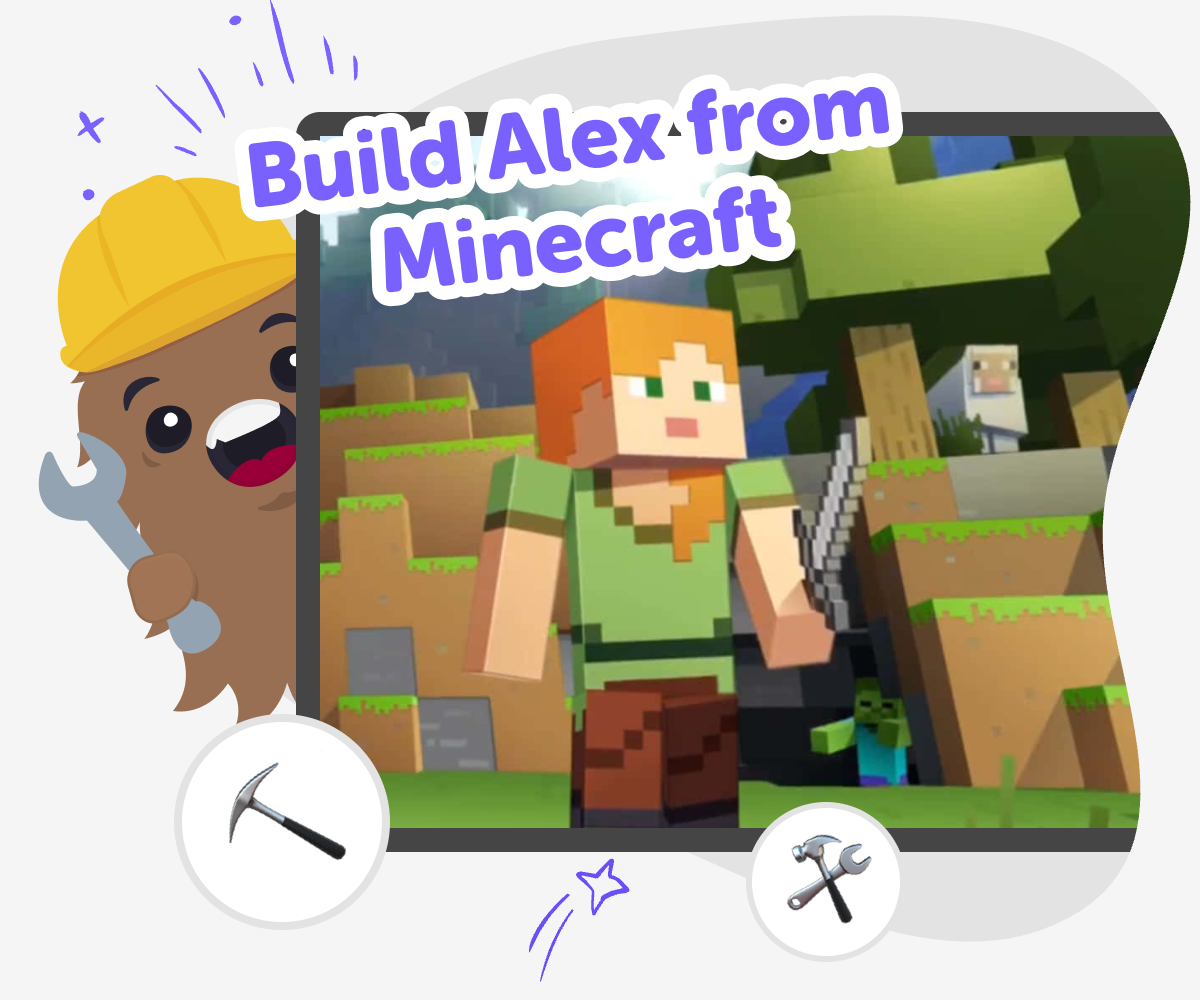
Build Alex from Minecraft
Build alex from minecraft is a creative starting point for kids who want to make something based on a familiar character. It helps children notice design details, make choices, and turn a simple idea into a project they can call their own. When kids work from a character they already know, it can feel easier to begin and more exciting to keep going. They get to practice planning, experimenting, and improving while building confidence through making.
Vibe Coding gives kids a guided place to explore the topic by describing what they want to make, then building, testing, and adjusting it step by step. That keeps the focus on hands-on creativity instead of instant results. Kids can use the tool to try ideas safely, learn from each version, and make a project that feels playful, clear, and personal.
Who is Alex in Minecraft?
Alex is one of the most recognisable characters in Minecraft. Kids often notice Alex because the design is simple, blocky, and easy to remember, which makes it a great starting point for creative projects. When children build something inspired by Alex, they are not just copying a character. They are learning how to pay attention to shapes, colours, and style choices. That can help them think like designers and make careful decisions about what belongs in their own project. A familiar character can also make a new activity feel less intimidating, because kids already know the look and can focus on making it their own. That is why Alex works well as a theme for playful coding and art projects.
Why do kids like making character projects?
Character projects give kids something clear to start with. Instead of facing a blank page, they can begin with a person they recognise and then add their own ideas. That can make creativity feel easier and more fun, especially for children who are still building confidence. A character also gives kids many choices: they can design a scene, invent a story, make a game challenge, or create a tool around the character. Each choice teaches them that creative work is not about one perfect answer. It is about trying ideas, seeing what happens, and changing them. Projects like this help kids practice planning, problem-solving, and patience while still enjoying the playful world they are building.
How does making help kids learn?
Making something teaches more than following directions. When kids build a project, they have to decide what to include, what to leave out, and how to fix things when they do not work the first time. That process helps with logic, confidence, and creative thinking. It also shows children that mistakes are useful because they point to the next improvement. With a topic like Alex from Minecraft, kids can compare different versions and notice how small changes affect the whole project. A brighter colour, a different sound, or a new rule can make a big difference. Learning this way feels active and memorable because children see their ideas become real through practice.
How can kids stay creative and safe online?
Creative tools work best when they give kids a clear, gentle way to explore. Safe, kid-friendly projects should be easy to understand, encourage positive choices, and let children work step by step. Adults can help by reminding kids to keep personal information private, use kind language, and focus on making rather than rushing. It also helps when the tool supports experimentation, because kids learn more when they can try, test, and improve without pressure. Vibe Coding fits that kind of learning by helping children shape ideas into interactive projects with guided support. That means kids can stay focused on the fun of creating while parents and educators can feel good about the learning process.
How to build Alex
Notice Alex’s details
Look at Alex’s simple shapes, hair, clothes, and colours so you can plan your version clearly before you start making.
Choose your project idea
Decide what you want to build around Alex, like a scene, a mini game, a quiz, or a story with choices.
Build and test it
Use guided coding help to add your ideas, try them out, and change anything that does not feel right yet.
Make the most of remixing
Try a fresh version Change one part of your project, like a colour, line, sound, or rule, so you can see how small edits change the whole feel. Check what works best Test your project from the start and notice where it is easy to use or where it needs a clearer idea. Keep the parts that feel fun and simple. Improve with confidence Make one improvement at a time, then test again. This helps you learn from each try and makes the finished project feel more like your own. Share your favourite version When your project feels ready, save the version you like most and show it kindly to someone who can enjoy your creation with you.
Frequently asked questions
What does it mean to build Alex from Minecraft?
It means making a creative project based on Alex, such as a game, story, quiz, or picture that uses ideas from the character. Kids can choose the style they want and build something original around it.
Is this the same as copying Alex exactly?
No. The best projects use Alex as a starting point and then add a child’s own ideas. Kids can change the setting, the rules, the colours, or the story so the finished project feels personal.
What can kids make with an Alex theme?
They can make a mini game, a choose-your-own story, a quiz, a simple app, or a fun interactive scene. The theme gives them a clear idea to begin with, but the project can go in many directions.
Why is Alex a good character for beginners?
Alex has a simple look that is easy to notice and remember. That makes it easier for kids to focus on the project itself, like planning, designing, and testing, instead of getting stuck on too many details.
Can kids make their own version safely?
Yes, as long as they keep it kid-friendly and avoid sharing personal information. A guided creative tool like Vibe Coding can help kids build in small steps, test ideas, and make changes safely.
What will kids learn from this kind of project?
They can practice coding confidence, problem-solving, and creative technology skills. They also learn how to improve an idea by trying it, noticing what happens, and making it better one step at a time.
Do kids need to know coding already?
No. A guided tool can help them start with an idea and then support them as they build. Beginners can learn by doing, and more experienced kids can keep experimenting with new versions.
How can parents or teachers support the project?
They can help kids choose a clear idea, encourage them to test their work, and celebrate small improvements. It also helps to ask what the child changed and why, because that builds reflection and confidence.
More tools
Build Creative Games
Build Creative Games helps kids explore how ideas become playable projects. With Vibe Coding, kids can shape a game step by step, test what happens, and keep improving their work as they learn to think like makers.
Build Games For 10 Year Olds
Build games for 10 year olds by turning big ideas into simple, creative projects kids can actually make, test, and improve. This page explains how game-making works, why it helps kids grow, and how guided coding support can make the process feel exciting and doable.
Build Games For 10th Grade
Build games for 10th grade by turning a fresh idea into a playable project with guided, hands-on coding. Kids can plan the rules, test what works, and keep improving their game as they learn creative problem-solving and coding confidence.
Build Games For 11th Grade
Build games for 11th grade by turning a big idea into a playable project kids can plan, create, test, and improve. This topic helps learners build coding confidence, practice problem-solving, and explore creative technology through hands-on making with Vibe Coding.
Ready to start creating?
Join hundreds of thousands of kids already building cool stuff on DIY.ORG.
Your first game is on us.
Describe a game below - no sign-up needed to try.
KidsGPT has moved!
Log into ChatDino to access your chats
Powered by AstroSafe
Make real games - not just chat