Build a Vine Boom Soundboard
Build a vine boom soundboard and learn how a simple sound effect can make jokes, reactions, and videos feel more playful. This kids-first page explains the idea in a clear, creative way and helps young makers explore it with guided, hands-on coding.
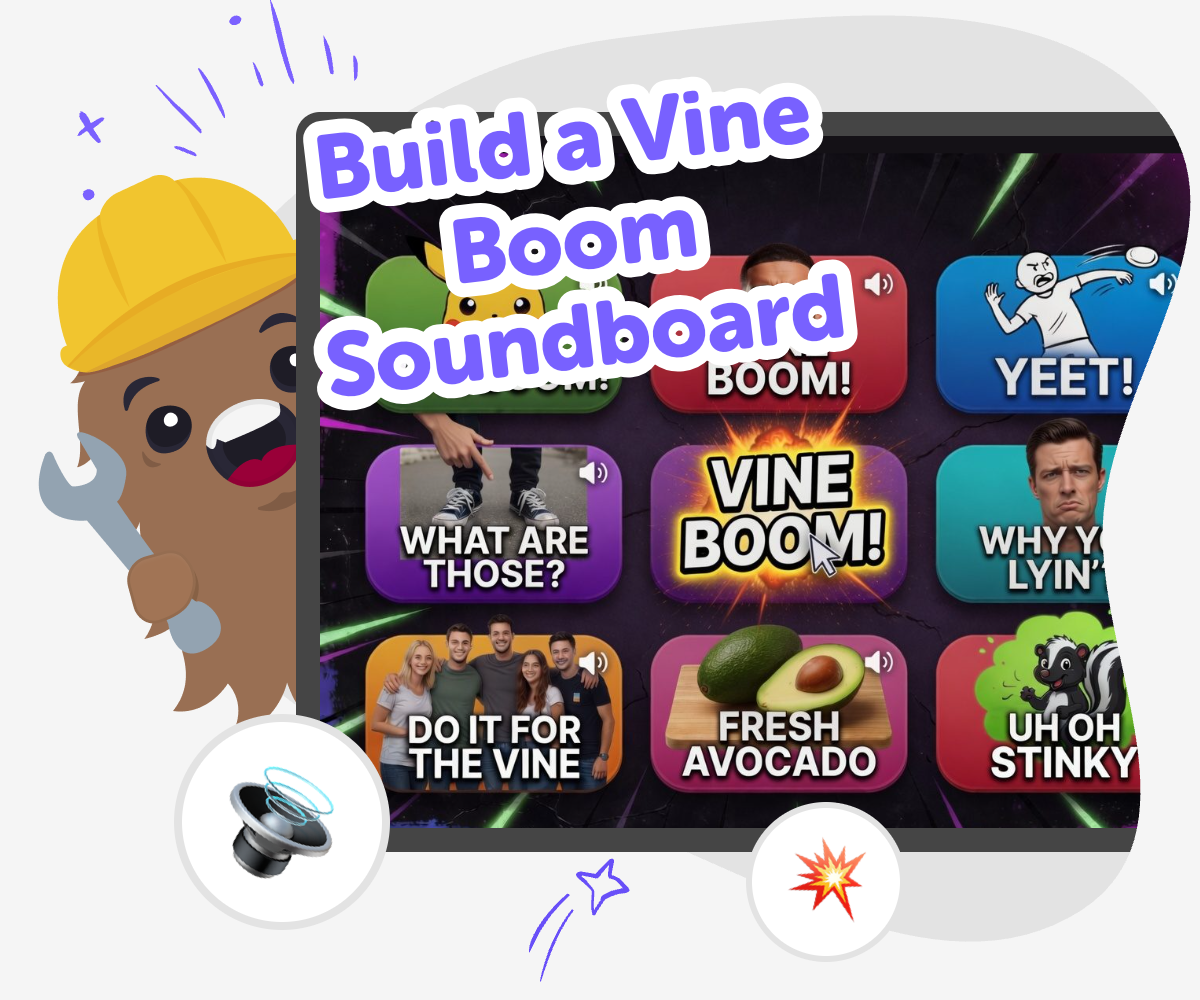
Soundboard Basics for Kids
A build a vine boom soundboard project is a fun way to learn how sound effects can change a joke, a reaction, or a tiny game. Kids can think about when the boom should play, what button should trigger it, and how timing makes the sound feel funny instead of random. This kind of project matters because it turns a simple idea into something interactive. Kids practice planning, testing, and adjusting their design while learning that creative tools are built one choice at a time.
Vibe Coding gives kids a guided place to shape the soundboard step by step. They can describe what they want, build the buttons and reactions, then test and improve the project until it feels easy to use and fun to share. The tool supports safe experimentation, so kids can try ideas, change them, and learn from each version. That builds confidence with coding and helps creative technology feel approachable.
What is a vine boom soundboard?
A vine boom soundboard is a small interactive project with a sound effect button that plays a big, funny boom when someone taps it. The idea comes from a simple joke style: the sound lands at the right moment and makes a reaction feel extra dramatic. Kids like it because it is quick to understand and easy to play with, but it also teaches real design thinking. You have to decide when the sound should happen, how many buttons to include, and what makes the project easy to use. Even a tiny soundboard can show how timing, surprise, and clear labels work together. That makes the project useful for both learning and fun, especially for kids who enjoy making things that other people can try right away.
Why do sound effects feel so funny?
Sound effects can be funny because they change the meaning of a moment. A normal action can suddenly feel big, dramatic, or silly when the right sound plays at just the right time. That is why timing matters so much in a soundboard project. Kids can learn that a joke is not only about the sound itself, but also about when it appears and what it reacts to. This helps young makers think like editors and builders at the same time. They are choosing an effect, testing the result, and noticing how people respond. That kind of experimenting builds confidence because it shows that creative technology is something you can shape and improve, not just watch happen.
How does this help kids learn coding?
A soundboard project gives kids practice with coding ideas in a simple, friendly format. They have to connect one action to one result, which is a basic part of programming. They also learn about debugging when a button does not work the way they expected. That means they are not just making a joke tool; they are learning to solve problems, compare versions, and make small improvements. Those are important skills for bigger projects later, like games, stories, or apps. The best part is that kids can see their changes right away. When they adjust a label, timing, or button, they can test it immediately and decide what works best. That quick feedback helps learning stick.
Is this a good project for beginners?
Yes, a vine boom soundboard is a strong beginner project because it starts with one clear idea and grows from there. Kids do not need to build a huge app to make something interesting. They can begin with a single sound, one button, and one simple test. After that, they can add more choices, refine the look, or change the way the soundboard feels. That makes the project friendly for younger children while still leaving room for older kids to experiment. It also gives adults a chance to support without taking over. A beginner can focus on a few small steps, enjoy the result, and then come back later to improve it. That is a good way to build confidence and keep creativity going.
How to Build It
Choose the sound
Pick the vine boom effect and decide where it should play, like on a tap, click, or surprise moment.
Set the buttons
Add a few clear buttons so each one does something simple and easy to understand.
Test the timing
Try the sound several times and notice whether it plays too early, too late, or just right.
Make the most of testing
Try a remix Change one button label, color, or sound timing so the board feels clearer and more fun to use. Check the flow Tap through the soundboard in order and fix anything confusing so the project is easy for kids to follow. Share safely Keep the joke light and friendly, and make sure the soundboard is fun for others without being mean or overwhelming. Keep improving Save your favorite version, try a new layout, and keep adjusting until the soundboard feels smooth and playful.
Frequently asked questions
What is a vine boom soundboard?
It is a small interactive project that plays a boom sound when someone taps a button. The joke comes from using the sound at the right moment, so timing matters.
Do kids need coding experience to make one?
No. A beginner can start with one sound and one button, then add more details as they learn. Guided tools can help kids build step by step.
What makes a soundboard fun to use?
Clear buttons, quick reactions, and good timing make the project feel easy and playful. A simple layout also helps people understand it right away.
Can kids make their own version?
Yes. They can choose the layout, labels, colors, and when the sound plays. Small changes can make each version feel unique.
Is this project safe for kids?
It can be, when it stays age-appropriate and uses friendly humor. Kids should keep the soundboard simple, readable, and suitable for the people who will try it.
What can kids learn from building it?
They can learn basic coding ideas, problem-solving, timing, and how to improve a project after testing it. It is a practical way to learn by making.
Can this become part of a bigger project?
Yes. A soundboard can be added to a game, a story, or another interactive project. It is a useful building block for larger ideas.
How does Vibe Coding help with this project?
Vibe Coding gives kids a guided place to describe the idea, build it, test it, and keep improving it. That makes the process feel approachable without doing all the work for them.
More tools
Build a Panda Clicker Game
Build a panda clicker game with a kid-friendly creative coding studio that helps kids turn a playful idea into an interactive project. Learn how to make a simple game, test it, and improve it step by step while building coding confidence and creative thinking.
Build a Paper IO Game
Build a paper IO game by turning a simple idea into a playful, interactive project kids can plan, test, and improve. Learn how movement, territory, and quick decisions make this kind of game exciting, then use Vibe Coding to explore it step by step with creative support.
Build a Parkour Game
Build a parkour game and turn jumping, timing, and level design into a fun creative project. Kids can design moving obstacles, test tricky paths, and keep improving their game until it feels exciting and fair to play.
Build a Paw Patrol Game
Build a Paw Patrol Game by turning a favorite rescue adventure into an interactive project kids can imagine, test, and improve. With guided support from Vibe Coding, kids can create characters, simple goals, and playful game rules while learning coding confidence, problem-solving, and creative technology skills.
Ready to start creating?
Join hundreds of thousands of kids already building cool stuff on DIY.ORG.
Your first game is on us.
Describe a game below - no sign-up needed to try.
KidsGPT has moved!
Log into ChatDino to access your chats
Powered by AstroSafe
Make real games - not just chat