Build a SpongeBob Soundboard
Build a SpongeBob soundboard with playful buttons, character-inspired reactions, and simple interactive controls kids can explore step by step. It is a fun way to learn how sound, timing, and choice work together while making something personal and creative.
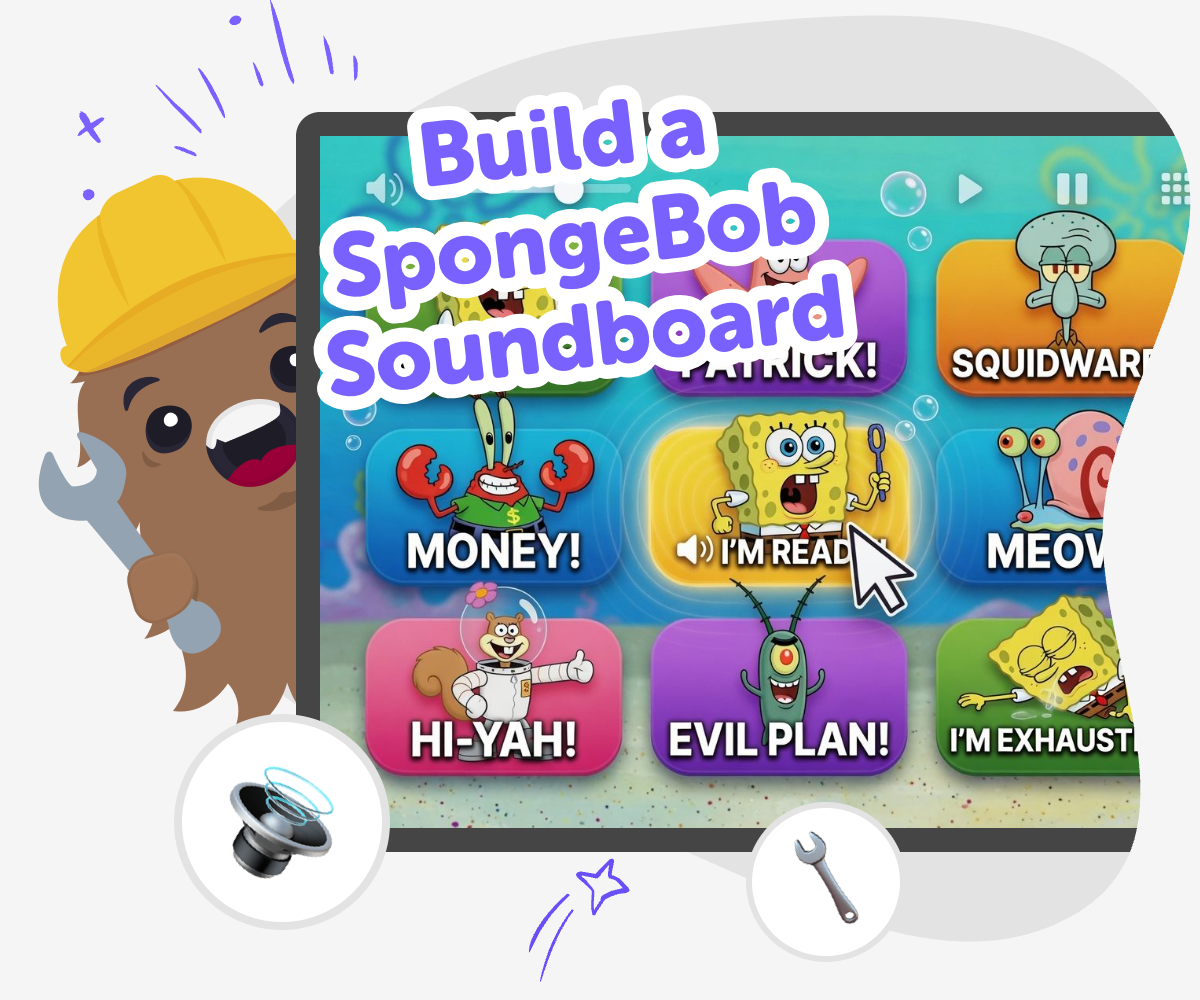
Make a SpongeBob Soundboard
A build a spongebob soundboard project is a playful way to make an interactive board with buttons that play funny, familiar, or character-inspired sounds. Kids can learn how simple choices, timing, and labels turn an idea into something people can tap and enjoy, which makes the project fun and useful at the same time. This kind of project helps kids practice creativity, planning, and clear design. They can think about which sounds fit each button, how the board should feel, and what makes it easy for other people to use.
Vibe Coding gives kids a guided place to turn the soundboard idea into a real project, with support for shaping the layout, testing the buttons, and making changes as they go. It keeps the process hands-on and kid-friendly, so the focus stays on experimenting, learning, and improving. Kids can keep remixing their soundboard until it feels right, which builds confidence and makes creative coding feel like something they can do again and again.
What is a soundboard?
A soundboard is an interactive set of buttons that each play a sound, phrase, or effect when you tap them. People use soundboards for jokes, games, stories, and quick reactions, because they make it easy to trigger a sound on purpose instead of searching for it. For kids, a soundboard is a great way to learn that software can respond to choices. Each button has a job, and the whole project works best when the sounds are clear, the labels are simple, and the order makes sense. A SpongeBob soundboard adds a playful theme, but the real skill is learning how buttons, sounds, and timing work together in a creative project. It is part game, part design, and part problem-solving, which makes it a strong starter project for young makers.
Why do kids like making themed soundboards?
Kids often enjoy themed soundboards because they can mix a favorite character world with their own ideas. A theme gives the project a clear style, so it is easier to choose sounds, colours, and button names that feel connected. That makes the project more exciting than a blank page, but it also gives kids room to be original. They can decide which moments feel funny, which sounds should be short, and how the board should look. This kind of choice helps kids feel ownership over the final result. It also supports creativity in a practical way, because they are not only imagining something fun; they are building it, checking it, and improving it. A familiar theme can make the first step feel easier and more confident.
How does this project build coding confidence?
A soundboard is a helpful first coding project because the steps are easy to see. Kids choose a button, connect it to a sound, test it, and then fix anything that does not feel right. That simple loop teaches an important idea: coding is something you can improve by trying again. When a button is mislabeled or a sound is too long, kids learn to notice the problem and make a better choice. This is how problem-solving grows. The project also shows that code is not magic; it is a set of actions that can be changed. With a guided studio like Vibe Coding, kids get support while they experiment, which helps them feel safe enough to try, adjust, and keep going. That steady practice builds confidence one small success at a time.
How can families keep it age-appropriate?
A good kid-made soundboard should be easy to use, friendly, and appropriate for the child’s age group. Families can help kids choose sounds that are playful without being mean, loud without being overwhelming, and simple enough for other people to understand. It also helps to keep the number of buttons manageable, especially for younger kids, so the project stays fun instead of confusing. Parents and educators can talk with kids about where the soundboard might be shared and who will use it. That conversation teaches safe sharing and thoughtful design. If a child is using Vibe Coding, the guided workflow can support careful testing and editing, so the project grows through making rather than rushed shortcuts. The goal is a creative tool that feels fun, kind, and easy to explore.
How to build it
Choose your sounds
Pick the SpongeBob-style sounds or reaction phrases you want on your board, then decide how many buttons you need.
Plan the buttons
Name each button so it is easy to understand, and think about what happens when someone taps it.
Build and test
Use guided coding to arrange the buttons, connect each one to a sound, and tap through the board to check that everything works.
Make the most of testing
Try a remix Change one sound, button label, or colour so the board feels more fun and easier to understand. Check the flow Tap every button in a new order and notice whether anything feels slow, confusing, or too similar. Share safely Keep the sounds cheerful, age-appropriate, and easy for others to enjoy without teasing or shouting. Keep improving Save your best version, then come back later to add new sounds, cleaner labels, or a smoother layout.
Frequently asked questions
What is a SpongeBob soundboard?
It is a set of interactive buttons that play character-inspired sounds or phrases when you tap them. Kids can use it for playful reactions, jokes, or mini games.
Is making a soundboard hard for kids?
It can be simple when kids start small. A few buttons, clear labels, and one sound at a time make the project easier to build and test.
What skills do kids learn from this project?
Kids practice coding confidence, problem-solving, and creative design. They also learn how to test ideas and improve them step by step.
How many sounds should a beginner use?
Three to five sounds is a good starting point. That gives kids enough variety to be creative without making the board too busy.
Can kids make their own sound choices?
Yes. Kids can choose which sounds fit their idea best, as long as the project stays age-appropriate and easy to use.
How does Vibe Coding help with this topic?
Vibe Coding gives kids guided support while they build, test, and adjust their project. It helps them turn the soundboard idea into something interactive without making the process feel complicated.
Can this project be remixed later?
Yes. Kids can change labels, sounds, colours, or layout after the first version is working. Remixing is a great way to learn by improving.
Is it okay to share a soundboard with others?
Yes, if it is friendly, age-appropriate, and checked carefully first. Kids should make sure the sounds are clear and kind for the people who will use it.
More tools
Build Games For 8 Year Olds
Build games for 8 year olds with simple, creative projects that help kids imagine rules, characters, and play that feels just right for their age. With guided making and testing, kids can turn ideas into real interactive games while growing confidence and problem-solving skills.
Build Games For 8th Grade
Build games for 8th grade with a kid-friendly creative tool that helps kids plan, make, test, and improve their own interactive projects. Explore ideas, practice problem-solving, and turn a simple concept into something playable, step by step.
Build Games For 9 Year Olds
Build games for 9 year olds by turning simple ideas into playful challenges, stories, and interactive projects kids can try, change, and improve.
Build Games For 9th Grade
Build games for 9th grade by turning an idea into an interactive project with guided, hands-on making. Kids can plan a game, test how it works, and improve it step by step while building coding confidence and creative problem-solving skills.
Ready to start creating?
Join hundreds of thousands of kids already building cool stuff on DIY.ORG.
Your first game is on us.
Describe a game below - no sign-up needed to try.
Powered by AstroSafe
Make real games - not just chat