Build a Meme Sound Board
Build a meme sound board with playful sounds, simple buttons, and your own ideas. Kids can explore timing, jokes, and interactive design while making something fun to tap, test, and improve with Vibe Coding.
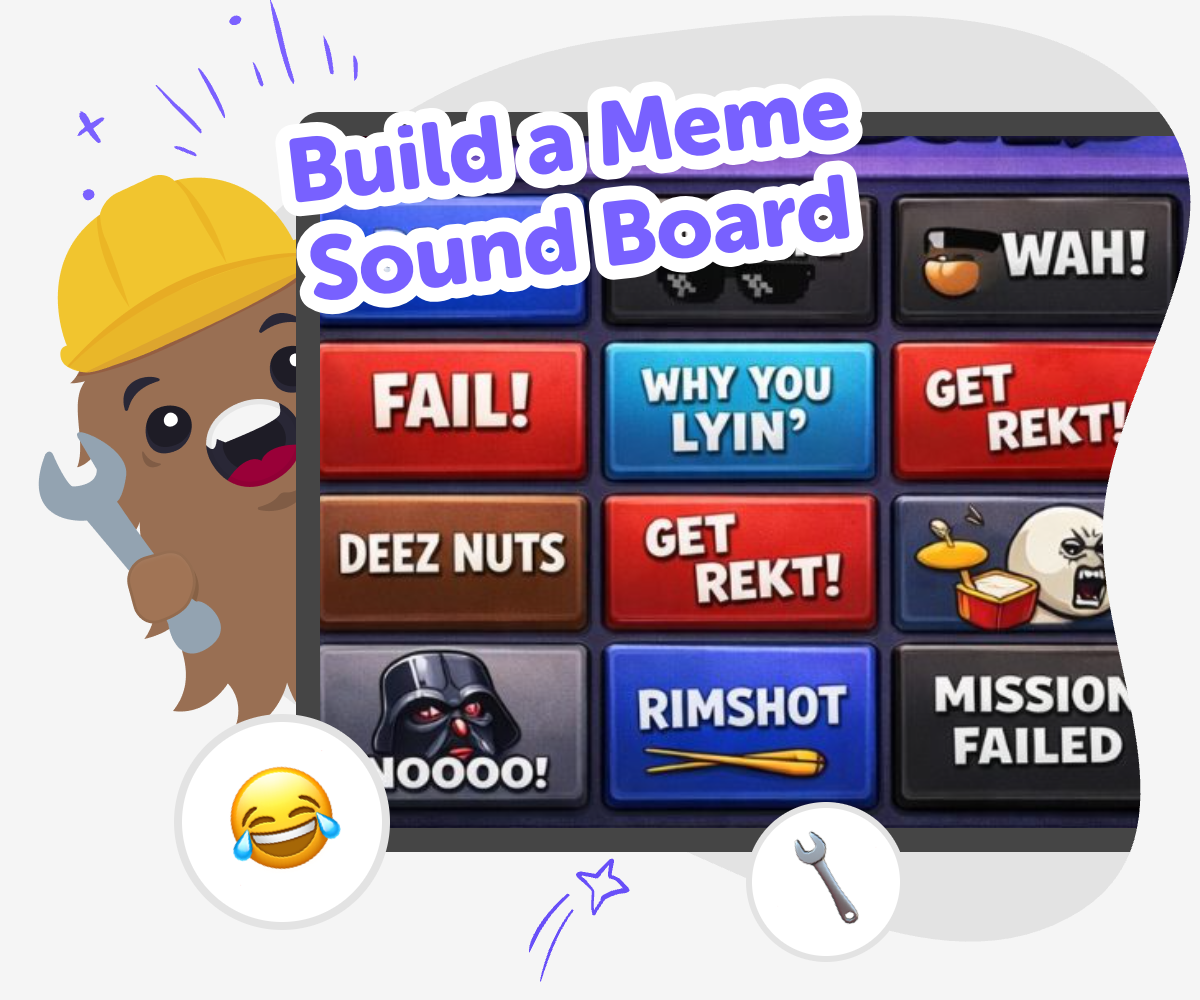
Meme Sound Board Basics
A build a meme sound board project is a fun way for kids to turn jokes, reactions, and favourite sound clips into something interactive. It helps children think about timing, feedback, and how a simple button press can create a funny moment that others can understand and enjoy. This kind of project matters because it mixes creativity with problem-solving. Kids learn to choose sounds carefully, organise ideas clearly, and make small changes until the board feels smooth, playful, and easy to use.
Vibe Coding gives kids a guided place to shape a meme sound board step by step. They can plan the buttons, test the reactions, and improve the experience as they go, which keeps the project hands-on and safe. Instead of just imagining the idea, kids get to build, check, and refine it in a creative coding studio. That helps them practice confidence, experimentation, and creative technology skills while making something that feels like theirs.
What is a meme sound board?
A meme sound board is a small interactive project with buttons that play short funny sounds, reactions, or catchphrases. Instead of watching a joke happen on a screen, kids get to press a button and make the sound appear at the right moment. That makes the joke feel active and easy to explore. A good sound board is simple, quick to use, and clear enough that people can guess what each button will do. Kids can think about which sounds fit together, how many buttons to include, and how the board should feel when someone taps it. This is why the project is both playful and useful: it teaches organisation, timing, and design choices while still leaving plenty of room for humour and imagination. It also gives kids a safe way to practise making something interactive from their own ideas instead of just copying what they already know.
Why do kids like making one?
Kids often enjoy building a meme sound board because it turns jokes into something they can control. A sound board gives them a chance to choose a reaction, test the timing, and hear how a small change can make a moment funnier or clearer. That kind of quick feedback helps children feel proud of their ideas, even if the project is simple. It also supports learning because kids start noticing patterns: which sound belongs on which button, which label makes sense, and which layout is easiest to use. Making the board themselves can build confidence, since they are not just pressing buttons made by someone else. They are shaping the experience, improving it, and deciding what feels right. For many kids, that mix of creativity and choice is what makes the project exciting.
How does this help kids learn?
A meme sound board can teach real skills without feeling like homework. Kids practise planning by deciding which sounds belong together. They practise problem-solving when a button is hard to find, a label is unclear, or a sound does not fit the joke. They also practise iteration, which means trying something, noticing what happens, and making it better. That is an important creative skill for coding and design. Because the project is small, kids can focus on one change at a time and see the result right away. This makes learning feel manageable and encourages them to keep going. When they use Vibe Coding, they can move through those steps with guided support, which helps them stay curious and calm while they build. The result is more than a funny board; it is a chance to grow confidence through making.
How can kids keep it safe and fun?
A safe meme sound board should be easy to understand, age-appropriate, and kind. Kids can choose sounds that are funny without being mean, scary, or confusing. It helps to keep the project simple, use clear button names, and avoid too many effects at once. That way, the board stays fun to play with and easy for others to enjoy. Parents and educators can look for projects that encourage gentle humour, creativity, and thoughtful choices. Vibe Coding supports this kind of making by giving kids a guided place to experiment, test ideas, and improve them step by step. When children are encouraged to review their work, they learn to notice what feels right for the audience too. That makes the project not only entertaining, but also a good practice in responsible design and confident decision-making.
How to Make It
Choose the joke
Pick a simple meme idea or reaction you want to hear when a button is pressed. Keep it clear so each sound matches one funny moment.
Plan the buttons
Decide how many sound buttons you want and what each one should do. Name them in a way that makes the board easy to understand.
Add and test sounds
Build the sound board in Vibe Coding, then try each button to check timing, labels, and volume. Change anything that feels confusing or too busy.
Make the most of remixing
Try a new joke Swap one sound for a different reaction so the board feels fresh while still making sense. Small changes can help you find the funniest version. Check the flow Tap every button in order and notice whether the board is easy to follow. If a button is slow, unclear, or in the wrong place, adjust it so younger users can use it easily. Share kindly Keep the sounds playful and friendly so the board stays fun for everyone. Avoid jokes that might confuse, tease, or upset someone nearby. Keep improving Save your favourite version, then test another layout or sound set. Each round of changes helps you build confidence and make the board smoother, clearer, and more fun.
Frequently asked questions
What is a meme sound board?
It is a simple interactive board with buttons that play funny sounds or reactions when someone taps them.
What makes a good sound board for kids?
A good one is clear, easy to use, playful, and built with sounds that are age-appropriate and easy to recognise.
Can kids make their own sounds and labels?
Yes. Kids can choose the sounds, name the buttons, and decide how the board should feel.
Is it hard to build one?
It can start very simply. Kids can begin with a few buttons and improve the board one step at a time.
How does Vibe Coding help with this project?
Vibe Coding gives kids guided support so they can build, test, and improve their sound board without feeling stuck.
What skills do kids practice while making it?
They practice planning, problem-solving, testing ideas, and creative technology skills.
Can the board be changed after it is made?
Yes. Kids can remix sounds, adjust labels, and try new layouts to make the board better.
How can families keep it safe and kind?
Choose friendly sounds, keep the jokes age-appropriate, and review the final board together before sharing it.
More tools
Build Math Games For 11th Grade
Build math games for 11th grade with creative, hands-on projects that help kids practice algebra, functions, statistics, and logic while making something fun to play and explore.
Build Math Games For 12th Grade
Build math games for 12th grade with creative, hands-on practice that helps kids turn tough ideas into playful projects. Use guided support to explore algebra, functions, statistics, and logic while building confidence step by step.
Build Math Games For 1st Grade
Build math games for 1st grade with simple, playful ideas that help kids practice counting, number sense, and early problem-solving. This page shows how young makers can turn a lesson into a game, then test it, improve it, and make it more fun.
Build Math Games For 2nd Grade
Build math games for 2nd grade with kid-friendly ideas that make addition, subtraction, and early number skills feel playful, clear, and easy to practice.
Ready to start creating?
Join hundreds of thousands of kids already building cool stuff on DIY.ORG.
Your first game is on us.
Describe a game below - no sign-up needed to try.
Powered by AstroSafe
Make real games - not just chat