Build a Goofy Soundboard
Build a goofy soundboard with kid-friendly creative coding and turn silly ideas into a playful project you can test, remix, and improve step by step.
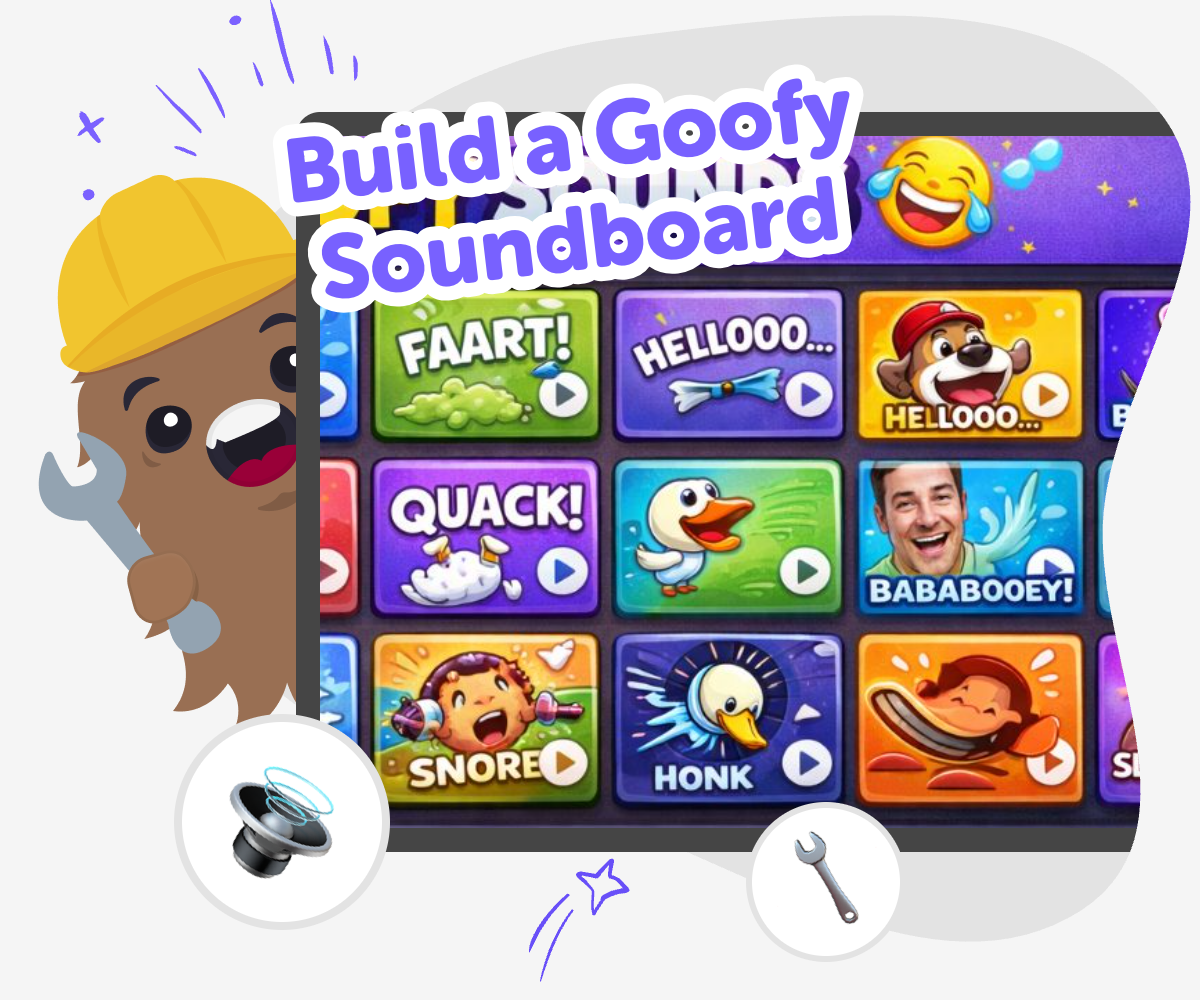
Goofy Soundboard Maker
A build a goofy soundboard project lets kids turn silly sounds into a playful interactive toy. It is a fun way to practice timing, cause and effect, and creative thinking while making something people can tap, laugh at, and use again and again. Kids learn that humour can be designed by choosing sounds, names, and button order. Small changes can make a big difference, and that makes the project a good fit for experimenting, listening, and improving.
Vibe Coding gives kids a guided place to shape the soundboard one step at a time. They can try ideas, test how they feel, and make changes safely, so the project stays hands-on, creative, and easy to learn from. The topic stays front and centre, while the tool helps kids build confidence as they explore sound, timing, and playful interaction without rushing the process.
What makes a soundboard goofy?
A goofy soundboard is a collection of sounds that feel funny together because of timing, surprise, or a silly theme. The sounds do not need to be fancy. A honk, a boing, a clap, or a fake applause can become funny when kids choose when each sound plays and how the buttons are arranged. What matters most is the feeling the board creates. Kids learn that humour is something they can design by mixing sound, labels, and simple interactions. That turns a joke into a maker project, not just something they watch. It also helps children notice how small changes can make a big difference in the way people react. When they build and test the board themselves, they start to understand creativity as a process of trying, listening, and improving.
Why is making one a good learning activity?
Building a soundboard helps kids practice several skills at once. They use problem-solving when they decide which sounds belong together. They use coding confidence when they place buttons, connect actions, and test whether each tap does what they expect. They also learn iteration, which means improving something by making changes and trying again. If a sound is too long, too loud, or not funny enough, kids can adjust it. That teaches them that mistakes are not the end of a project; they are clues. A soundboard is also a friendly way to explore creative technology because the result is easy to understand right away. Kids can hear the result of their choices, which makes learning feel active and clear. It is a small project with real building practice hidden inside the fun.
How can kids keep it safe and kind?
A goofy soundboard should feel fun for the people using it and the people nearby. That means choosing sounds that are playful, not mean, scary, or annoying on purpose. Kids can think about who might hear the board and ask whether the joke would still feel okay if a younger child, a parent, or a teacher tried it. Safe creating also means keeping the volume reasonable and choosing words or sound effects that stay friendly. This is a good chance to talk about digital kindness, because even small interactive projects can affect how other people feel. If kids want to make the humour bigger, they can do that with timing, surprise, and clever labels instead of rude sounds. That keeps the project welcoming and makes sharing it easier.
What can kids make after this?
Once kids know how to build a goofy soundboard, they can use the same idea in lots of other projects. They might make a sound quiz, a joke game, a cheering button, a mood tracker with sound effects, or a character that reacts when tapped. The bigger lesson is that interactive projects can have personality. A soundboard is often one of the first ways kids see how code can control an experience instead of just displaying information. That opens the door to games, story tools, classroom helpers, and inventions that respond to user choices. With Vibe Coding, kids can keep using guided support to test new ideas, compare versions, and keep making changes until the project feels right. Each new version builds confidence and shows that creative technology grows through practice.
How to Build It
Choose a silly theme
Pick a style for your soundboard, like animal noises, cartoon reactions, or surprise sounds. A clear theme helps every button feel like it belongs in the same playful idea.
Set up the buttons
Create one button for each sound and give each one a simple name. Keep the layout neat so it is easy to find the right sound fast.
Test each sound
Tap every button and listen for sounds that are funny, too similar, or not quite the right fit. Change the labels or order until the board feels easy to use.
Make the most of testing
Try a remix Swap one sound or colour so the project feels fresh and playful while still matching the joke you want people to notice. Check the flow Tap every button in order and rename anything confusing so the board stays quick, readable, and easy for younger users to follow. Share kindly Keep the humour light, age-appropriate, and friendly so the reaction sounds stay fun instead of teasing or upsetting anyone nearby. Keep improving Save your favourite version, test a new layout, and keep adjusting timing until the board feels smoother, funnier, and easier to use.
Frequently asked questions
What is a goofy soundboard?
A goofy soundboard is a simple interactive project with buttons or taps that play funny sounds. Kids make choices about the sounds, labels, and layout so the whole board feels playful and easy to use.
Why do kids like making soundboards?
Kids like making soundboards because they get to hear instant results from their choices. It feels like making a joke that other people can tap and enjoy, which makes the project fun and interactive.
What kinds of sounds work best?
Short sounds are often easiest to use, like boings, honks, claps, pops, or silly voice effects. Sounds that are clear and different from each other help the board feel fun instead of confusing.
Can a soundboard be more than just funny?
Yes. A soundboard can also help with storytelling, classroom games, cheering, or character reactions. Kids can make it silly, useful, or both, depending on what they want it to do.
How do kids make it easy to use?
Kids can keep the layout simple, use clear button names, and group similar sounds together. Testing the board with a few taps helps them notice what feels confusing or too crowded.
Is building a soundboard safe for kids?
Yes, when the sounds and words stay age-appropriate and kind. Kids should keep the humour friendly, avoid anything upsetting, and use a volume level that works well for other people nearby.
What can kids learn from this project?
They can learn coding confidence, problem-solving, and how to improve an idea step by step. They also practice making creative choices and seeing how small changes affect the final result.
Can kids keep improving their soundboard later?
Yes. They can swap sounds, change button labels, test a new theme, or make the timing better. Vibe Coding is useful here because kids can keep building, trying, and refining their project as they learn.
More tools
Build a Plant Clicker Game
Build a plant clicker game and turn a simple idea into a playful project where kids grow plants, earn points, and improve the game step by step. With guided support from Vibe Coding, kids can explore coding, creativity, and problem-solving while making something interactive they can test and change on their own.
Build a Platformer Game
Build a platformer game by turning a simple idea into a playable jumping challenge. Kids can plan levels, add movement, test obstacles, and improve the game step by step while building coding confidence and creative problem-solving skills.
Build a Pokemon Clicker Game
Build a pokemon clicker game by designing a simple tap-to-play project where each click earns points, unlocks surprises, and helps kids learn the basics of game logic and creative coding.
Build a Pokemon Game
Build a Pokemon Game by turning your idea into a playful, interactive project where kids can design characters, set rules, and test how the game works. It is a creative way to explore game making, storytelling, and problem-solving with hands-on support.
Ready to start creating?
Join hundreds of thousands of kids already building cool stuff on DIY.ORG.
Your first game is on us.
Describe a game below - no sign-up needed to try.
Powered by AstroSafe
Make real games - not just chat