Build a Funny Soundboard
Build a funny soundboard by choosing silly sounds, arranging buttons, and testing how each one changes the mood. Kids can make a playful mix of noises that feels fun to tap, easy to use, and full of personality. It is a creative way to explore timing, choices, and simple digital making.
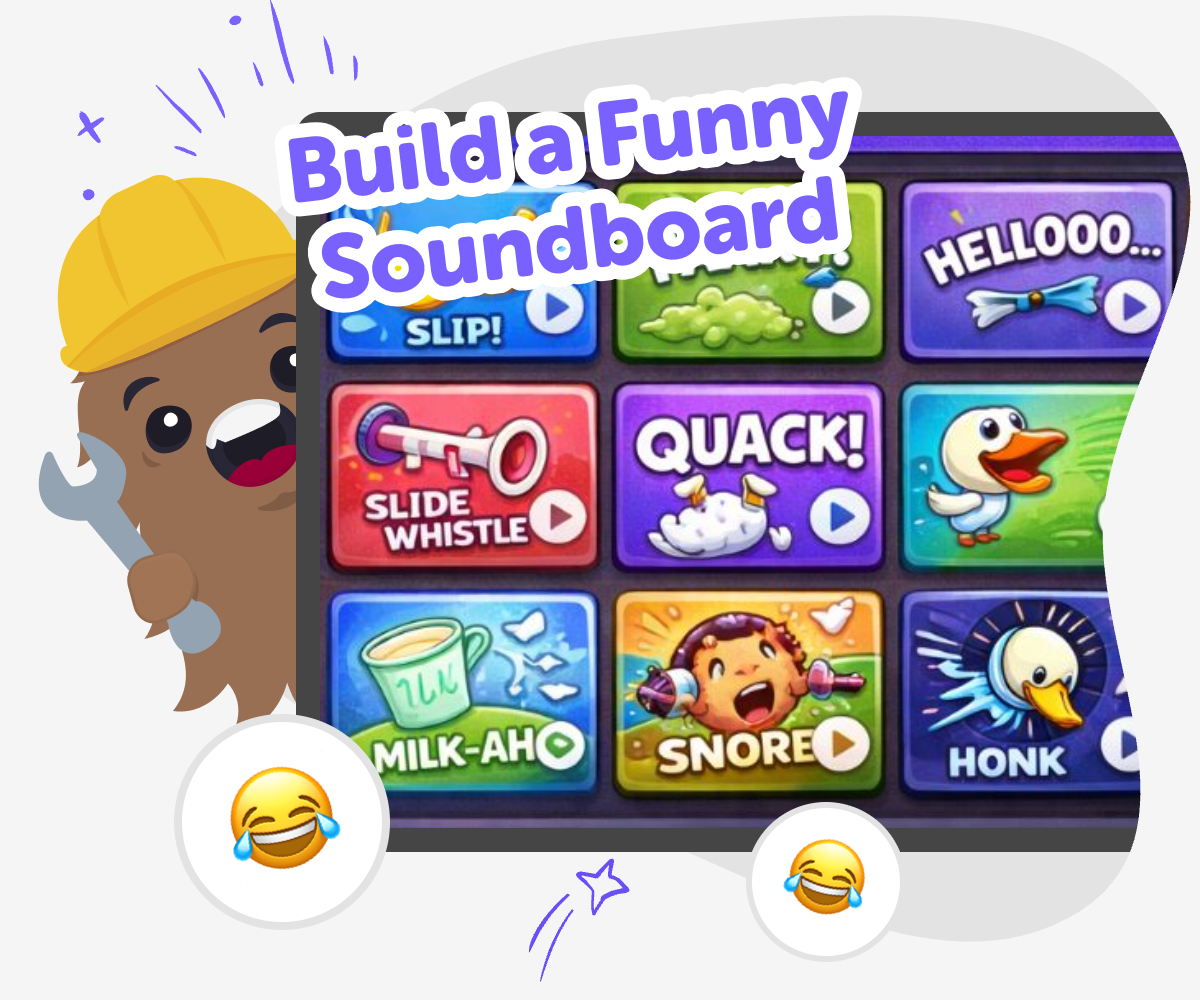
Make a Silly Sound Board
A build a funny soundboard project lets kids turn jokes, noises, and playful ideas into something interactive. By choosing sounds and arranging them on a simple board, kids learn that making digital projects can be creative, playful, and easy to try one step at a time. It is a fun way to practice choices, timing, and cause and effect. The best soundboards are not random. They work when each button has a clear job, like a surprise noise, a character voice, or a funny effect that matches the joke.
Vibe Coding gives kids a guided place to shape their soundboard idea, test it, and make changes as they go. Kids can explore sound choices, improve the layout, and keep adjusting their project until it feels smooth, safe, and fun to use. This makes the topic feel manageable for young makers while still leaving room for creativity, experimentation, and confidence.
What makes a soundboard funny?
A funny soundboard usually works because the sounds surprise people in a simple way. A loud honk after a quiet tap, a tiny squeak after a big button, or a goofy voice for an everyday idea can all make people laugh. The joke does not need to be complicated. Often the funniest part is the timing, the contrast, or the way a sound matches a picture or button name. Kids can experiment by mixing sounds that feel unexpected but still easy to understand. When the buttons are clear, the board feels playful instead of confusing. That helps young makers learn that humor can come from smart choices, not just from adding more noise. A good soundboard is also friendly to use because every tap gives a quick result that people can notice right away. That instant feedback makes it a great first creative coding project.
Why do kids learn from making one?
Making a soundboard helps kids practice several creative thinking skills at once. They choose sounds, test ideas, notice what works, and change what does not. That process teaches problem-solving in a way that feels active and fun. Kids also learn that a project does not have to be perfect the first time. They can try a button, listen, and improve it step by step. This builds confidence because small changes can make a big difference. A soundboard also helps with digital storytelling. Each sound can show a mood, a character, or a joke, so kids start thinking about how technology can communicate ideas. For younger children, it is a simple way to explore cause and effect. For older kids, it can be a first step toward designing games, tools, or interactive stories. The project stays playful while still teaching real maker habits.
How can kids keep it safe and kind?
Funny should still feel friendly. When kids make a soundboard, it helps to choose sounds that are playful instead of mean, too scary, or upsetting. A good rule is to think about whether the joke would still feel okay if a younger child heard it too. Parents and educators can help kids check that the board is age-appropriate and easy to enjoy. It is also useful to keep the volume sensible so the project feels comfortable in shared spaces. Safe making includes how the board is built too. Clear labels, simple choices, and gentle experimentation make the project easier to understand and less frustrating to use. That kind of structure helps kids feel successful while they create. It also shows them that digital projects can be both fun and thoughtful. Humor works best when everyone can enjoy it without worry.
What can kids try after the first version?
After the first soundboard works, kids can keep experimenting to make it more interesting. They might group sounds by mood, like silly, surprise, or celebration. They could make a theme, such as robots, animals, classroom jokes, or cartoon characters. Another idea is to test different button layouts and see which one is easiest to use. Older kids can try adding more than one version and compare which board feels funnier or smoother. They can also ask a friend or family member to tap through it and notice where they pause or smile. That feedback turns the project into a real design challenge, not just a single finished task. In Vibe Coding, kids can build, test, and improve their soundboard with guided support, so it stays manageable while still feeling like their own creative work. Each revision helps them learn how makers improve ideas over time.
Build it step by step
Pick a joke
Choose the kind of silly idea you want, like a goofy animal, a pretend robot, or a surprise noises board. A clear joke helps every sound fit the same playful theme.
Choose your sounds
Select a few short sounds that match your idea, such as boings, pops, honks, or giggles. Keep the set small so the soundboard stays easy to tap and understand.
Arrange the buttons
Place each sound on its own button and give it a name that makes sense. Then tap through the board to check that the layout feels clear and fun to use.
Make the most of testing
Try a full round Tap every button and listen for sounds that feel too loud, too slow, or too confusing. Make small changes until the board feels smooth and easy to enjoy. Check the joke See whether the sounds match the idea you wanted people to notice. If the joke is hard to follow, swap a sound or rename a button so the meaning is clearer. Tune the layout Move buttons that are hard to find and shorten any labels that feel busy. A tidy layout helps younger users play without stopping to figure out what comes next. Keep improving Save your favourite version, try a new remix, and see what happens when you change one part at a time. Each test helps your soundboard become friendlier, funnier, and more fun to share.
Frequently asked questions
What is a funny soundboard?
A funny soundboard is a simple interactive project with buttons that play silly sounds. Kids can make one around a joke, a character, or a playful theme so each tap creates a quick surprise.
What kinds of sounds work best?
Short, clear sounds usually work best, like boings, pops, honks, giggles, or other playful noises. The easiest soundboards have sounds that match the button names and are quick to understand.
Can younger kids make one too?
Yes. Younger kids can make a soundboard with help from an adult or a guided tool. Keeping the project small, simple, and clearly labelled makes it easier for children to enjoy and finish.
How do kids make it funny without being mean?
A good rule is to choose jokes that feel silly, surprising, or playful instead of teasing someone. Fun sounds, gentle surprises, and harmless character ideas usually make the board enjoyable for everyone.
Do kids need coding experience first?
No. A soundboard can be a good first coding project because kids learn by trying ideas, testing them, and making changes. Guided tools like Vibe Coding help kids build confidence as they go.
Can a soundboard have a theme?
Yes. A theme can make the project more fun and easier to understand. Kids might choose animals, robots, classroom jokes, space, monsters, or any other idea that gives the sounds a shared style.
Why is testing important?
Testing helps kids hear what their soundboard really feels like to use. It shows which buttons are clear, which sounds are too loud, and which parts need a better name or layout.
What can kids make next after this project?
After a soundboard, kids can try making a quiz, a game, a story with choices, or another interactive tool. Each project helps them practice the same skills in a new creative way.
More tools
Build a Doge Miner Game
Build a doge miner game with a kid-friendly creative coding studio that helps kids turn a playful idea into an interactive project they can test, change, and improve step by step.
Build a Dogecoin Clicker Game
Build a dogecoin clicker game and learn how simple rules, scores, and rewards can turn a small idea into a fun interactive project. Kids can explore game-making by creating a clicker that grows with every tap, then test, improve, and remix it with guided support.
Build a Dogeminer Game
Build a Dogeminer Game is a kid-friendly creative coding topic about making a playful game inspired by mining, collecting, and upgrading. Kids can explore how game ideas turn into interactive projects, then use guided support to test, change, and improve their own version with confidence.
Build a Donut Clicker Game
Build a donut clicker game with Vibe Coding and turn a simple idea into a playful interactive project kids can shape, test, and improve step by step.
Ready to start creating?
Join hundreds of thousands of kids already building cool stuff on DIY.ORG.
Your first game is on us.
Describe a game below - no sign-up needed to try.
KidsGPT has moved!
Log into ChatDino to access your chats
Powered by AstroSafe
Make real games - not just chat