Basic Coding Concepts for Kids | Learn with Vibe Coder
Learn basic coding concepts for kids using Vibe Coder. A kid-friendly introduction to coding that turns small projects into big learning moments.
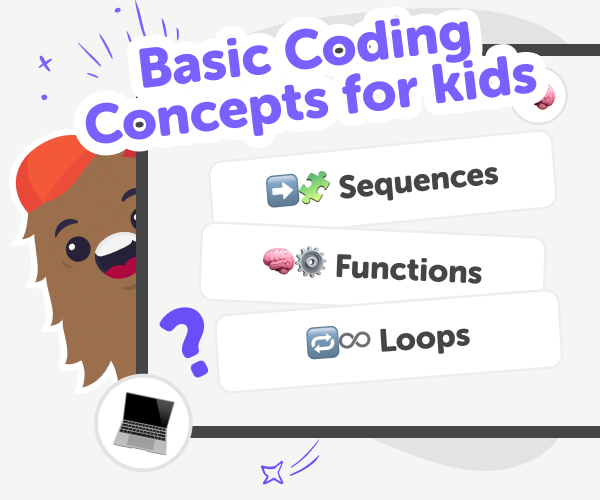
What are basic coding concepts?
Basic coding concepts for kids are the simple ideas that make programming work: sequence, variables, loops, conditionals, functions, events, debugging, and algorithms. These small ideas help children understand how instructions become behaviour on a screen or in a gadget. Learning the basics gives kids a toolkit to build games, apps, and physical projects without memorising lots of rules. A kid-friendly introduction to coding focuses on making, experimenting, and solving little problems. For young learners, concepts are easiest to grasp when they appear inside short, playful projects that show cause and effect. This approach encourages curiosity, confidence, and the habit of learning by doing rather than just reading about code.
Vibe Coder on DIY.org offers kid-sized coding environments where children type a simple prompt and watch a live preview of their idea. Environments include Game Viber for games, Java Coder and Py Coder for scripting, Ardu Coder for Arduino simulation, and Ask Anything for friendly coding questions. The left panel suggests examples; the right Preview shows a clickable prototype kids can play. Vibe Coder is designed for learning: it reveals the underlying code, offers explanations on request, and encourages iteration. Kids experiment with tiny projects to see sequence, loops, and conditionals in action. Parents can feel reassured because the tool is built for children, keeps interactions simple, and supports safe sharing when families are ready.
Learn basic coding with Vibe Coder
Step 1 - Pick a tiny project or example
Open Vibe Coder, choose an environment, and pick a short example like a blinking LED, simple game, or blank prompt to start.
Step 2 - Type a clear prompt
Tell Vibe Coder what you want using simple sentences. Try 'make a cat game' or 'fade an LED slowly' to begin.
Step 3 - Play and inspect the Preview
Use the Preview to play your creation, then open the Code window to see how sequence, loops, or variables make it work.
Step 4 - Make the most of Vibe Coder
Try tiny experiments Change one thing at a time—speed, colour, or a loop count—to see how behaviour changes and learn cause and effect. Iterate and improve Keep building on the same project. Add a feature, test it in Preview, then refine the code or prompt. Use the Code window Compare the preview with the code to link actions to instructions. Ask Vibe Coder to explain unfamiliar lines. Share and reflect When ready, share with friends using DIY.org’s safe tools and talk about what you learned.
What are the big eight coding concepts?
How does Vibe Coder help kids learn?
Is Vibe Coder safe and kid-friendly?
Can kids build games, apps, or circuits?
Frequently Asked Questions
Why 500,000 families trust DIY

Martin
Dad to 2 DIYers
My son loves DIY! He always finds fun projects to do, and we enjoy making things together. It’s a great way to learn, create, and have fun at the same time!

Pearl
DIYer from USA
DIY is such a great app with really sweet people and moderators who always make sure this app is super safe. You can learn to create things or learn drawing techniques - honestly there is so much to do.

Elaine W.
Middle school teacher
I love logging onto DIY every day - not just for projects but to also look at the comments my kids share about each other's work. It's a brilliant way to foster healthy support systems!

Jenn L.
Mom to 3 DIYers
We absolutely love the DIY platform and its endless river of creative adventures and projects! We always have the best time together participating, learning and creating!
