Arduino Simulator for Kids | Vibe Coder
Use Vibe Coder’s Ardu Coder to write, simulate, and learn Arduino code in your browser. A kid-safe Arduino simulator with guided challenges.
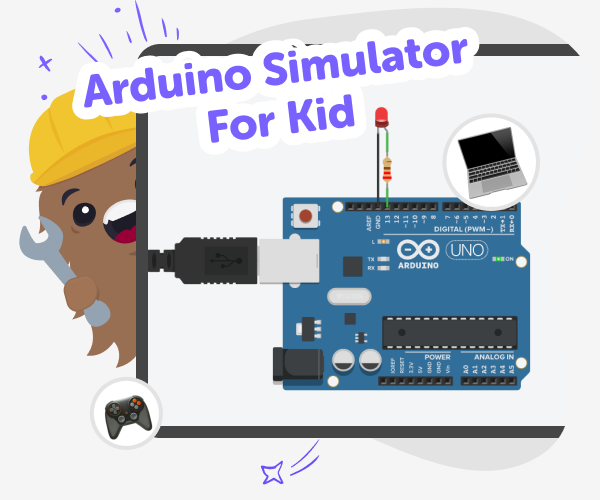
What is an Arduino simulator?
An Arduino simulator is a safe, kid-friendly program that lets you write and test Arduino code without having a physical board. Instead of building a real circuit right away, you can try ideas on screen, see how LEDs, buttons, buzzers, and sensors behave, and learn what code does to a circuit. Simulators make experimenting faster and reduce worry about hardware mistakes. On DIY.org, Vibe Coder’s Ardu Coder acts like an Arduino classroom in your browser. It shows a live preview, a circuit schematic, and the underlying code so kids can play, learn, and safely try new ideas.
Vibe Coder makes the simulator hands-on and friendly. In Ardu Coder you type what you want in the prompt window, pick an example (like blink or traffic light), and see a live Preview of your project. Toggle to the Code window to view or export Arduino code, and open the schematic to check wiring. The interface encourages making and testing without fear. Vibe Coder also works as an Arduino code generator for kids, offering example starters and conversational help to iterate projects. Guided challenges teach beginner to intermediate skills, while parents can trust the kid-focused design and optional sharing tools. It’s a learning space where kids build confidence through doing.
Write and Run Arduino Code with Vibe Coder
Step 1 - Open Ardu Coder
Pick Ardu Coder from Vibe Coder, choose an example like ‘Blink LED’, or start with a blank prompt to begin your project.
Step 2 - Preview and Simulate
Type what you want in the prompt window, then run Preview to see the simulated circuit, LED behaviour, and interactive controls.
Step 3 - View and Export Code
Switch to the Code window to read the Arduino sketch, tweak values, and export the code to test on a real board later.
Step 4 - Make the most of Arduino simulator
Try different starters Pick example prompts like fading LEDs, traffic lights, or buttons. Each starter teaches a small concept to explore. Iterate small changes Change delays, pin numbers, or sensor thresholds and re-run Preview to see immediate results. Use challenges to learn Work through beginner to intermediate guided challenges to build step-by-step skills and confidence. Debug with the schematic Check the circuit schematic, read serial messages, and use small tests to find and fix common mistakes.
What is an Arduino simulator?
How does an Arduino simulator help kids learn?
Is an Arduino simulator safe for kids?
Can kids build real projects from simulator lessons?
Frequently Asked Questions
Why 500,000 families trust DIY

Martin
Dad to 2 DIYers
My son loves DIY! He always finds fun projects to do, and we enjoy making things together. It’s a great way to learn, create, and have fun at the same time!

Pearl
DIYer from USA
DIY is such a great app with really sweet people and moderators who always make sure this app is super safe. You can learn to create things or learn drawing techniques - honestly there is so much to do.

Elaine W.
Middle school teacher
I love logging onto DIY every day - not just for projects but to also look at the comments my kids share about each other's work. It's a brilliant way to foster healthy support systems!

Jenn L.
Mom to 3 DIYers
We absolutely love the DIY platform and its endless river of creative adventures and projects! We always have the best time together participating, learning and creating!
