Use scratch to invent a superhero
Use Scratch to design and code an original superhero character, create costume, powers, animations, and simple controls to tell an interactive, playable story.


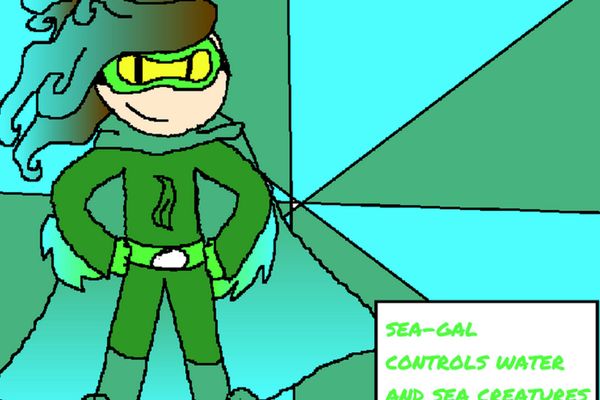
Step-by-step guide to design and code an original superhero in Scratch
Scratch Tutorial | Avengers Scratch Game | How to make an Avengers game in Scratch
Step 1
Open Scratch and start a new project or sign in to create a fresh project.
Step 2
Give your project a fun superhero name in the title field.
Step 3
Quickly sketch your hero on paper showing costume colors powers and a pose.
Step 4
In Scratch click the Sprite area and choose Paint to draw your superhero costume to match your sketch.
Step 5
Add at least two costumes to your sprite such as a normal pose and a power or flying pose.
Step 6
Create a backdrop that fits your hero’s world by choosing or painting a backdrop.
Step 7
Program left and right movement using "when key pressed" blocks and "change x by" blocks so arrow keys move your hero.
Step 8
Program a jump or fly using the space key with "repeat" and "change y by" blocks so the hero goes up and comes back down.
Step 9
Program a special power triggered by a key (for example the P key) that broadcasts a message switches to the power costume and plays a sound.
Step 10
Add an enemy or collectible sprite and code it to move and to respond when touching the hero using "if touching" blocks.
Step 11
Create a score variable and code it to increase when the hero collects items and to broadcast a win when the score reaches your goal.
Step 12
Play your project to test and fix one problem at a time and then save your project and click Share on Scratch.
Step 13
Share your finished superhero project on DIY.org with a short description and a picture so everyone can play your story.
Help!?
What can we use instead of paper and colored pencils to design the costume?
If you don't have paper or colored pencils, use the Scratch Paint editor by clicking the Sprite area and choosing Paint to draw and color your superhero and add multiple costumes there.
What should I check if the left/right keys or jump don't work in my project?
If movement or jump fails, confirm the 'when [key] key pressed' and 'change x by' or 'repeat'+'change y by' blocks are inside your hero sprite (not the backdrop), that 'change x by' has a visible value and the jump script has both up and matching down changes so the hero returns to the ground.
How can this activity be adjusted for younger or older kids?
For younger kids use ScratchJr or limit to one costume with simple left/right key scripts and a single space-key jump, while older kids can add the special power broadcast, enemy AI, the score variable, win broadcast, and multiple backdrops for levels.
How can we make the superhero project more impressive before sharing on DIY.org?
Enhance the project by adding animated running and power costumes in the Sprite area, have the P-key broadcast trigger costume switch plus a custom sound and enemy-freeze script, create multiple backdrops as levels, and set a clear score goal before saving and sharing on DIY.org with a screenshot.
Watch videos on how to design and code an original superhero in Scratch
How to Make Your Own Superhero | Toontorial | @cartoonnetworkuk
4 Videos
How to Make Your Own Superhero | Toontorial | @cartoonnetworkuk
Introduction to Coding with Scratch | Beginner's Guide to Scratch Programming
Scratch Basics - A Beginners Guide to Scratch
How to Make a Character Designer in Scratch | Tutorial
Facts about Scratch programming and game design
🧑💻 Scratch was created at the MIT Media Lab in 2007 and its online community hosts millions of shared projects.
🦸♂️ Superman, who debuted in 1938, is often credited as the first modern superhero and set many genre tropes like secret identities and iconic costumes.
🎨 Costume colors send quick signals—red reads as energetic, blue as trustworthy, and black as mysterious, so pick colors that match your hero's vibe.
🖼️ In Scratch, sprite animations swap between 'costumes'—about 12 frames per second (or fewer) usually looks smooth enough for playable stories.
🧩 Scratch projects commonly use dozens to hundreds of coding blocks; organizing actions into small scripts makes big games easier to build.
How do I use Scratch to design and code an original superhero for an interactive story?
What materials do I need to create a superhero project in Scratch?
What ages is creating a Scratch superhero suitable for?
What are the benefits of making a superhero in Scratch and are there any safety tips?
