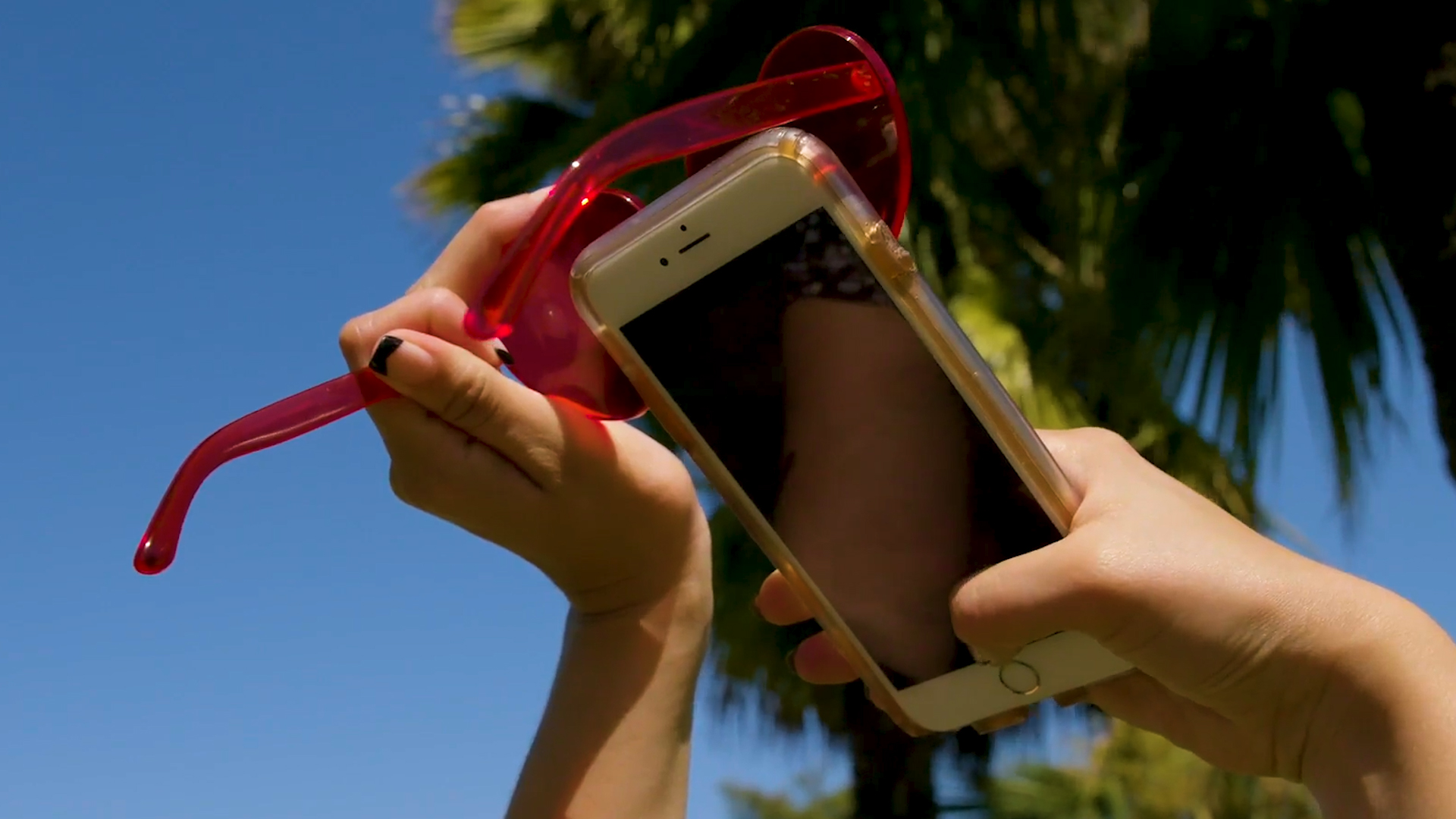
Take a photo using sunglasses as a filter
Use sunglasses as a color filter to take photos, compare images with and without the glasses, and learn how light and color change.
About this activity
Use sunglasses as a color filter to take photos, compare images with and without the glasses, and learn how light and color change.
What you need
Step by step
- 1
Step 1
Gather all the materials and bring them to a table near the bright light source.
- 2
Step 2
Place the plain white paper flat on the table so it makes a clean background.
- 3
Step 3
Arrange the colorful objects on the white paper so you can see each color clearly.
- 4
Step 4
Pick up the smartphone or camera and make sure it is ready to take a photo.
- 5
Step 5
Take one clear photo of the colorful objects without using the sunglasses.
- 6
Step 6
Hold the sunglasses so one lens covers the camera lens and keep it steady.
- 7
Step 7
Take one clear photo of the colorful objects while the sunglasses lens is covering the camera.
- 8
Step 8
Take a photo of the plain white paper without the sunglasses to see the true white color.
- 9
Step 9
Take a photo of the plain white paper while holding the sunglasses over the camera to see the tint.
- 10
Step 10
Open the photos and look at them side by side on the device so you can compare colors.
- 11
Step 11
Write three things you notice about how colors and light changed in your notebook.
- 12
Step 12
Share your photos and what you learned by posting your finished creation on DIY.org
Fun facts
How do I use sunglasses as a color filter to take photos with my child?
Start by choosing a camera or smartphone and one or more pairs of sunglasses with different tints. Set up a simple subject—toy, plant, or printed photo—under consistent light. Take a photo without glasses, then hold the sunglasses directly over the lens (or have the child wear them and take another). Compare images on the screen: note changes in color, contrast, and brightness. Ask the child which colors shifted and why.
What materials do I need to do the sunglasses photo filter activity?
You'll need: a smartphone or digital camera, at least one pair of sunglasses with a colored tint, a neutral subject (toy, plant, or printed picture), steady hands or a small tripod, and consistent lighting (window light or lamp). Optional: extra sunglasses with different tints, colored paper, notebook and pen to record observations, and a simple photo app to zoom or compare images side-by-side.
What ages is the sunglasses color filter photo activity suitable for?
Suitable for ages 4 and up with adult supervision; children 4–6 will enjoy simple observations and need help holding the camera and discussing colors. Ages 7–10 can compare results, label color changes, and try different sunglasses independently. Tweens and teens can experiment with multiple filters, lighting setups, and basic photo settings to explore color temperature and white balance.
What are the benefits of using sunglasses as filters to teach kids about light and color?
Benefits include hands-on learning about light, color mixing, and how tinted lenses affect hues and brightness. The activity builds observation, vocabulary, and critical thinking as children describe differences and form hypotheses. It introduces basic photography concepts—filters, exposure, and white balance—and promotes fine motor skills, patience, and curiosity. Low-cost and easy to repeat, it can extend into art or science projects.
Watch & Learn
Need help?
What can we use if we don't have sunglasses or plain white paper?
If you don't have sunglasses you can use a piece of tinted acetate or a dark reading lens held over the camera, and you can substitute the plain white paper with a white plate, poster board, or a light-colored wall for a clean background.
My photos are blurry or have reflections when I hold the sunglasses over the camera — how can I fix that?
To reduce blur and reflections when you 'hold the sunglasses so one lens covers the camera lens and keep it steady,' rest the smartphone on the table, prop the sunglasses with tape or a rubber band, use the camera timer, and angle the lenses to avoid glare from the bright light source.
How do I adapt the activity for younger children or older kids?
For younger children, simplify by arranging only two or three colorful objects and just taking the two photos (with and without sunglasses) and verbally naming differences, while older kids can take extra shots under different bright light sources, use a color-picker app to measure tint shifts, and write detailed comparisons in their notebook.
What are some ways to extend or personalize this sunglasses filter photo activity?
Extend the activity by testing multiple sunglasses or colored films, photographing the white paper and objects under sunlight versus a lamp, creating a side-by-side collage on your device, and posting your favorite photo with the three observations on DIY.org.