Showcase the 3 beatboxing mic techniques
Learn and practice three simple beatboxing microphone techniques: close, off-axis, and echo-style. Record short beats and perform safely with adult supervision.


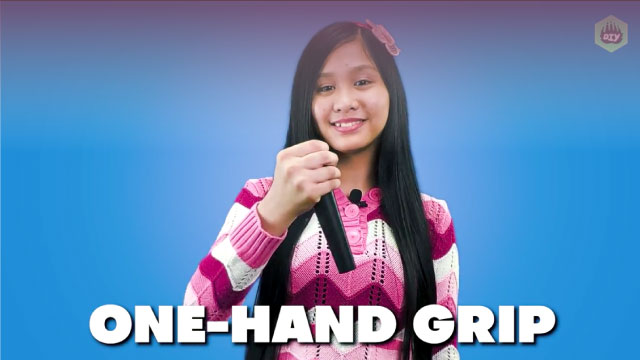

Step-by-step guide to showcase three beatboxing microphone techniques
Step 1
Find a quiet spot and stand or sit comfortably so you can hear yourself clearly.
Step 2
Ask an adult to set up the recording device and check that the volume is safe.
Step 3
Do three gentle hums to warm up your voice and wake up your mouth.
Step 4
Place the mic about 1–2 centimeters from your mouth for the close-mic technique.
Step 5
Make a simple 8-second "boots and cats" beat while keeping the mic close to hear the big bass and snaps.
Step 6
Move the mic about 2–5 centimeters to the side and tilt it about 45 degrees for the off-axis technique.
Step 7
Make a softer 8-second beat using "tss" and "pf" sounds while the mic is off-axis to hear a mellow tone.
Step 8
With an adult's help, record a short 6-second beat that shows your favorite close and off-axis sounds.
Step 9
Play back the short recording once and listen closely to how your sounds change.
Step 10
While the recording plays, perform softly and copy or answer the recorded sounds to make an echo-style effect.
Step 11
Ask an adult to help upload and share your favorite beatboxing clip on DIY.org
Help!?
What can we use instead of a standalone mic or recording device if we can't find one?
Use a smartphone or tablet's built-in microphone or wired headphones with a mic and keep the same 1–2 cm close-mic and 2–5 cm off-axis positions while an adult checks the volume.
Why does my recording sound too thin or too loud and how do I fix it?
Ask the adult to lower the recording device volume, redo the three gentle hums, and make sure the mic is exactly 1–2 cm for big bass/snaps or 2–5 cm at a 45° tilt for the mellow off-axis tone before recording the 6-second clip.
How can I change the activity for younger or older kids?
For younger kids shorten each pattern to 4–6 seconds and let an adult handle setup and upload, while older kids can extend the 8-second 'boots and cats' and 'tss/pf' beats, experiment with different mic angles, and layer echoes when copying playback.
How can we make the beatboxing clip more creative before uploading to DIY.org?
Record multiple 6–8 second takes of your favorite close-mic 'boots and cats' and off-axis 'tss/pf' sounds, then with an adult use a free app to layer, add light reverb or echo, and choose the best mix to upload.
Watch videos on how to showcase three beatboxing microphone techniques
How to Beatbox for Kids! 🎤 Fun & Easy Beatboxing with Aunt Jazz Using Letter Sounds!
4 Videos

How to Beatbox for Kids! 🎤 Fun & Easy Beatboxing with Aunt Jazz Using Letter Sounds!

Learn How to Beatbox | Activities for Kids | GoNoodle

How To Beatbox For Beginners: Learn The Basics (Part 1)

Easy Beatbox Patterns For Beginners
Facts about beatboxing and microphone technique
🎤 Beatboxing uses only the mouth, lips, tongue, and voice — some beatboxers can imitate whole drum kits and instruments!
🗣️ Rahzel, a famous beatboxer, is known for being able to sing and beatbox at the same time.
🎧 Holding the mic very close (close miking) makes sounds louder and bassier — pros use this to make beats punchy.
🔁 Echo-style mic moves and quick distance changes can create natural-sounding echoes or 'delay' without effects pedals.
👂 Listening safely matters: prolonged sound above ~85 dB can hurt ears, so always record at comfortable volumes with adult supervision.
How do I teach my child the three beatboxing mic techniques?
What materials do I need to practice close, off-axis, and echo-style beatboxing with a mic?
What ages is this beatboxing mic activity suitable for?
What safety precautions should I follow when kids practice beatboxing with a microphone?
