Show us your Procreate gallery
Create five colorful small drawings in Procreate, arrange them into a digital gallery layout, add titles, and present your favorite piece.
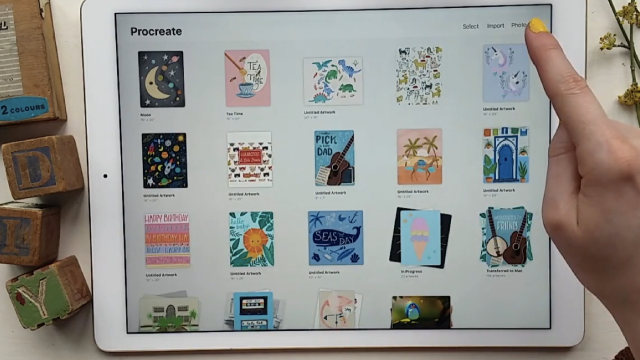
About this activity
Create five colorful small drawings in Procreate, arrange them into a digital gallery layout, add titles, and present your favorite piece.
What you need
Step by step
- 1
Step 1
Open Procreate and create a new landscape canvas sized about 3000 x 2000 pixels.
- 2
Step 2
Draw five small frames (squares or circles) spaced across the canvas to mark where each mini artwork will go.
- 3
Step 3
Draw a small colorful picture inside the first frame.
- 4
Step 4
Draw a small colorful picture inside the second frame.
- 5
Step 5
Draw a small colorful picture inside the third frame.
- 6
Step 6
Draw a small colorful picture inside the fourth frame.
- 7
Step 7
Draw a small colorful picture inside the fifth frame.
- 8
Step 8
Add a short title under each frame using the text tool or by hand.
- 9
Step 9
Choose your favorite mini drawing from the five.
- 10
Step 10
Make a larger spotlight of your favorite by copying it and enlarging it on the same canvas or by opening it on a new canvas.
- 11
Step 11
Add one sentence next to the spotlight that explains why this piece is your favorite.
- 12
Step 12
Export your finished gallery as a PNG image and save it to your Photos or Procreate Gallery.
- 13
Step 13
Share your finished creation on DIY.org.
Fun facts
How do I create and present a Procreate gallery with five small drawings?
To create and present a Procreate gallery, have the child make five small drawings on separate canvases or layers, keeping sizes consistent. Export each image or copy them into a new gallery-layout canvas and use the Transform tool to arrange thumbnails. Add titles with the Text tool or hand-lettering, then let the child pick a favorite and write a short caption about it. Export the final layout as PNG or PDF to share, print, or present.
What materials do I need to make a Procreate gallery with my child?
You’ll need an iPad that runs Procreate, the Procreate app, and an Apple Pencil or compatible stylus for better control. Keep the iPad charged and prepare a simple saved color palette and any reference images in a folder. Optionally use a keyboard for quick text titles, a printed layout template for planning, and a quiet workspace. For sharing or printing, have access to AirDrop, email, or a printer, and supervise younger kids.
What ages is this Procreate gallery activity suitable for?
This activity suits children aged 6 and up for independent work; younger kids (3–5) can join with adult help and simplified drawing prompts. Tweens and teens can explore more detailed techniques and layout design. Adjust canvas size, drawing time, and instructions to match attention spans. Supervise account settings and online sharing for those under 13, and assist with technical steps like exporting and adding titles to keep the experience fun and safe.
What are the benefits of making a Procreate gallery with kids?
Making a Procreate gallery builds creativity, color sense, and composition skills while teaching digital art workflow like layers, exporting, and layout. It boosts confidence as kids choose favorites and explain their ideas. The task improves fine motor coordination using a stylus and encourages storytelling through titles and captions. Presenting the gallery strengthens communication skills, and saving galleries over time helps track artistic growth and fosters family collaboration.
Watch & Learn
Need help?
What can we use if we don't have Procreate or an iPad?
If you don't have Procreate or an iPad, use another drawing app like Autodesk Sketchbook, Adobe Fresco, or Krita to make a 3000x2000 canvas, or draw the five frames on paper and photograph the finished gallery to export a PNG to your Photos or gallery.
I'm having trouble copying and enlarging my favorite mini drawing—what should I try?
To copy and enlarge your favorite, duplicate its layer, use the Transform or Move tool to scale the copy (or select, copy, and paste it onto a new 3000x2000 canvas), and if parts disappear make sure the whole frame layer is selected or merge visible layers before transforming.
How can we adapt this gallery activity for younger or older kids?
For younger kids simplify by drawing three large frames, using big shapes and stickers and writing titles by hand, while older kids can keep five detailed mini artworks, use multiple layers, fine brushes, shading, and a more polished spotlight with a typed one-sentence explanation.
How can we personalize or extend the finished gallery after exporting the PNG?
Personalize and extend the gallery by adding a background scene behind the five frames, creating a themed color palette, using Procreate's Animation Assist to animate the spotlight, or assembling multiple PNGs into a multi-page portfolio before sharing on DIY.org.