Record "Mary Had a Little Lamb" on Bandlab
Record Mary Had a Little Lamb on BandLab with an adult, sing or play, layer tracks, do simple edits, and save your finished song.


Step-by-step guide to record 'Mary Had a Little Lamb' on BandLab
Step 1
Ask an adult to sit with you and help while you use BandLab.
Step 2
With the adult open BandLab on your device.
Step 3
Sign in to your BandLab account with the adult's help.
Step 4
Tap or click Create New Project to start a new song page.
Step 5
Choose a Voice or Instrument track so you can record singing or playing.
Step 6
Turn on the metronome so you can hear a steady beat.
Step 7
Press Record and sing or play Mary Had a Little Lamb from start to finish.
Step 8
Press Stop and listen to your recording all the way through.
Step 9
Press Add Track to make a second track for harmony or an extra instrument.
Step 10
Record the second track while listening to the first track for timing.
Step 11
Trim any quiet bits at the start or end by dragging the track edges.
Step 12
Adjust each track's volume so all parts can be heard clearly.
Step 13
Add a simple effect like a little reverb if you want a nicer sound.
Step 14
Save your project in BandLab using the Save button.
Step 15
Ask the adult to help you share your finished creation on DIY.org.
Help!?
What can we use if BandLab or a good microphone isn’t available?
If BandLab isn't available, use another free recording app like GarageBand or Audacity to Create New Project and record, and if your device lacks a mic use wired earbuds with a mic or the adult's phone to capture the singing.
Why does my second track fall out of time and how can I fix it?
If the second track is out of time while listening to the first, turn on the metronome before recording both tracks, lower the playback volume of the first track to hear yourself better, or use BandLab's count-in and re-record the section.
How can I adapt this activity for different ages or skill levels?
For younger children, simplify by recording just one Voice track and having the adult trim quiet bits and press Record/Stop, while older kids can add the second harmony track, adjust volumes, and try a little reverb themselves.
How can we extend or personalize our Mary Had a Little Lamb recording?
Extend the project by pressing Add Track to include extra instruments or harmony, tweak effects like reverb or EQ for a different sound, and then Save and share the finished creation on DIY.org as instructed.
Watch videos on how to record 'Mary Had a Little Lamb' on BandLab
Mary Had a Little Lamb | Classic Rhyme for Children
4 Videos

Mary Had a Little Lamb | Classic Rhyme for Children
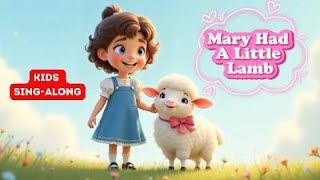
Mary Had a Little Lamb 🐑 | Kids Sing-Along Song | Nursery Rhyme Fun!
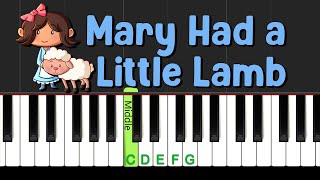
Learn "Mary Had a Little Lamb" in this EASY Piano tutorial Play-along!
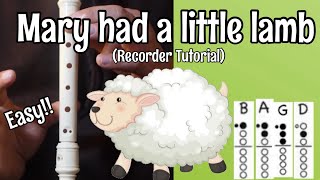
MARY HAD A LITTLE LAMB - Recorder Tutorial - Cover with notes and finger chart (EASY For Beginners)
Facts about music recording and digital audio for kids
🎵 "Mary Had a Little Lamb" was first published as a poem in 1830 by Sarah Josepha Hale.
🎛️ BandLab is a free online music studio (a cloud DAW) that lets you record, layer, and share tracks from a web browser or app.
🎙️ Multitrack recording means each instrument or vocal gets its own track so you can mix and edit them separately.
🎸 Guitar legend Les Paul helped popularize overdubbing and multitrack techniques, letting artists layer themselves playing many parts.
💾 BandLab autosaves projects to the cloud so you can stop and come back to finish your song on another device.
How do I record 'Mary Had a Little Lamb' on BandLab with my child?
What materials and equipment do we need to record 'Mary Had a Little Lamb' on BandLab?
What ages is recording a simple song on BandLab suitable for?
What are the benefits of recording songs on BandLab and how can I keep my child safe?
