Make a landscape using layers on Procreate
Use Procreate to design a layered landscape by drawing foreground, middle ground, and background on separate layers, experimenting with brushes and colors.


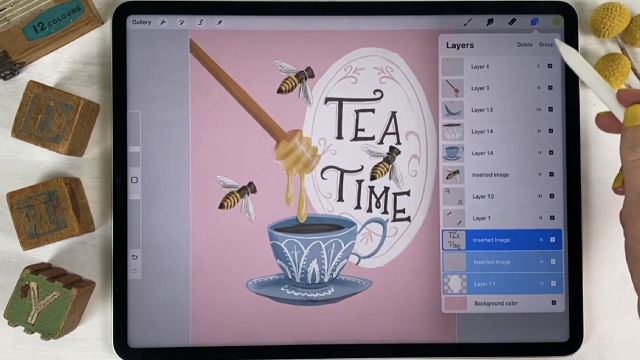

Step-by-step guide to design a layered landscape in Procreate
Step 1
Open the Procreate app on your iPad.
Step 2
Tap the + button to create a new canvas.
Step 3
Choose a canvas size you like and tap Create.
Step 4
Tap the Layers icon to open the Layers panel.
Step 5
Tap + to add a new layer for the Background.
Step 6
Tap + again to add a new layer for the Middle Ground.
Step 7
Tap + one more time to add a new layer for the Foreground.
Step 8
Select the Background layer then pick a soft brush from the Brush Library.
Step 9
Paint the sky and distant shapes on the Background layer using lighter desaturated colors.
Step 10
Select the Middle Ground layer then choose a medium-detail brush.
Step 11
Paint hills or mid-distance trees on the Middle Ground layer using medium-toned colors.
Step 12
Select the Foreground layer then pick a textured or detailed brush.
Step 13
Draw close-up plants rocks or objects on the Foreground layer with darker colors and more detail.
Step 14
Share your finished layered landscape on DIY.org.
Help!?
What can we use if we don't have an iPad or Procreate?
If you don't have Procreate on an iPad, use another layer-capable app like Adobe Fresco or Clip Studio on a tablet/phone, or recreate the Background/Middle Ground/Foreground by drawing on three sheets of tracing paper layered together.
My strokes keep showing on the wrong layer — how do I fix that?
Tap the Layers icon and make sure the correct Background, Middle Ground, or Foreground layer is highlighted and unlocked, set to full opacity, and then choose the intended brush before painting.
How can I adapt this activity for younger or older kids?
For younger kids use only two layers (Background and Foreground) and a soft brush to keep it simple, while older kids can add extra layers, use medium-detail and textured brushes, and refine lighter desaturated to darker color values for depth.
How can we make the landscape more detailed or unique before sharing on DIY.org?
Add an extra layer for small silhouettes, use a textured brush on the Foreground for close-up detail, apply a subtle Gaussian Blur from Adjustments to the Background for depth, and add a signature layer before sharing on DIY.org.
Watch videos on how to design a layered landscape in Procreate
PROCREATE Landscape DRAWING Tutorial in Easy STEPS - Woodland Sun Rays
4 Videos
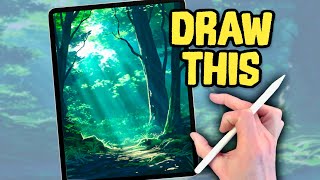
PROCREATE Landscape DRAWING Tutorial in Easy STEPS - Woodland Sun Rays
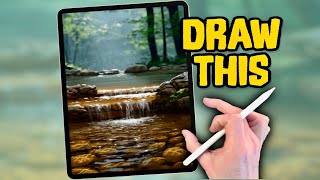
PROCREATE Landscape DRAWING Tutorial in EASY Steps - Woodland Stream
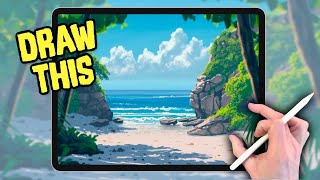
PROCREATE DRAWING Tutorial LANDSCAPE in Easy STEPS - Summer Beach
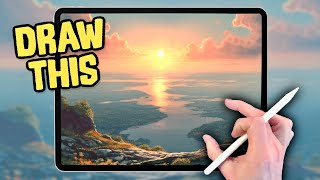
PROCREATE Landscape DRAWING Tutorial in Easy STEPS - Sunset River
Facts about digital illustration for kids
🖌️ Procreate was built for iPad and is a favorite app for illustrators and kids learning digital painting.
🧩 Layers let you draw the sky, mountains, and trees separately so you can change one without redoing the rest.
🎨 Procreate comes with tons of brushes and you can create custom brushes to make your landscape look unique.
🌈 A neat depth trick: warm colors (reds, oranges) seem closer while cool colors (blues, greens) appear farther away.
🏞️ Artists split scenes into foreground, middle ground, and background to guide the viewer’s eye and add story to a landscape.
How do you create a layered landscape in Procreate?
What materials do I need to make a layered landscape in Procreate?
What ages is this Procreate layered landscape activity suitable for?
What are the benefits of making layered landscapes in Procreate?
