Make a Digital Tshirt
Design and create a digital T shirt graphic using simple drawing software, pick colors and images, add text, then save and share your design.
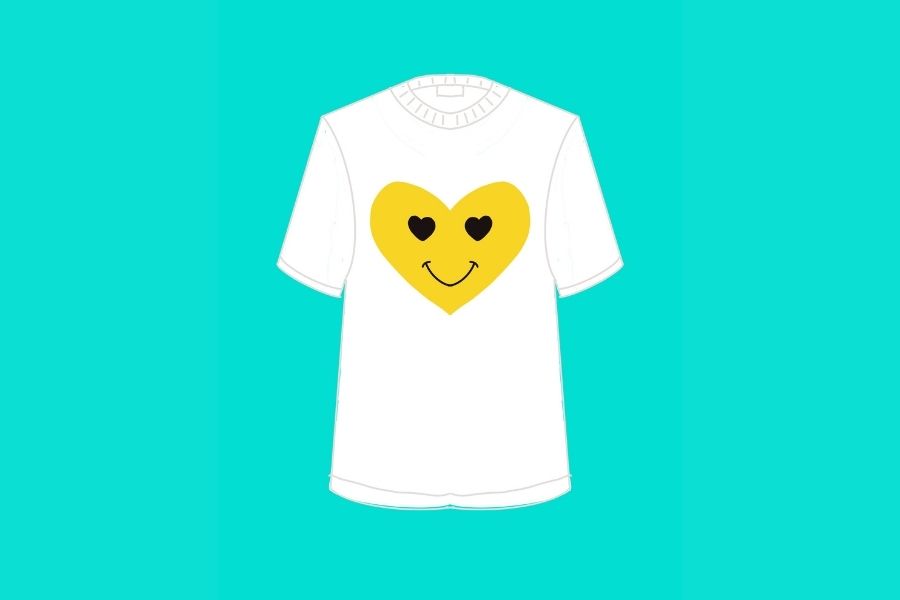
About this activity
Design and create a digital T shirt graphic using simple drawing software, pick colors and images, add text, then save and share your design.
What you need
Step by step
- 1
Step 1
Open your drawing app or software on the device you will use.
- 2
Step 2
Create a new canvas about 2000 by 2000 pixels and set the background to transparent.
- 3
Step 3
Import a T shirt template or draw a simple T shirt outline on the canvas to show where your design will sit.
- 4
Step 4
Pick three to four colors you love and save them as your design palette in the app.
- 5
Step 5
Draw or place the main image or logo in the center of the T shirt area.
- 6
Step 6
Add small shapes or icons around the main image to decorate and make it fun.
- 7
Step 7
Use the text tool to type a short phrase or name you want on your shirt.
- 8
Step 8
Choose a font and size for your text so it looks good with your picture.
- 9
Step 9
Move and resize each element until the whole design looks balanced on the T shirt.
- 10
Step 10
Adjust colors and contrast so the text and images are easy to see against the T shirt.
- 11
Step 11
Save your project in the app’s native format so you can edit it later.
- 12
Step 12
Export a final image file as a PNG with a transparent background or as a JPEG and give the file a clear name.
- 13
Step 13
Ask an adult for help if you need it and then upload and share your finished T shirt design on DIY.org.
Fun facts
How do I make a digital T-shirt design?
To make a digital T-shirt design, open a simple drawing or design app (Canva, Paint, Procreate, or Pixlr). Create a blank canvas sized for a shirt mockup, choose colors and background, draw or import clipart, and add text with readable fonts. Arrange and resize elements, check composition on a T-shirt template, then export as PNG (transparent background) or JPG. Save your file and share or upload to a print-on-demand site.
What materials do I need to design a digital T-shirt?
You’ll need a computer, Chromebook, or tablet with internet access and a drawing or design app (Canva, MS Paint, Procreate, Pixlr, or free kids' apps). A mouse or stylus helps control lines. Download a T-shirt mockup template or use built-in templates. Optional: printer and heat-transfer paper to make a physical shirt, or an account with a print-on-demand service to order prints.
What ages is digital T-shirt design suitable for?
This activity works for kids about 4 and up with adult help, while ages 6-9 can use simplified drawing apps to create basic designs. Children 10+ typically work independently and learn advanced tools, typography, and layering. Adjust complexity and supervision: younger children need more guidance with software and online sharing, while older kids can explore printing and selling with parental oversight.
What are the benefits and safety tips for kids making digital T-shirt designs?
Designing digital T-shirts boosts creativity, fine motor control, color sense, visual problem-solving, and basic graphic skills kids can use for hobbies or portfolios. It encourages expression and confidence when they share designs. Safety tips: avoid using copyrighted images, don’t share personal information when posting designs, use child-friendly apps, require parental approval before printing or selling, and supervise downloads or account creation to prevent purchases and protect privacy.
Watch & Learn
Need help?
What can we use if we don't have the drawing app or a T-shirt template?
If you don't have the drawing app, use free web apps like Canva or Pixlr on your device or draw a T-shirt outline on paper, scan or photograph it, and import that image as your canvas background.
Why does my design look blurry or elements shift when I export, and how can I fix it?
If your design looks blurry or elements shift, make sure your canvas is set to about 2000 by 2000 pixels, keep layers intact, check that background is transparent before exporting as a PNG (or use a high-quality JPEG), and save the native project file so you can re-open and adjust alignment.
How can I change the activity for younger or older kids?
For younger kids, simplify by choosing three colors, placing a single main image and oversized text with adult help on the 'pick colors' and 'text' steps, while older kids can create custom logos, use layers, fine-tune contrast, and experiment with fonts and export settings.
What are some fun ways to personalize or extend my finished T-shirt design?
To personalize and extend the project, save the native editable file, make multiple colorway versions by adjusting your saved palette and small icons, export PNGs with transparent backgrounds, then upload your favorite to DIY.org or a print-on-demand site to order a real T-shirt.