Learn ClayMation!
Create a short ClayMation stop-motion movie using modeling clay, a smartphone or tablet, simple props, and frame-by-frame animation to tell a story.



Step-by-step guide to create a ClayMation stop-motion movie
Step 1
Gather all the materials from the list and bring them to a clear table or floor space.
Step 2
Think of a very short story and write three quick scenes on your paper as a simple storyboard.
Step 3
Choose which characters you need and sculpt your main character from modeling clay.
Step 4
Make any extra characters props and small background pieces from clay and your simple props.
Step 5
Place the tray or cardboard on your table and arrange the background pieces to make your movie stage.
Step 6
Prop your smartphone or tablet on the stack of books or cup so the camera points steadily at the stage.
Step 7
Position the desk lamp to light the stage evenly so nothing is in shadow.
Step 8
Put your characters in the starting pose for scene one on the stage.
Step 9
Open the camera app on the device and take the first photo to capture the starting pose.
Step 10
Move your character a tiny bit then take another photo and repeat this same action many times to create smooth movement.
Step 11
Play the photos back on the device to watch the motion and make small adjustments to timing or poses if needed.
Step 12
Use a simple stop motion or video app to assemble the photos into a short movie set the frame rate and add a title or sound if you like.
Step 13
Share your finished ClayMation movie on DIY.org.
Help!?
What can we use instead of modeling clay, a tray or a desk lamp if those items are hard to find?
If you don't have modeling clay use play‑dough, salt dough, or oven‑bake polymer clay; substitute the tray or cardboard with a shoebox lid or stiff poster board for the stage; and replace a desk lamp with bright window light or a flashlight positioned to light the stage evenly.
My characters keep falling over or the motion looks jumpy—how can I fix that?
Make tinier, more consistent moves between photos, secure characters' feet with removable poster tack or hidden toothpicks/wire, and stabilize your smartphone by tightening the stack of books or using tape/a clamp as you prop the device.
How should we change the activity for different age groups?
For preschoolers simplify to one scene with big basic clay shapes and adult help for the camera, for ages 6–9 keep the three‑scene storyboard and practice small movements with 10–30 photos per scene, and for ages 10+ add detailed characters, more frames for smoother motion, and edit frame rate and sound in the stop motion app.
What are some ways to extend or personalize our ClayMation project after making the basic movie?
Personalize by painting or taping paper backdrops onto the tray, building small clay or cardboard props for extra scenes, recording voiceovers and sound effects to add when you assemble photos in the stop motion app, and finally share your finished ClayMation on DIY.org.
Watch videos on how to create a ClayMation stop-motion movie
Clay Class: Intro To Claymation
4 Videos
Clay Class: Intro To Claymation
How to make a Claymation film! An online tutorial
Claymation Basics | Stop Motion
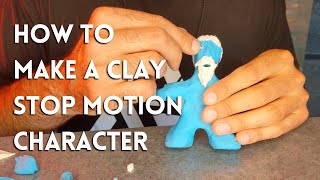
How to Make a Claymation Character | Easy Stop Motion Tutorial
Facts about stop-motion animation for kids
🎬 Most professional stop-motion films run at 24 frames per second, but beginners often use 12 fps to cut the number of photos in half.
🏷️ The term "Claymation" was coined and trademarked by animator Will Vinton in 1978.
🐶 Aardman Animations helped popularize clay stop-motion with Wallace & Gromit; 'The Wrong Trousers' won the 1994 Academy Award for Best Animated Short.
📱 A one-minute ClayMation movie at 12 fps needs about 720 photos — every tiny move adds up quickly!
🧽 Plasticine and many modeling clays don’t dry out, so you can reshape characters again and again while animating.
How do you make a ClayMation stop-motion movie at home?
What materials do I need to create a ClayMation film?
What ages is ClayMation suitable for and how much supervision is needed?
What are the benefits of making ClayMation with my child?
