Fork a repo on github
Learn to fork a GitHub repository to create your own copy, explore project files, and make safe changes with adult supervision.
About this activity
Learn to fork a GitHub repository to create your own copy, explore project files, and make safe changes with adult supervision.
What you need
Step by step
- 1
Step 1
Sign in to your GitHub account.
- 2
Step 2
Go to the repository page you want to copy by searching or using its link.
- 3
Step 3
Click the "Fork" button near the top-right of the project page.
- 4
Step 4
Wait for GitHub to finish making your fork.
- 5
Step 5
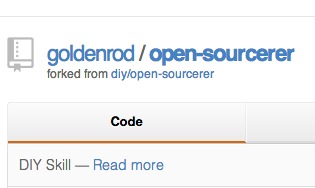
Look at the top of the page and check that your username is listed as the owner of the fork.
- 6
Step 6
Click a file such as README.md to open and read the project files.
- 7
Step 7
Create a new branch by opening the branch dropdown, typing a name, and pressing Enter.
- 8
Step 8
Click the pencil (Edit) icon to start editing the file you opened.
- 9
Step 9
Type one small and safe change like adding a friendly sentence or your name.
- 10
Step 10
Scroll down and write a short commit message that explains your change.
- 11
Step 11
Click "Commit changes" to save your edit to the new branch.
- 12
Step 12
Click "Compare & pull request" to start a pull request for your change.
- 13
Step 13
Ask an adult to review the pull request with you before creating or sending it.
- 14
Step 14
Share your finished creation on DIY.org.
Fun facts
How do I teach a child to fork a GitHub repository and make safe changes?
Start by choosing a simple public repository and signing in to GitHub with adult supervision. Click the Fork button to make your own copy, then open the forked project in the web editor or clone it to your computer. Explore files like README and small source files. Create a new branch, make a tiny change (typo or comment), commit with a clear message, and open a pull request for review by the adult. Keep changes small and safe.
What materials do I need to teach a child to fork a repo on GitHub?
You’ll need a computer or tablet with internet access, a modern web browser, and a GitHub account created with an adult. Optional: Git installed locally, a simple text editor (like VS Code or Notepad), and a kid-friendly sample repository. Also have an adult available to guide, review changes, and manage account settings. Print or digital step-by-step instructions and patience make the activity smoother.
What ages is forking a GitHub repo suitable for?
This activity suits children about 8 years and older with close adult supervision, especially for account setup and web safety. Ages 10–13 can follow guided steps and make small edits; teens (13+) may work more independently, learn branching, cloning, and pull requests. Adjust expectations to the child’s reading, typing, and problem-solving skills. Keep tasks simple and always have an adult review changes before sharing publicly.
What are the benefits and safety tips for forking a repo with kids?
Forking a repo teaches kids basic coding, version control concepts, and safe collaboration. It builds problem-solving, file-reading, and communication skills through commits and pull requests. For safety, use public but simple practice repos, avoid real personal data, and create accounts under parent supervision. Teach children to make tiny changes, use branches, and never publish secrets or keys. Always review commits with an adult before making them public.
Watch & Learn
Need help?
What if I don't have a GitHub account or can't access GitHub—is there a substitute for signing in and forking?
If you don't have a GitHub account or can't access it, ask an adult to sign in or create the account and fork the repo for you, or use a compatible alternative like GitLab and follow the same fork → branch → edit → commit workflow.
What should I do if the Fork button or the pencil (Edit) icon doesn't work when I try to edit a file?
If the Fork button is missing or the pencil icon is disabled, first make sure you're signed in and that your username appears as the owner of the fork at the top of the page, then open your forked repo (not the original) and create a new branch before trying the web editor again.
How can I change the activity for different ages so it's safe and fun for younger kids or more challenging for older kids?
For younger kids, have an adult handle signing in, forking, and creating the branch while the child chooses a friendly sentence to add and you make the commit together, and for older kids let them use GitHub Desktop or the command line to create branches, edit files, and write more detailed commit messages.
How can we extend or personalize the project after making the small change and opening a pull request?
To extend the activity, personalize the README.md by adding a short bio or image, create a new file with a simple code example or project idea in your branch, open an issue to suggest a feature, then include the pull request link when you share your finished creation on DIY.org.