Draw Your Metaverse Avatar!
Design and draw your metaverse avatar using paper and colors, plan features, experiment with outfits and expressions to express personality and creativity.
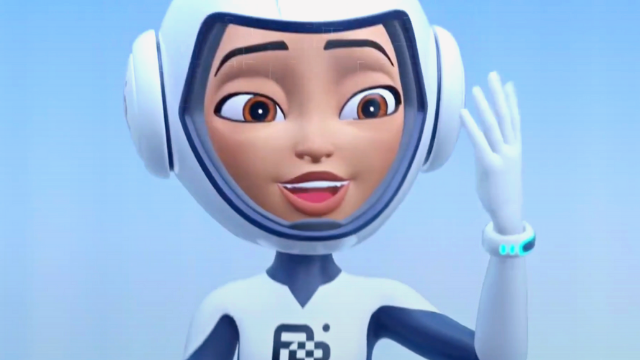
About this tutorial
Design and draw your metaverse avatar using paper and colors, plan features, experiment with outfits and expressions to express personality and creativity.
What you need
Instructions
- 1
Step 1
Gather all your materials and place them where you can reach them.
- 2
Step 2
Sit in a comfy well lit spot to work.
- 3
Step 3
Decide what type of avatar you want to create for the metaverse like a person robot alien animal or fantasy creature.
- 4
Step 4
Choose three words that describe your avatar’s personality.
- 5
Step 5
Draw three tiny face sketches showing different expressions to test how your avatar feels.
- 6
Step 6
Draw three tiny outfit thumbnails with different styles to see what fits your avatar.
- 7
Step 7
Pick your favorite face and your favorite outfit from the tiny sketches.
- 8
Step 8
Choose 3 to 5 main colors for your avatar’s skin hair clothes and accessories.
- 9
Step 9
Make a small color swatch for each chosen color on a scrap piece of paper.
- 10
Step 10
Lightly draw the full-size avatar in pencil using the chosen face outfit and details.
- 11
Step 11
Trace your final pencil lines with the black marker or fine liner to make bold outlines.
- 12
Step 12
Color your avatar using the color swatches you made.
- 13
Step 13
Add small finishing touches like highlights textures or patterns to make it pop.
- 14
Step 14
Sign your name and write the date on your artwork.
- 15
Step 15
Share your finished creation on DIY.org.
Fun facts
How do I design and draw a metaverse avatar?
Start by deciding your avatar’s personality and key features—age, species, style. Sketch basic shapes with a pencil, planning head, body, and outfit. Try different expressions and poses on separate practice sheets. Refine the favorite sketch, ink or darken lines, then add color and patterns. Finish with accessories, backgrounds, and photograph or scan your drawing if you want to use it digitally.
What materials do I need to draw a metaverse avatar?
You'll need paper (sketch or printer paper), a pencil and eraser for planning, fine liners or a black pen for outlines, and colored pencils, markers, or crayons for filling in. Optional extras: watercolor or gel pens, metallic markers, stickers, scissors and glue for mixed-media pieces, and a smartphone or scanner to digitize your avatar for sharing or editing.
What ages is this activity suitable for?
This activity suits most ages. Preschoolers (3–5) enjoy simple shapes and colors with adult help. Ages 6–9 can plan features, sketch outfits, and practice expressions independently. Ages 10–14 and teens can add detail, mixed media, or digitize their work for online avatars. Adjust complexity, fine-motor tasks, and safety with scissors and small items for each child’s level.
What are the benefits of designing a metaverse avatar?
Designing a metaverse avatar builds creativity, storytelling, and planning skills as kids choose features and outfits. It improves fine motor control, color sense, and visual design thinking. Crafting expressions helps emotional literacy and self-expression. Digitizing or modifying avatars introduces basic digital skills and remix culture. It's a low-cost, screen-complementary activity that boosts confidence when children see their ideas come to life.
Watch & Learn
Need help?
What can I use if I don't have a black marker, fine liner, or some marker colors?
If you don't have the black marker or fine liner use a dark ballpoint pen or sharpened pencil for outlines, and substitute missing marker colors with colored pencils, crayons, or watered-down paint while still making small color swatches on scrap paper as instructed.
My outlines smudge or the ink bleeds through the paper—how do I fix that?
To prevent smudging or bleeding when you 'trace your final pencil lines with the black marker or fine liner,' place a scrap sheet under your page, use a finer pen or lighter strokes, and wait for ink to fully dry before erasing pencil lines.
How can I adapt this activity for different ages or skill levels?
For younger kids simplify by choosing one descriptive word, doing one large face sketch and one outfit thumbnail with crayons and skipping fine lining, while older kids can expand to 3–5 color swatches, detailed textures, and digital edits after scanning the penciled avatar.
What are some ways to enhance or personalize my metaverse avatar after finishing it?
Extend your avatar by creating multiple outfit thumbnails and poses, inventing a short backstory from your three personality words, adding textured highlights and patterns, scanning for digital coloring, or turning the cut-out into a cardboard puppet before sharing on DIY.org.