Create a Stop Motion Video Using Your Hands
Make a stop motion video using your hands as characters, a smartphone or tablet, simple props, and frame by frame photography to learn animation basics.


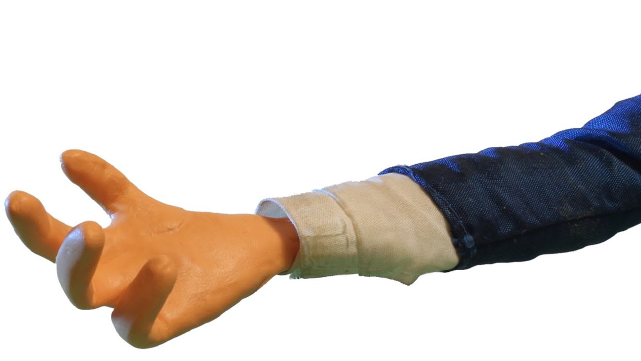

Step-by-step guide to create a stop motion video using your hands
Step 1
Think of a short idea for your hand characters like a high five a dance or finding treasure.
Step 2
Gather the materials listed above and bring them to your workspace.
Step 3
Make your stage by laying the paper or poster board flat or taping it to a wall.
Step 4
Arrange your small props on the stage where the story will happen.
Step 5
Place your smartphone or tablet on the stack of books or tripod so the camera points at the stage.
Step 6
Open the camera app or a stop-motion app on the device.
Step 7
Lock the focus and exposure in the camera app so the pictures look the same.
Step 8
Turn on the lamp and aim it at the stage so the lighting stays steady.
Step 9
Put your hand into the first pose on the stage and hold very still.
Step 10
Tap the shutter to take the first photo.
Step 11
Move your hand a tiny bit to the next pose.
Step 12
Tap the shutter to take the next photo.
Step 13
Repeat Step 11 and Step 12 until your short story is finished.
Step 14
Play the photos as a video in the app adjust the speed and then save or export the stop motion video.
Step 15
Share your finished stop motion video on DIY.org.
Help!?
If I don't have a tripod or poster board, what can I use instead?
Use a stack of books or a heavy box to hold your smartphone or tablet steady (step 5) and swap poster board for printer paper, a sheet, or taped-together cardboard to make your stage (step 3).
My photos look jumpy or change brightness when I play the video—what should I check?
Make sure your device is fixed on the stack of books or tripod (step 5), lock the focus and exposure in the camera app (step 6), secure the paper with tape (step 3), and keep the lamp aimed at the stage so lighting stays steady (step 8).
How can I adapt this activity for different ages?
For younger kids, choose a very simple idea (step 1), take fewer photos and larger hand moves (steps 11–12) with adult help pressing the shutter (step 10), while older kids can add more frames, detailed props (step 4), and edit speed in the stop-motion app (step 13).
What are some ways to make the stop motion more creative or personal?
Personalize the stage with drawn backgrounds or colored paper (step 3), add small props or costumes (step 4), record a voiceover or music and adjust the video speed in the app before exporting (steps 13–14) and then share it on DIY.org (step 14).
Watch videos on how to create a stop motion video using your hands
How to Make a Stop-Motion Animation | Tate Kids
4 Videos
How to Make a Stop-Motion Animation | Tate Kids
How to start your first Stop Motion Animation | Beginners Guide To Stop Motion | Stop-Motion Fight
How to Make an Easy Stop Motion Film | Beginner's Guide
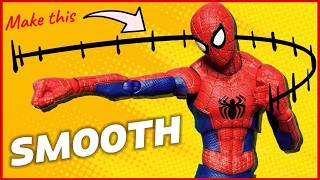
How to Make Stop Motion Videos SMOOTHER | A Beginner's Guide to Stop Motion | Episode 2
Facts about stop motion animation
🎬 Many stop-motion films use 12–24 frames per second — at 12 fps you take 12 photos to make one second of video.
✋ Pixilation is a stop-motion trick that uses real people or body parts (like hands) as characters by photographing them frame-by-frame.
📱 You can shoot stop-motion on a smartphone with free apps that offer onion-skinning to line up each tiny move.
⏱️ To make a 15-second clip at 12 fps you need 180 photos — steady, small changes make smoother motion!
🏆 Famous stop-motion works like Wallace and Gromit and The Nightmare Before Christmas show how tiny moves can tell big stories.
How do I create a stop motion video using my child's hands as characters?
What materials do I need to make a hand stop motion animation?
What ages is making a stop motion video with hands suitable for?
What are the benefits of making stop motion hand videos?
